

DATABASE_URL. Every value is encrypted at rest.
Add variables in the dashboard
- Open the app and go to Environment variables.
- Click Add environment variable. A panel opens with a table of keys and values.
- Enter one or more key-value pairs. To import a
.envfile, drop it on the table, click Import .env, or paste its contents into a key cell. - Turn on Sensitive in a row for secrets.
- Pick the target Environment, or keep All environments to set the same value everywhere.
- Save, then redeploy. See When a change takes effect.
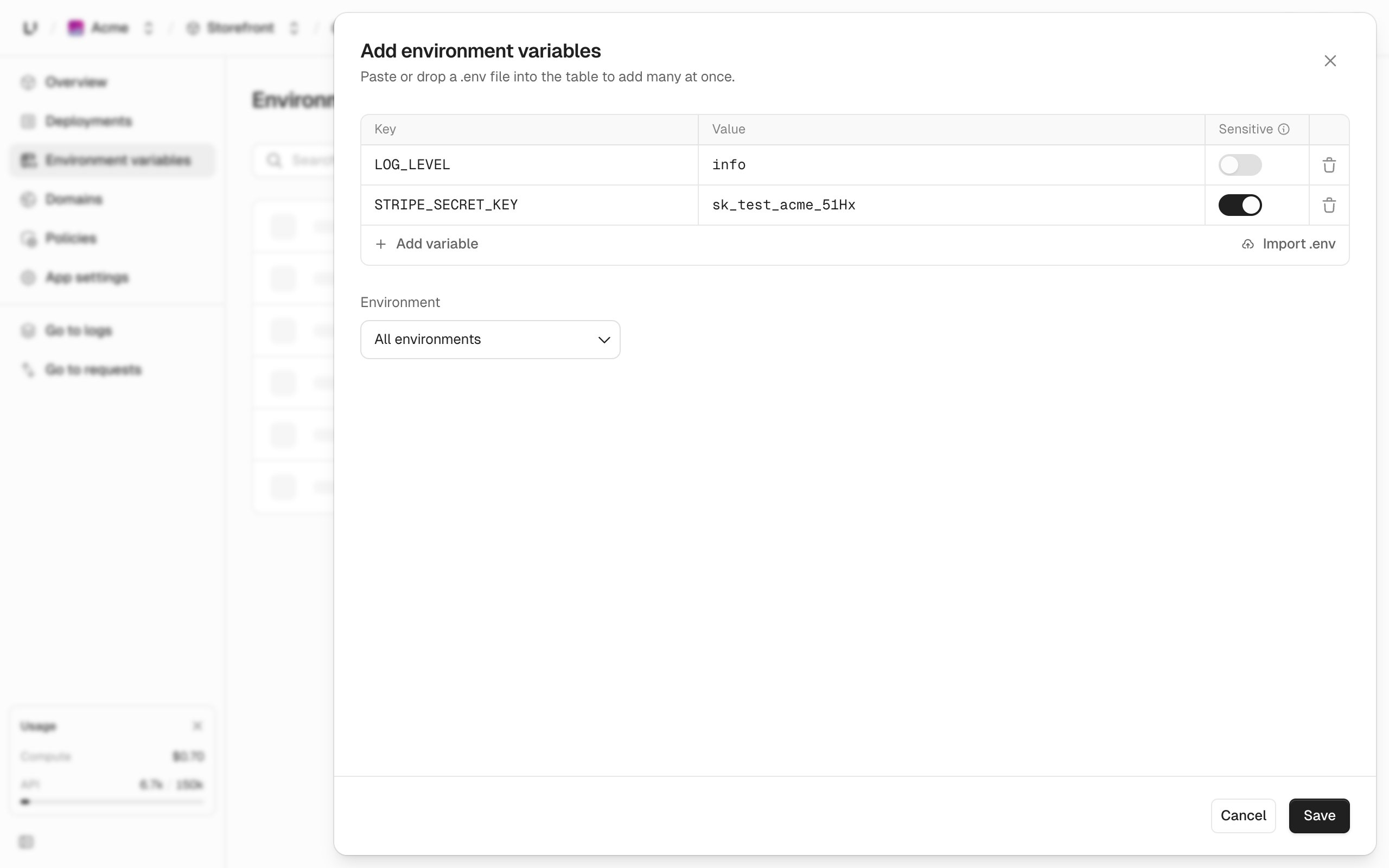
.env import skips comments, strips surrounding quotes, and handles multi-line values such as PEM keys. If a key appears twice in the file, the last one wins. You can save up to 200 variables at once. If a key already exists in the target environment, nothing is saved, the row shows “A variable with this key already exists.”, and the panel stays open. If you close the panel with unsaved rows, the dashboard asks before it discards them.
The saved list has one row for each variable in each environment. You can filter it by environment, search it by key, and sort it by name or newest. Click a row to edit its key, value, note, or sensitive setting.
While you set up a new app
In the new-app flow, you can also change the value of a saved variable or delete it. Sensitive rows and rows marked “Varies by environment” can only be deleted. Changes apply to every selected environment.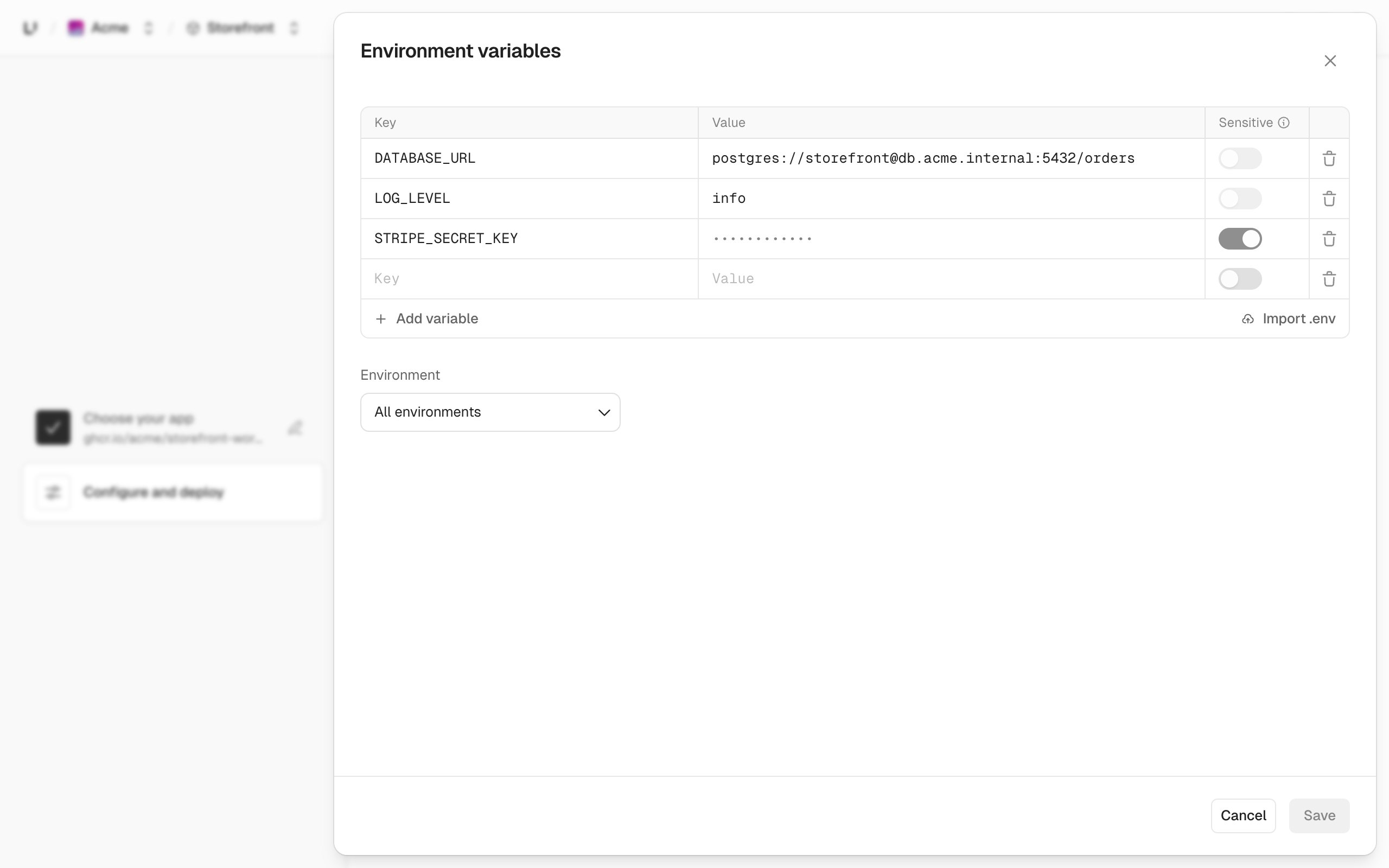
Find a variable across the workspace
To see where a key is set, for example to rotate a leaked secret, open Environment Variables in the dashboard sidebar. The page lists every variable in the workspace, in one card for each app. It never shows values.- Type the key in Search by key.
- To narrow the list, filter by type (Sensitive or Not sensitive) or by environment (Production or Preview). To change the order, sort by Last updated, Name, or Type.
- Click a row. The app’s Environment variables page opens, filtered to that key. Edit the variable there.
Recoverable or write-only
Every variable is eitherrecoverable or writeonly. Both are encrypted the same way. The difference is whether you can ever see the value again:
recoverable: shown in the dashboard and returned byenvironments.listEnvironmentVariables. Use it for configuration you want to check later.writeonly: never shown or returned. You can only replace or delete it. Use it for API keys and other credentials.
writeonly, with the note “Hidden in the dashboard and the API after you save. Unkey encrypts every value.” In the API, writeonly is the default.
Rename, mark sensitive, or delete
These actions are only in the dashboard:- Make Sensitive turns selected
recoverablevariables intowriteonly. This can’t be undone. - Rename changes the key in the edit form of a row. It changes the key in that row’s environment only, and fails if the new name is already used there. It works for sensitive variables too.
- Delete removes a variable from the row’s environment. Select several rows to delete them together.
When a change takes effect
A deployment keeps the variables it was created with, for its build and its instances. Editing a variable doesn’t change anything that’s already running. To apply a change, push or redeploy. The dashboard shows a redeploy banner after an edit.Set variables with the API
environments.setEnvironmentVariables creates or overwrites the variables you send, in one atomic call: if any variable is invalid, nothing changes. Variables you don’t send stay as they are.
An existing key is fully overwritten. If you leave out description or kind, they reset to empty and writeonly.
Change one variable and leave the rest
prune: true. Every variable not in your list is deleted. prune: true with an empty list deletes them all.
environments.removeEnvironmentVariables deletes the keys you name, and ignores keys that don’t exist. environments.listEnvironmentVariables returns each variable’s key, kind, createdAt, and description, plus value for recoverable ones only.
Limits
There’s no limit on how many variables an environment can have.
Variables Unkey injects
At build time, your variables are available as described in Build-time secrets. At run time, they’re set as environment variables in each instance, along with these:
If one of your variables has the same name as one of these, ours wins.
KUBERNETES_SERVICE_HOST and the other KUBERNETES_* variables some libraries look for are set to empty strings.