

Branch-to-environment mapping
Unkey maps branches to environments based on your default branch:
Pushes to the default branch deploy to the production environment. Pushes to any other branch deploy to a preview environment.
Custom branch-to-environment mapping is not yet available. The default branch always maps to production.
Commit-level deployments
Every push creates an immutable deployment with its own unique domain:- Branch domain: points to the latest deployment from that branch
- Environment domain: points to the latest deployment in that environment
- Live domain (production only): points to the current live deployment
Fork protection
Pull requests from forked repositories are not deployed automatically. A forked PR could modify your Dockerfile or application code to extract environment variable secrets during the build or at runtime. When a PR comes from a fork, Unkey requires an authorized team member to approve the deployment before it runs. This is similar to how Vercel handles fork deployments.Deploy from a fork manually
Once you’ve reviewed the contributor’s changes, you can ship them to a preview environment from the Create deployment dialog in the dashboard. The reference field accepts:
When you paste a fork reference or a PR URL from a fork, the dialog shows a Deploying from fork indicator with the source repository so you can confirm what you’re shipping before submitting.
Unkey enforces a guardrail on the source: the repository name (the part after the
/) must match the connected repository. For example, if your project is connected to acme/api, you can deploy from contributor/api but not from contributor/some-other-repo. Pull request URLs are validated the same way.
Manual fork deployments always go to a preview environment — they never deploy to production, regardless of the branch name on the fork.
Watch paths
By default, every push triggers a deployment. If your repository contains code that doesn’t affect your app (for example, documentation or unrelated services in a monorepo), configure watch paths to deploy only when relevant files change. Add glob patterns in your app’s Settings under Watch paths. Unkey skips the deployment if none of the changed files match any pattern.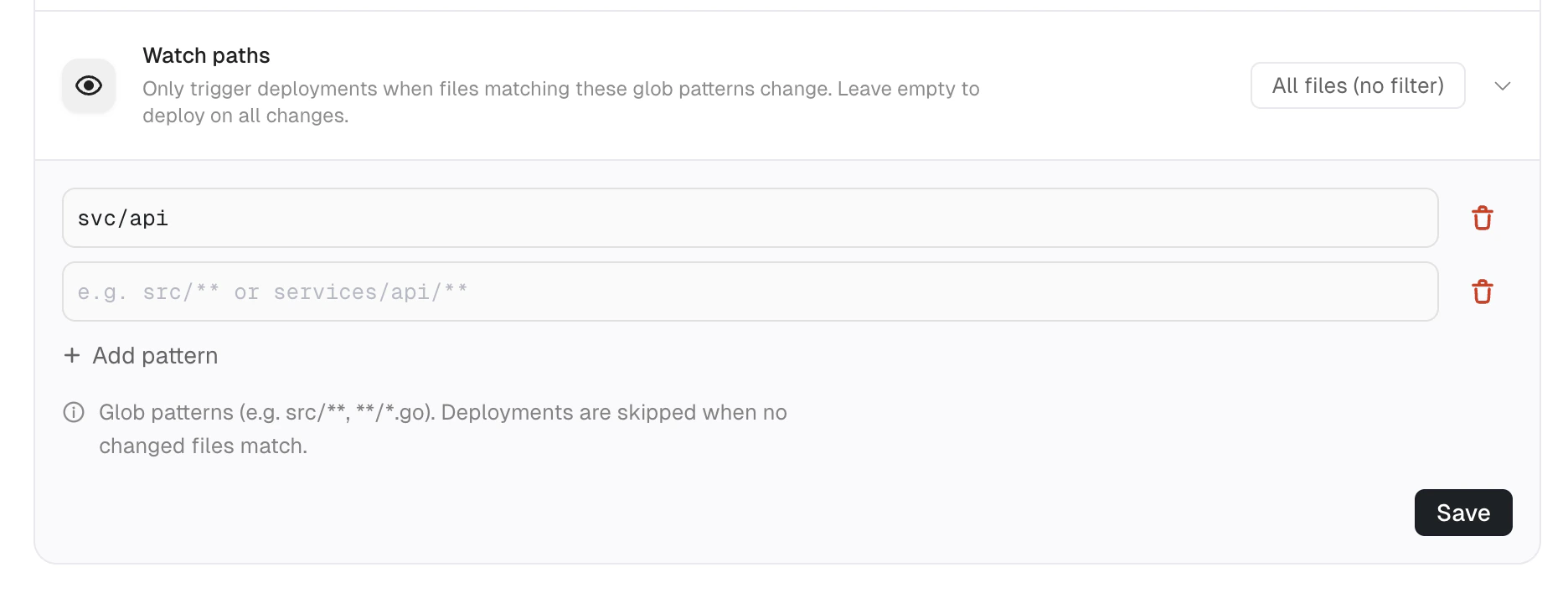
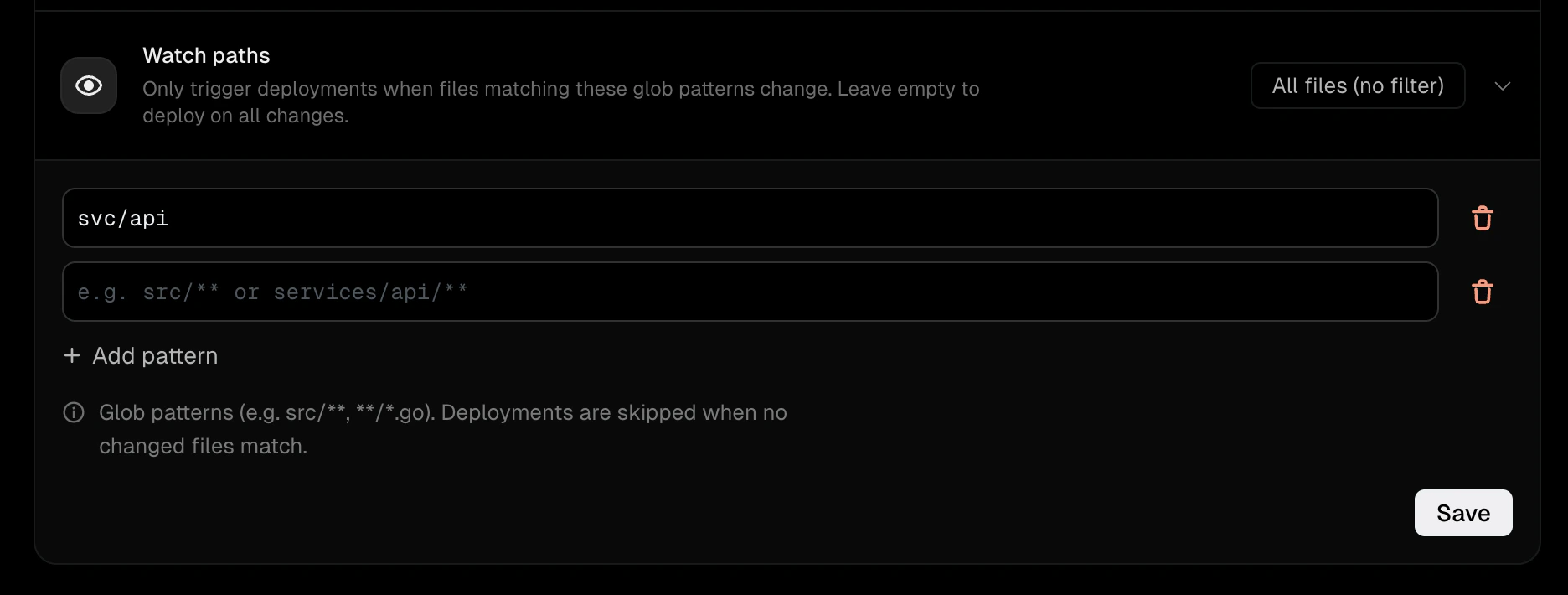
Watch paths configuration with a glob pattern
Auto deploy
Auto deploy is on by default for both production and preview. Turn it off per environment when you want to ship manually instead of on every push. When auto deploy is disabled for an environment, Unkey records the push as a Skipped deployment so you can see it happened, but no build runs. You can still deploy on demand from the dashboard, or build and push your image with the CLI. Configure auto deploy in your app’s Settings under Build settings → Auto deploy. See App settings for the full reference.Troubleshoot failed triggers
If a push doesn’t trigger a deployment:- Verify the Unkey GitHub App is installed on the repository’s organization or account.
- Check that the repository is connected in your project’s Settings tab.
- Confirm auto deploy is enabled for the target environment. A disabled environment records the push as a skipped deployment.
- If watch paths are configured, confirm that the push includes changes matching at least one pattern.
- Check your project’s Deployments tab for a failed deployment with error details.
Next steps
Deployment lifecycle
How deployments progress from build to serving traffic
CLI vs GitHub integration
When to build your own images and push with the CLI instead
App settings
Configure build context, Dockerfile path, and watch paths