

Available regions
Unkey runs on AWS and uses AWS region names. Compute runs in four:
We add regions over time. A region can also be closed to new deployments for a while, and the dashboard grays it out. Picking one anyway fails with
Region 'us-east-1' is not available for scheduling., and a name that is not a region at all fails with Region 'eu-west-1' does not exist.
Set the regions for an environment
Production and preview have separate lists, so you can run production in three regions and preview in one.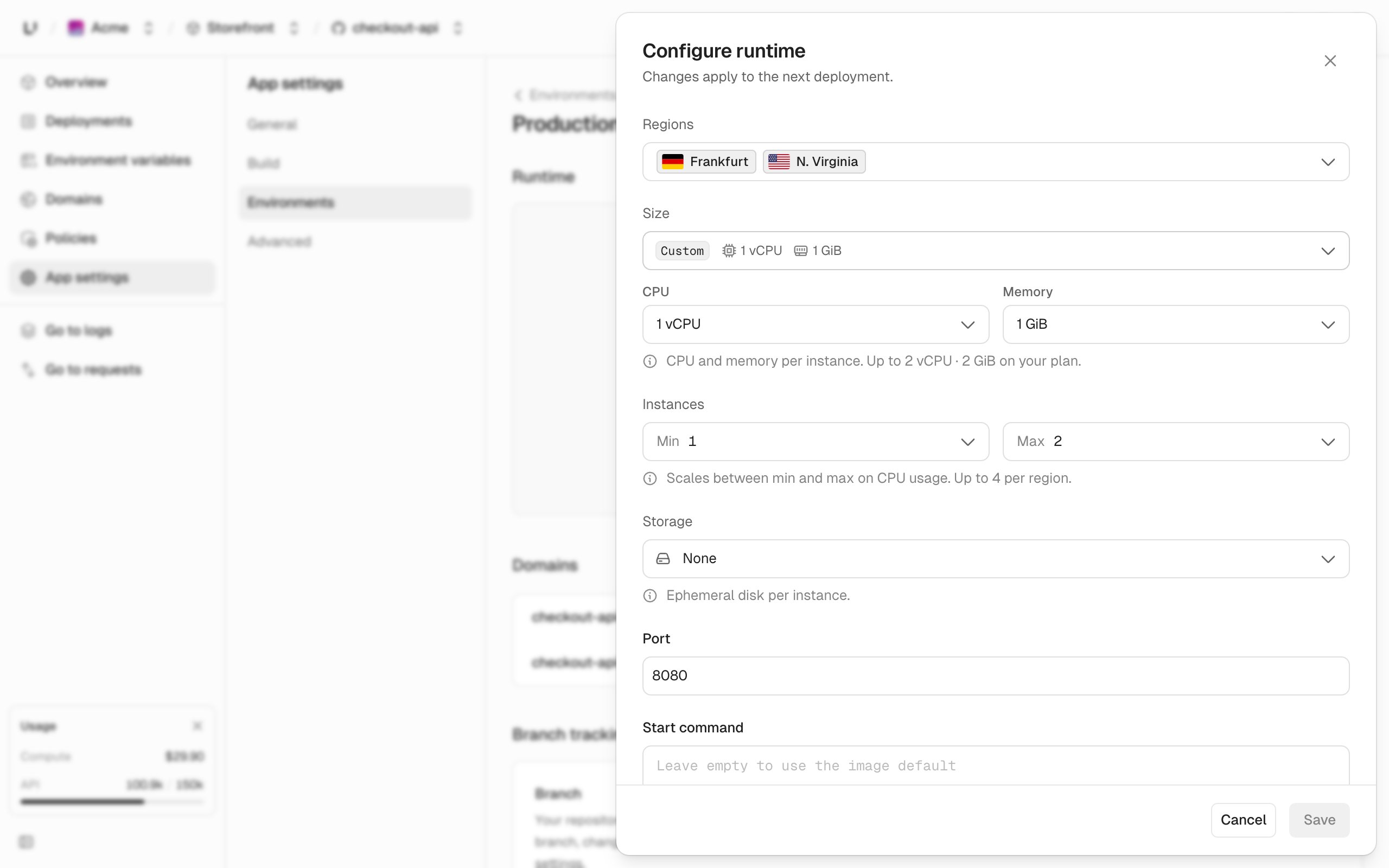
- Between 1 and 5 regions. An empty list is rejected, because an environment cannot have zero regions.
- No duplicates:
Region 'us-east-1' is listed more than once. - Every region needs the same
minandmax. Mixed bounds fail withAll regions must specify the same replica bounds; per-region autoscaling is not supported yet. minis at least 1 andmaxis at most your plan’s replicas-per-region ceiling, which is on Limits. Outside that you getRegion 'us-east-1' replicas must be between 1 and 4.
How failover works
Requests reach whichever Unkey gateway is nearest to the caller. That gateway then decides where to send the request:- If its own region has running instances of the deployment, it serves from there. This is the normal path and costs no extra hop.
- If not, it forwards to the nearest region that does have one, following a fixed proximity order.
- If none of the regions in that order has an instance, it forwards to any region that does.
- If no region has one, the request fails with
503andno_running_instances.
That ordering matters for data residency.
eu-central-1 is the only European region today, so an environment that must keep traffic in the EU has to run there alone, and it has no regional redundancy. If Frankfurt goes down the deployment returns 503 rather than serving from elsewhere. Adding a second region for availability means accepting that requests can be served outside the EU.
A second region is what protects you from losing a region. Extra replicas in one region protect you from losing an instance, but if that region goes away, so does your app.
Failover is per request and automatic. There is nothing to configure and no order you can set: adding a region to the environment is what makes it a target.