

API Management
Usage has two parts, Key verifications and standalone rate limit operations, metered against your monthly operations quota. Only successful calls count: invalid, expired, or over-limit requests aren’t billed. These two are the billable operations that Limits caps and that a paid API tier prices.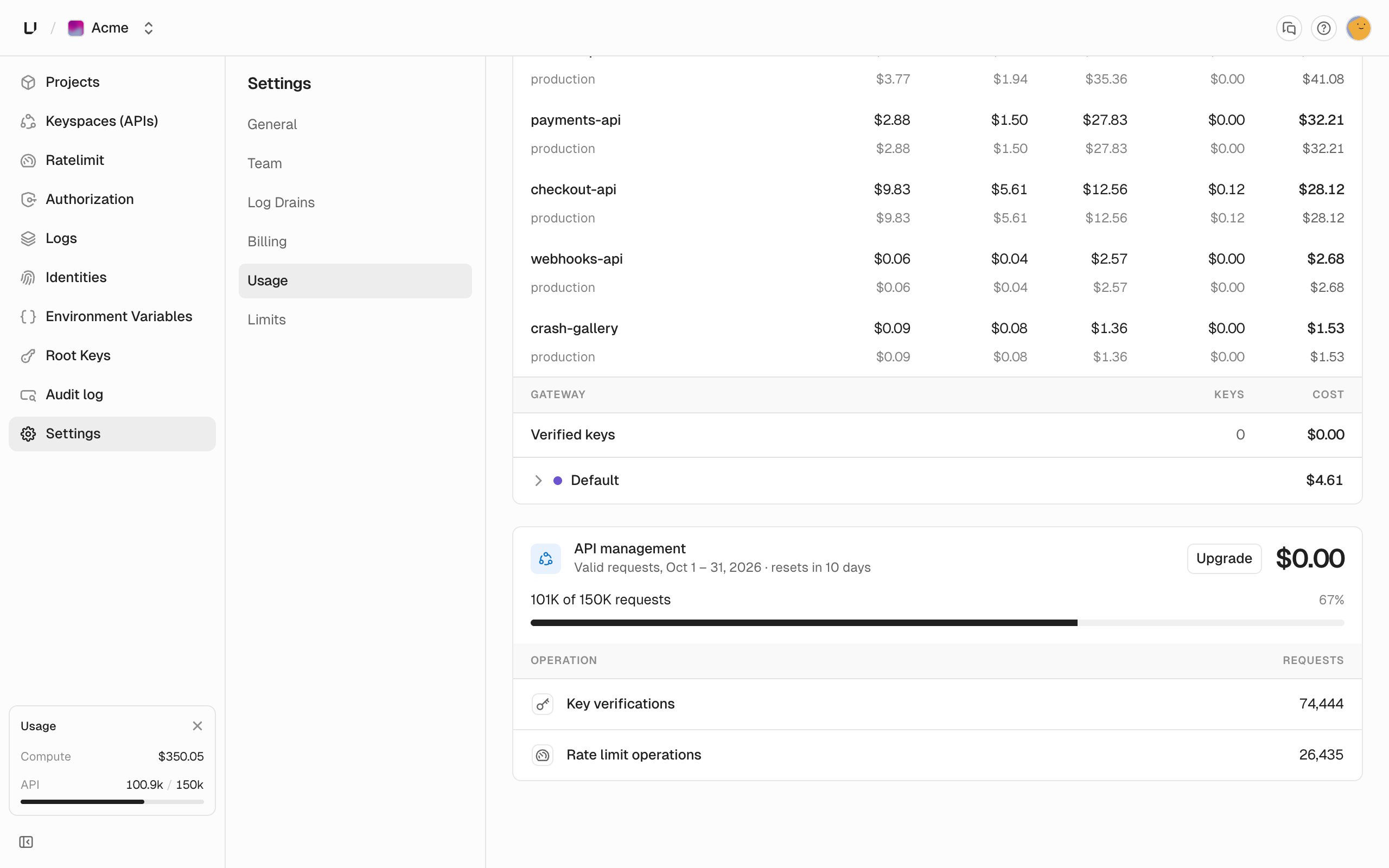
Compute
Compute usage totals cost for the period, broken down by , then , then . Each level shows the metered quantities and a cost.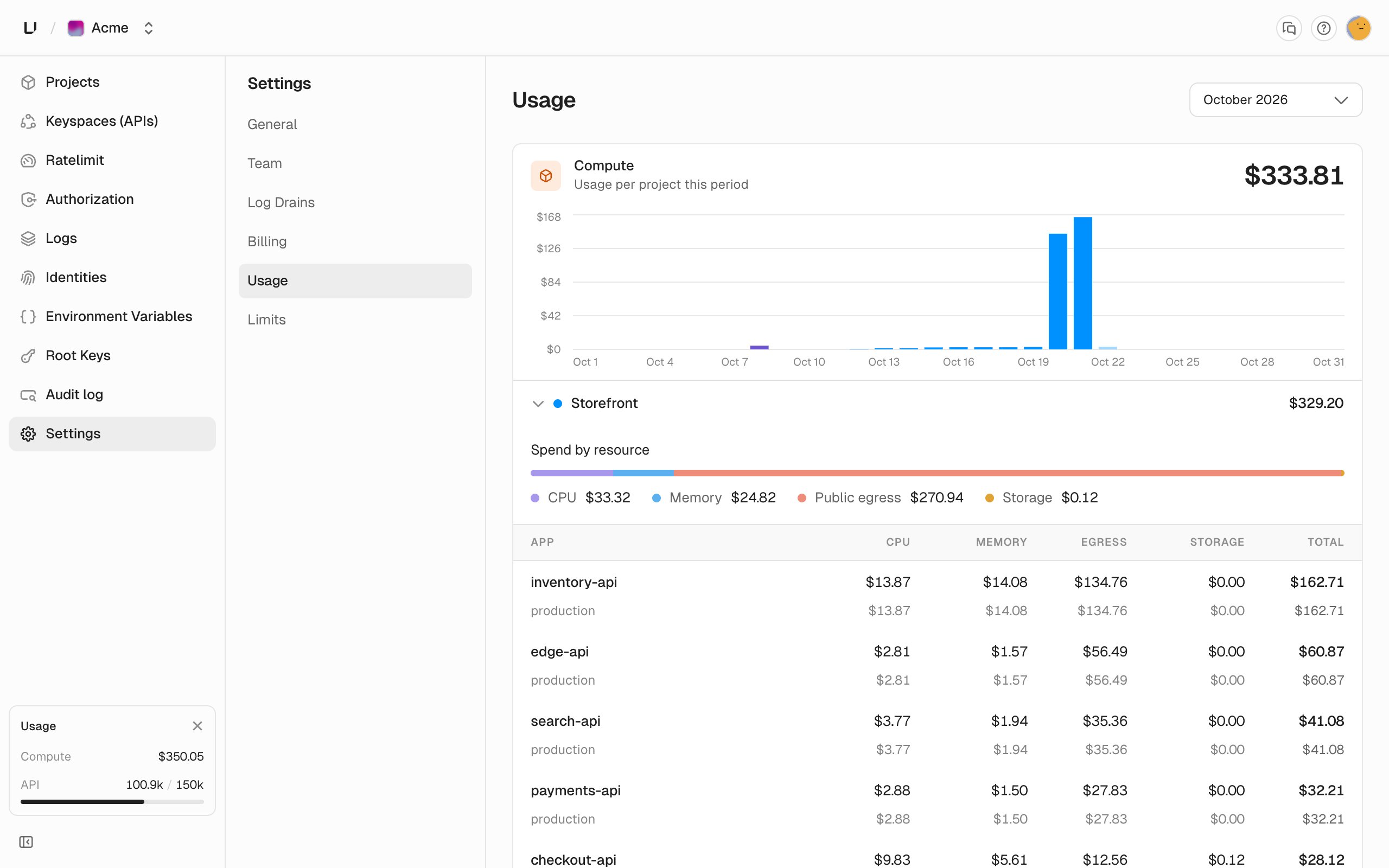
What we meter
Runtime settings are ceilings and headroom. Most workloads never pin 100% of CPU or memory, so configuring 1 vCPU while averaging 0.5 vCPU bills the 0.5, not the 1. Preview deployments use the same rates as production.
Unit rates and the plan fee with included usage credit are on unkey.com/pricing. Use the calculator at the bottom of that page to estimate a month. The plan fee and included credit are also summarized on Plans.
Usage is what you consumed. Limits are the ceilings. Costs here are the metered part of the bill.