

You need a root key with the permissions listed on this page. Create one in the dashboard under Settings > Root Keys. See Permission reference for every permission.
api.*.create_key or api.<api_id>.create_key. When the original key is recoverable, it also needs api.*.encrypt_key or api.<api_id>.encrypt_key. See Root key permissions.
Request
string
required
The identifier of the key to reroll (
key_...), not the key string itself.integer
required
Milliseconds from now until the old key stops working. The maximum is
4102444800000. The time is rounded up to the next whole minute, so expiration: 1 can leave the old key working for up to a minute. Only 0 revokes it immediately.Response
key is the new key, and this is the only time it’s returned. keyId is the new key’s ID. The old key keeps its own keyId until it expires.
What the new key copies
The new key copies the old key’s enabled state, name, metadata, identity, expiry, credits and refill schedule, roles, permissions, and rate limits. If the old key was recoverable, so is the new one. The new key gets a newkeyId and secret. It keeps the old key’s prefix, or uses the keyspace’s default prefix if it had none. Its length is the keyspace’s current default, or 16 bytes if none is set, so a key created with a custom byteLength can change length.
Analytics by identity carry on across the reroll. Analytics by keyId start fresh for the new key.
What happens to the original
The old key’s expiry becomes now plusexpiration, rounded up to the next minute. With 0, its next verification returns code: EXPIRED. The API applies the grace period even if the old key was due to expire sooner, so a reroll can extend its life. Check the old key’s expires first if that matters.
The event is recorded in the audit log as key.reroll.
From the dashboard
Choose Rotate key from the key’s actions menu. Pick a grace period: revoke immediately, 15 minutes, 1 hour, 6 hours, or 24 hours (the default). The dashboard is stricter than the API: you can’t rotate an expired key, and the grace period can’t go past the key’s original expiry. The new key is shown once.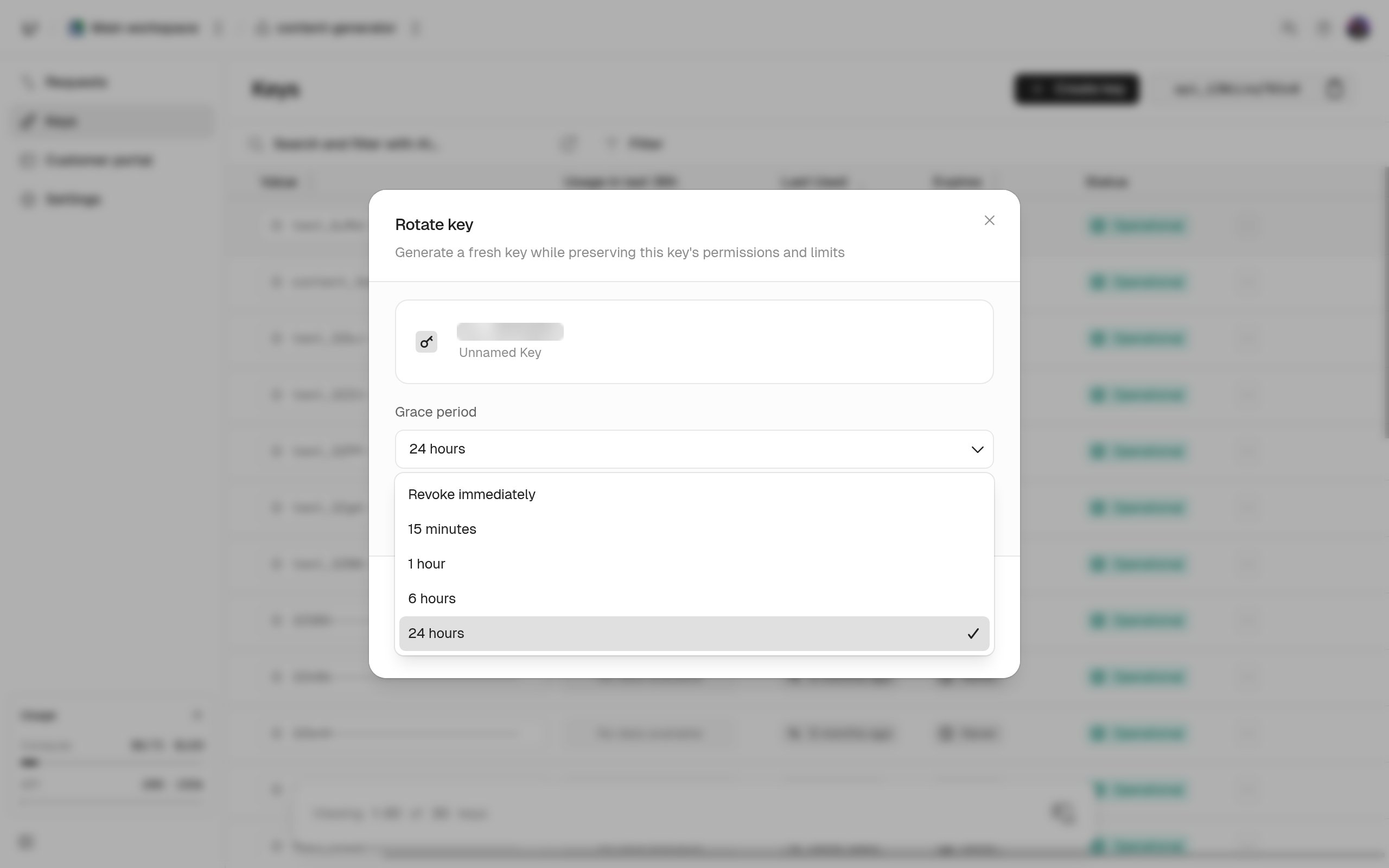
Reroll or reissue
Reroll when the user should keep working without a break.keys.rerollKey can’t change settings, so to change them too, update the new key with keys.updateKey afterward, or create a new key and delete the old one.