

Delete Protection
Delete Protection is a safety feature that prevents accidental deletion of a resource. When enabled, it blocks all deletion attempts through both the dashboard and API.Overview
Delete Protection adds an extra layer of security by:- Preventing accidental deletion of critical resources
- Requiring explicit confirmation to disable protection
- Blocking deletion attempts through both UI and API
Supported Resources
Currently, Delete Protection is available for:- Keyspaces: Protect your keyspace configurations and settings from accidental deletion
Enabling Keyspace Delete Protection
- Navigate to your Keyspace Settings in the dashboard
- Click “Enable Delete Protection”
- Type the keyspace name to confirm
- Click “Enable Keyspace Delete Protection” to add protection
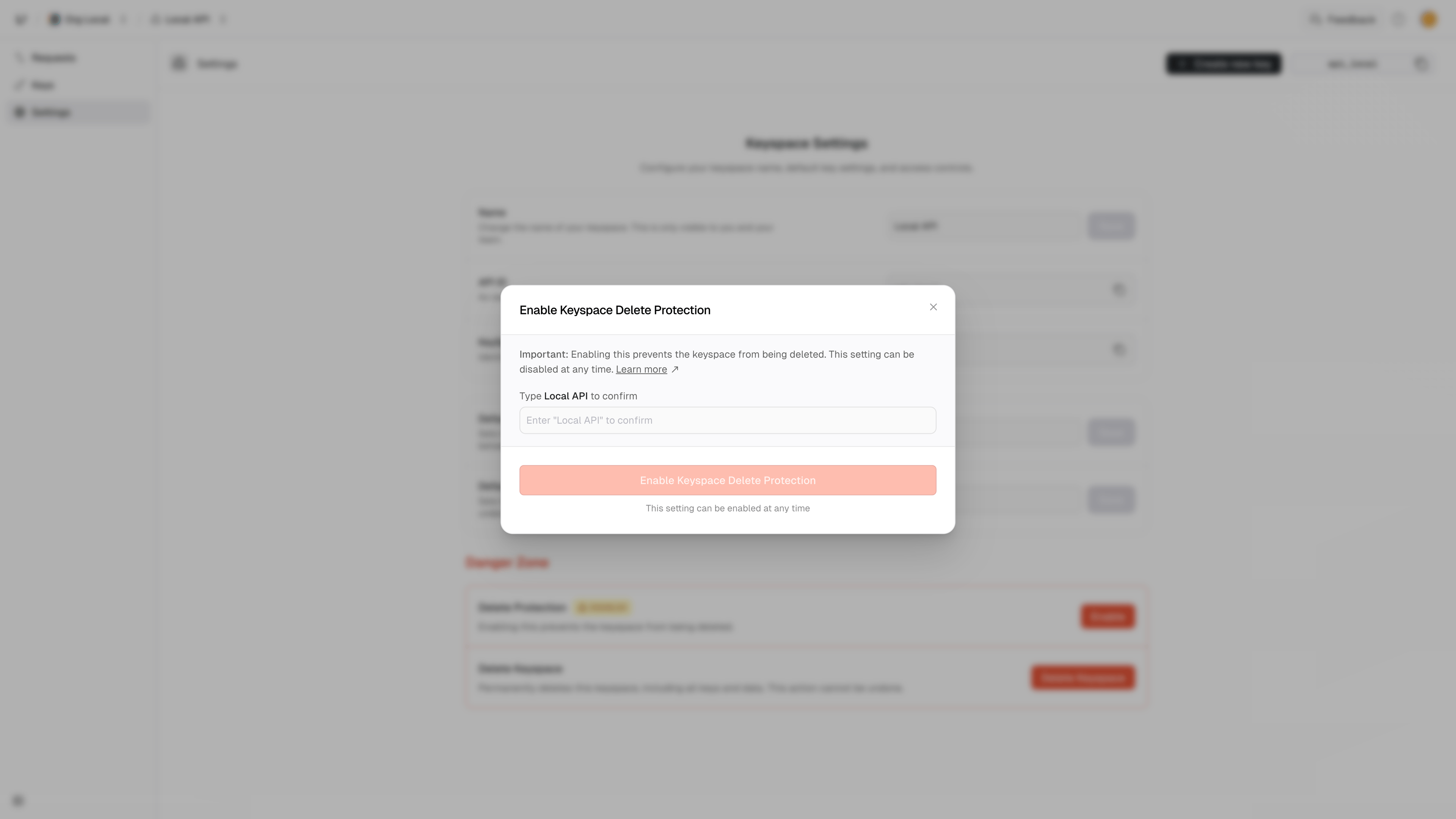
Delete Protection
Disabling Keyspace Delete Protection
- Navigate to your Keyspace Settings in the dashboard
- Click “Disable Delete Protection”
- Type the keyspace name to confirm
- Click “Disable Keyspace Delete Protection” to remove protection
Resource Behavior
When Delete Protection is enabled:- All deletion attempts are blocked
- The resource returns a
DELETE_PROTECTEDerror - The error includes a link to this documentation
Example API Error Response
Best Practices
- Enable for Production resources: Always enable Delete Protection for resources in production
- Use for Critical resources: Protect resources that contain important data or configurations
- Regular Review: Periodically review protection status of your resources
- Team Communication: Inform team members about protected resources
- Documentation: Document which resources are protected and why
Limitations
- Delete Protection only prevents deletion of the resource
- It does not prevent modifications to the resource
- It does not prevent deletion of children of a resource, like keys or ratelimits that belong to a protected resource
- Protection can be disabled by any user with appropriate permissions
Related Errors
- DELETE_PROTECTED - Returned when attempting to delete a protected API