
Spend charts, log drains, and a local gateway
New features
Compute spend, by day and by project
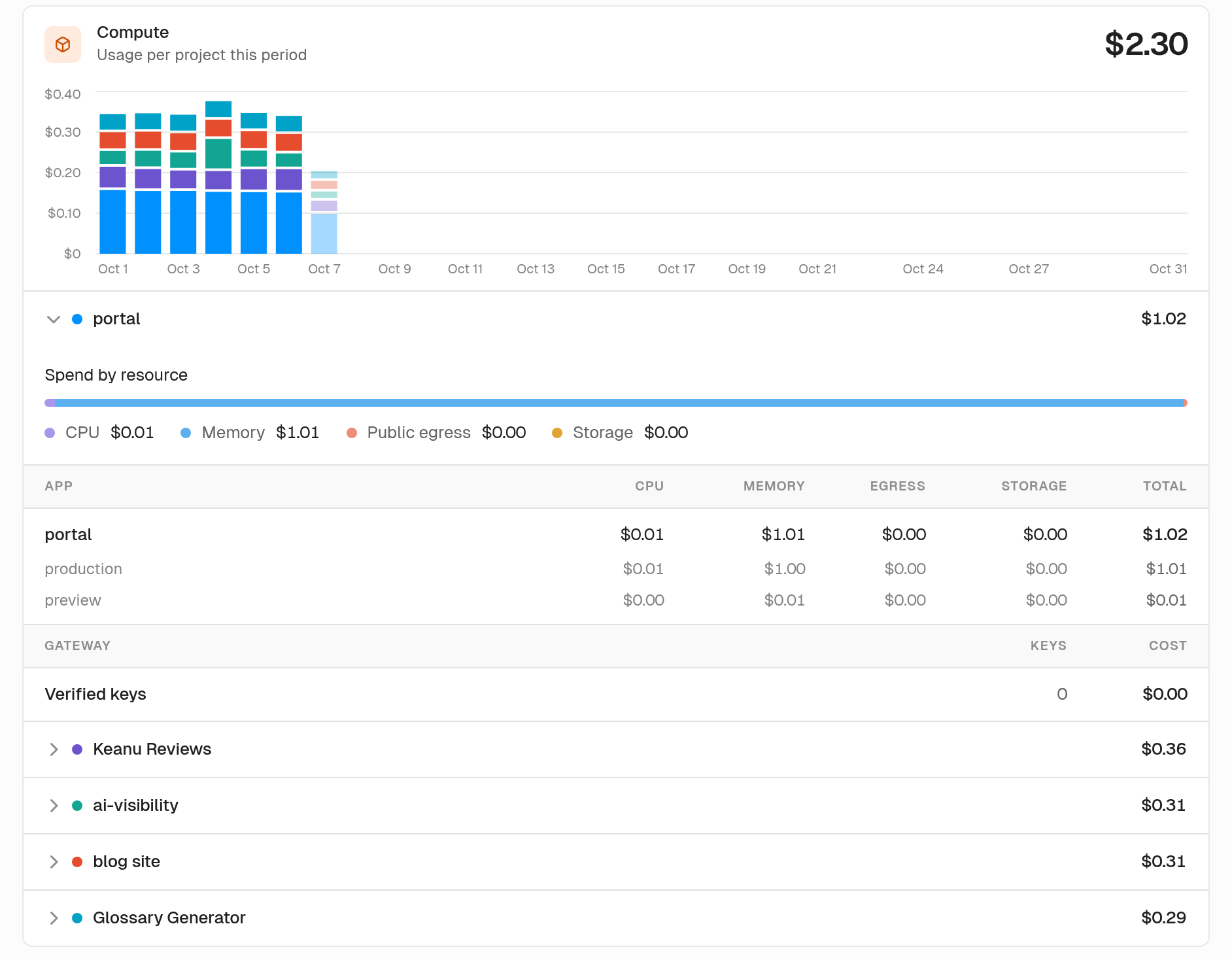
The usage page now shows where your Compute spend went during the month. A stacked daily chart splits cost by project. Hover a day and you'll see that day's projects ranked. Today's bar stays pale until the day is over. Open a project to see spend by resource and a table for each app. Every cell is a cost, and you can hover to see the quantity behind it.
Log drains
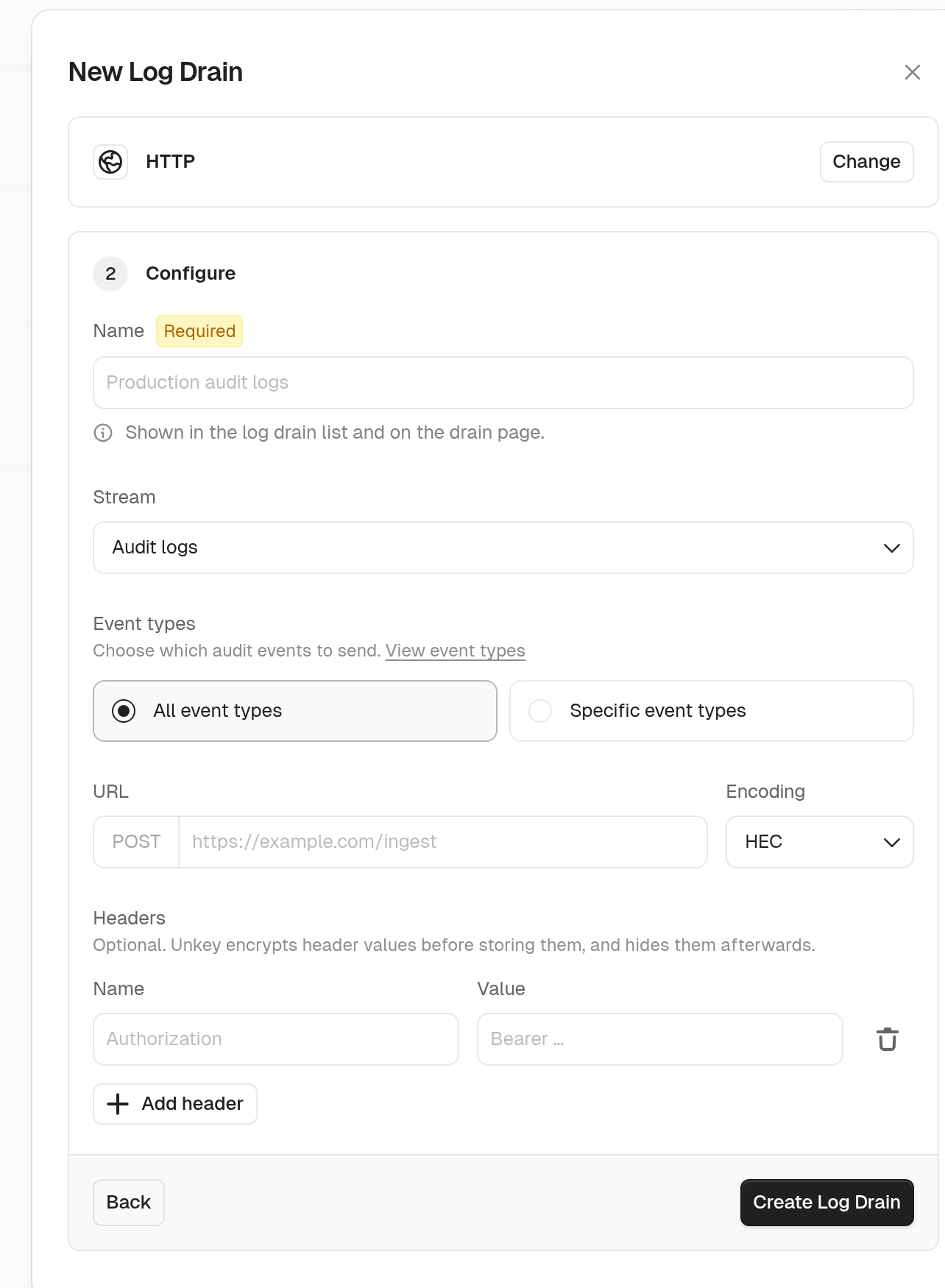
You can now send one stream of workspace events to an HTTPS endpoint or an Axiom dataset. Pick from audit logs, key verifications, gateway requests, runtime logs, or rate limits. You can filter a drain by event type, keyspace, source, status class, severity, namespace, or pass and block results. HTTP drains send JSON, NDJSON, or Splunk HEC, and that includes CrowdStrike NG-SIEM. The settings page shows how many drains you're using against your workspace limit. Every workspace starts at zero, so contact support and we'll raise it for you.
See log drains.
Run the gateway locally
You can now run the Unkey gateway on your own machine. Routes and policies come from a config file. Keys are verified against Unkey, and rate limits run in memory for that local process. Put it in front of a service on localhost and you get the same checks you run in production.
See local development with the gateway.
A clearer deployments list, and active branches
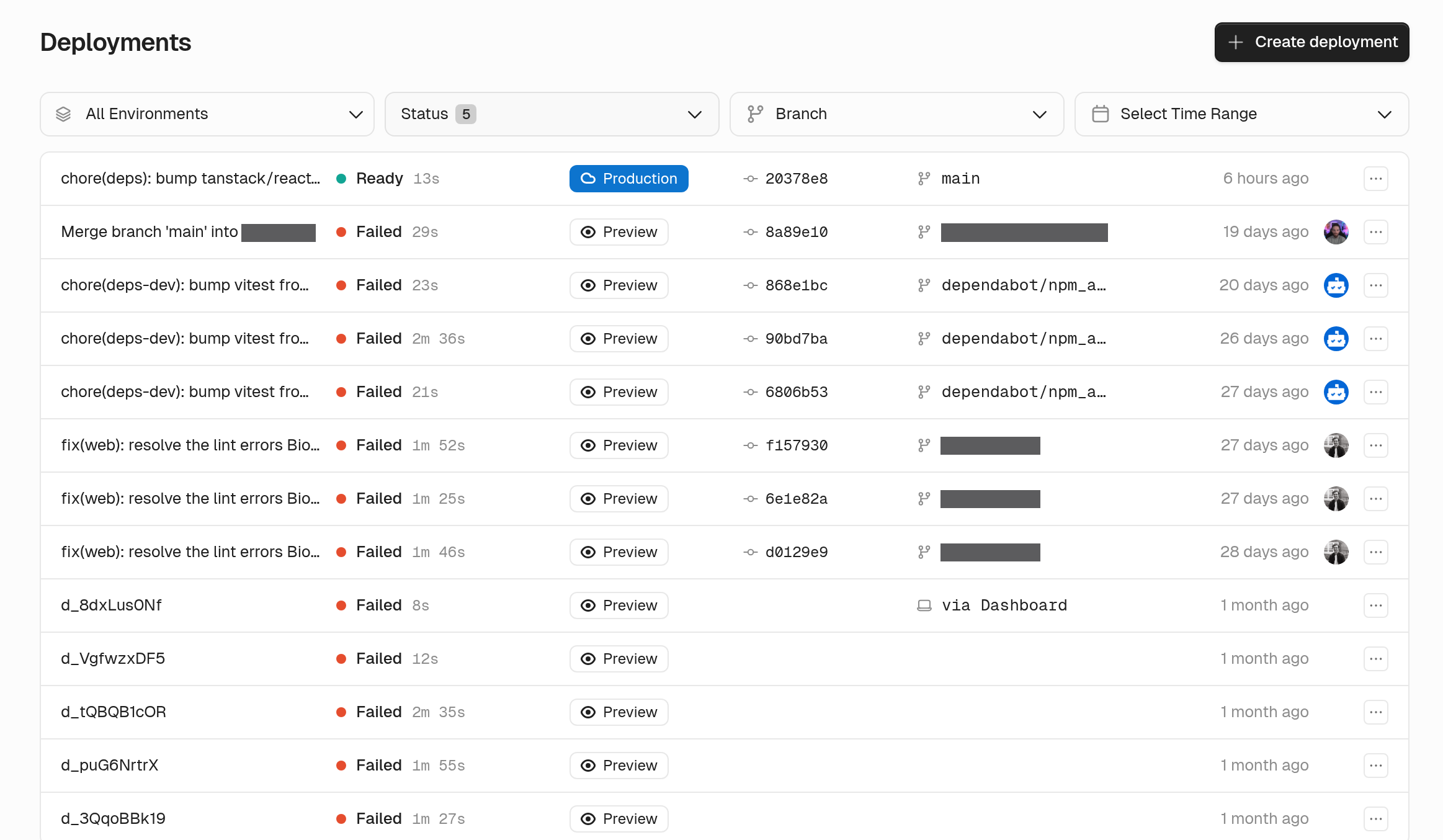
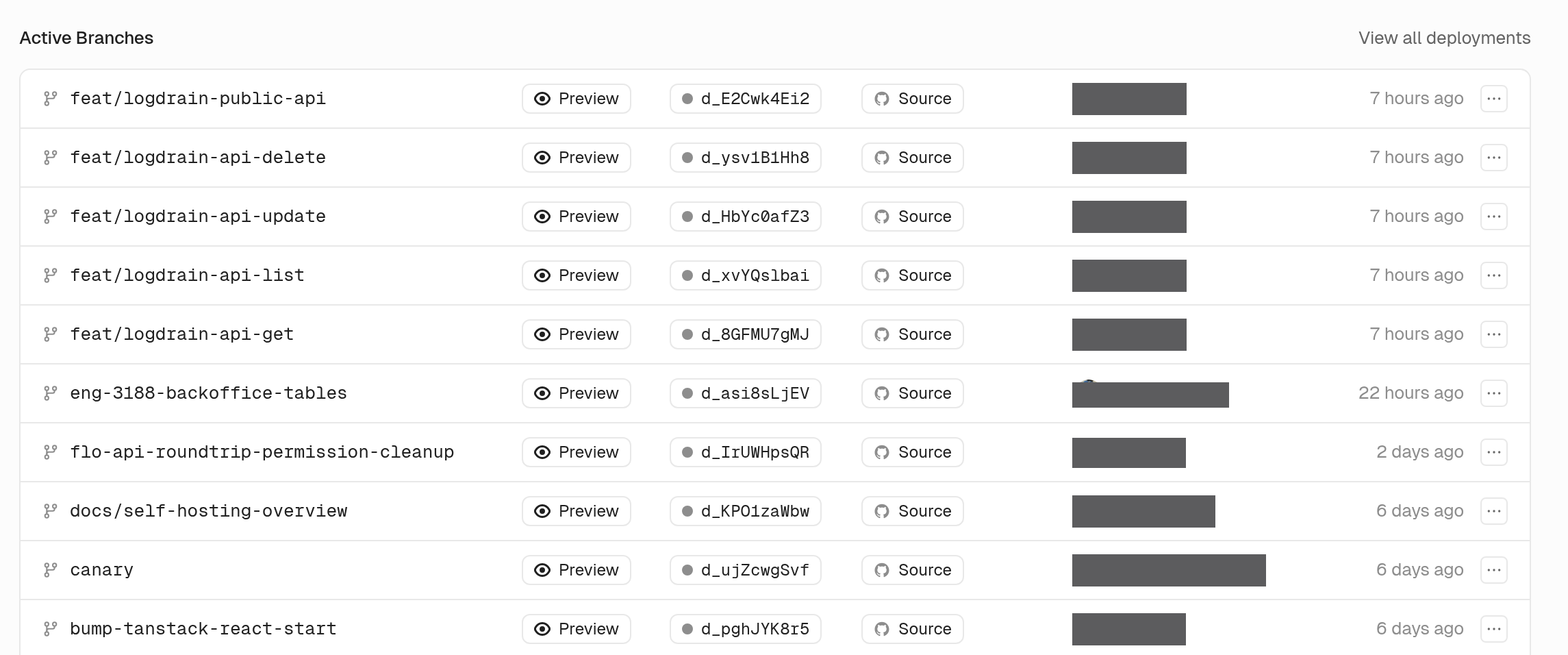
Each deployment is now a single row. The live production release gets a filled Production pill, and older production releases and previews get an outline. Deploys from the CLI, the API, or the dashboard show where they came from. On a Git-connected app, the overview lists your active preview branches, newest first. From there you can stop, wake, redeploy, or cancel each one. Long branch lists load one page at a time.
Rotate a key and keep the original
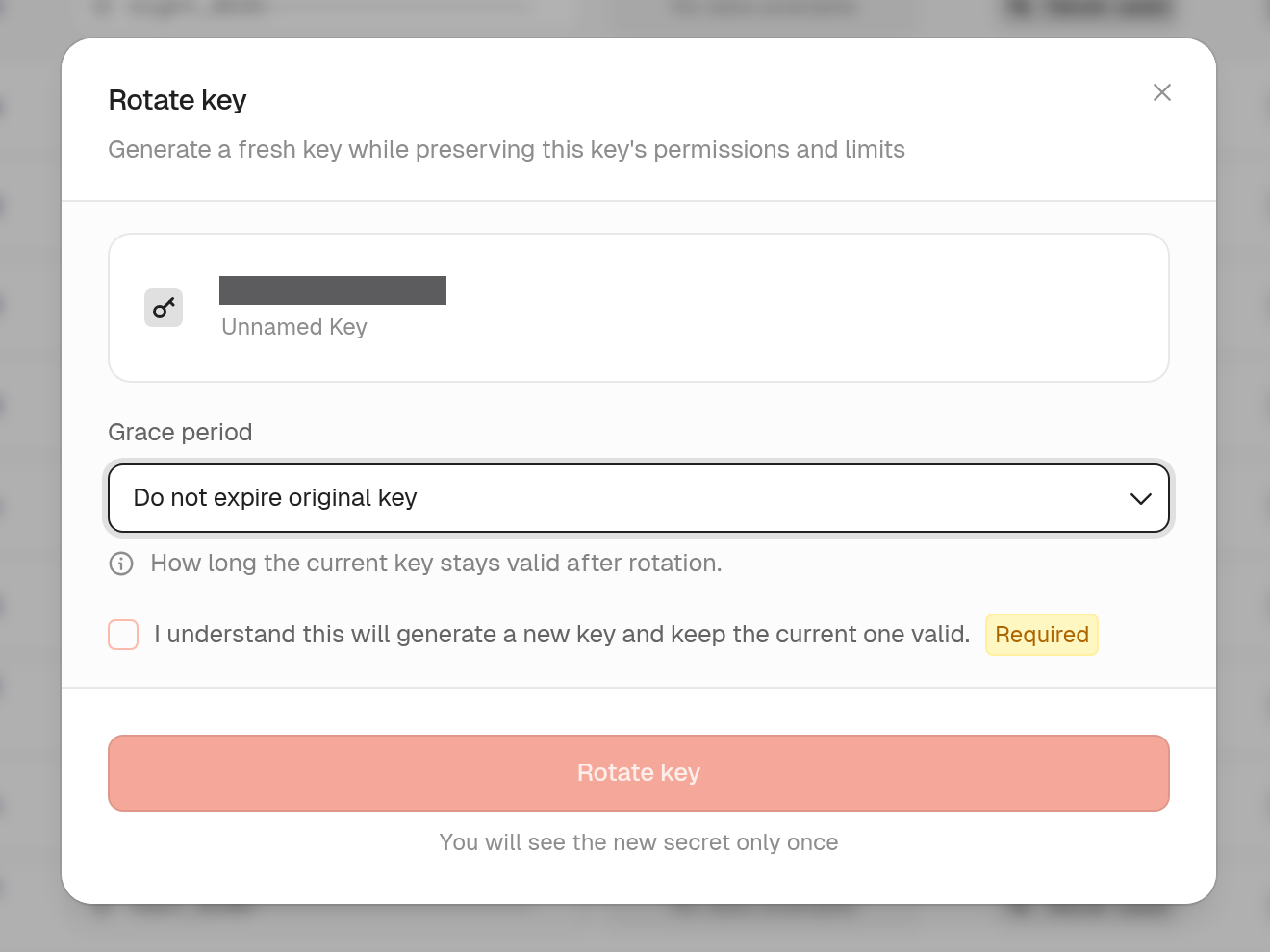
keys.rerollKey now accepts expiration: null. The original key keeps its current expiry. You can still set a grace period if you want the old secret to stop working. The rotate dialog in the dashboard gives you the same choice.
See rerolling keys.
Match gateway policies on client IP
Gateway policies can now match the client IP against in or notIn lists of addresses and CIDR ranges. Use a firewall policy to block a range, or to allow only the ranges you list. The gateway reads the connection address, so a caller can't swap in a different one.
See firewall policies.
Create root keys through the API
rootKeys.createKey lets an admin or another root key create a root key. The new key can't have more permissions than the caller. If the caller has an expiration, the new key needs one too, and it can't outlive the caller.
Verify keys against specific keyspaces
keys.verifyKey now takes an optional keyspaces list. If the key isn't in one of those keyspaces, the result is not found. Reach for it when one root key can verify several keyspaces but a given endpoint should only accept some of them. When the key is found, the result includes its keyspace id.
See verifying keys.
Usage charts in the customer portal
A portal session can now request analytics:read along with keys:read. The keys page then shows that user's own verification counts over time, broken down by outcome. The session only sees its own keyspaces.
One plans screen
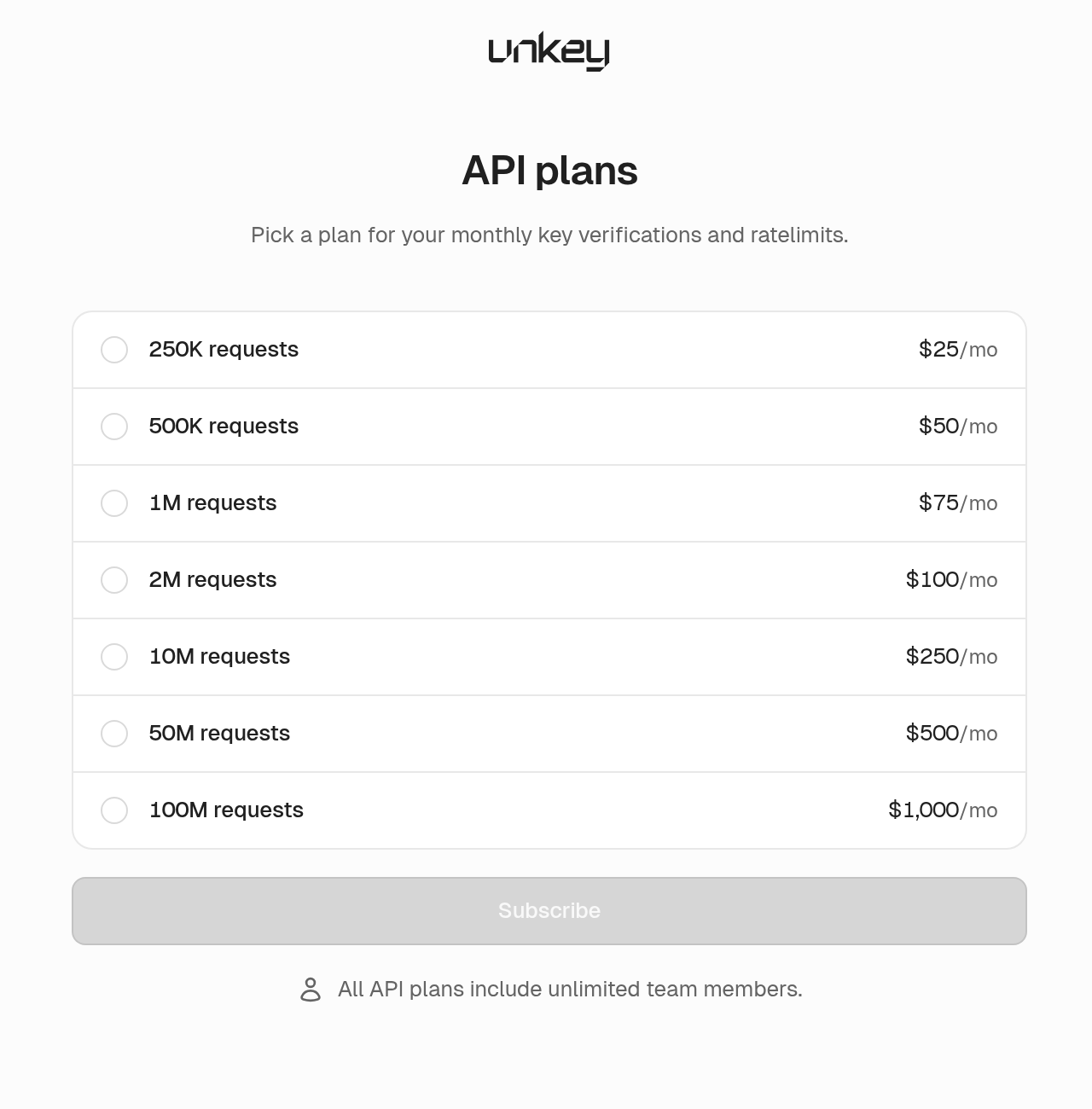
Upgrades and paywalls now open one plans screen for both Compute and API, and you get a confirmation after you buy. Your first API plan takes a single checkout.
Updates
Projects and apps
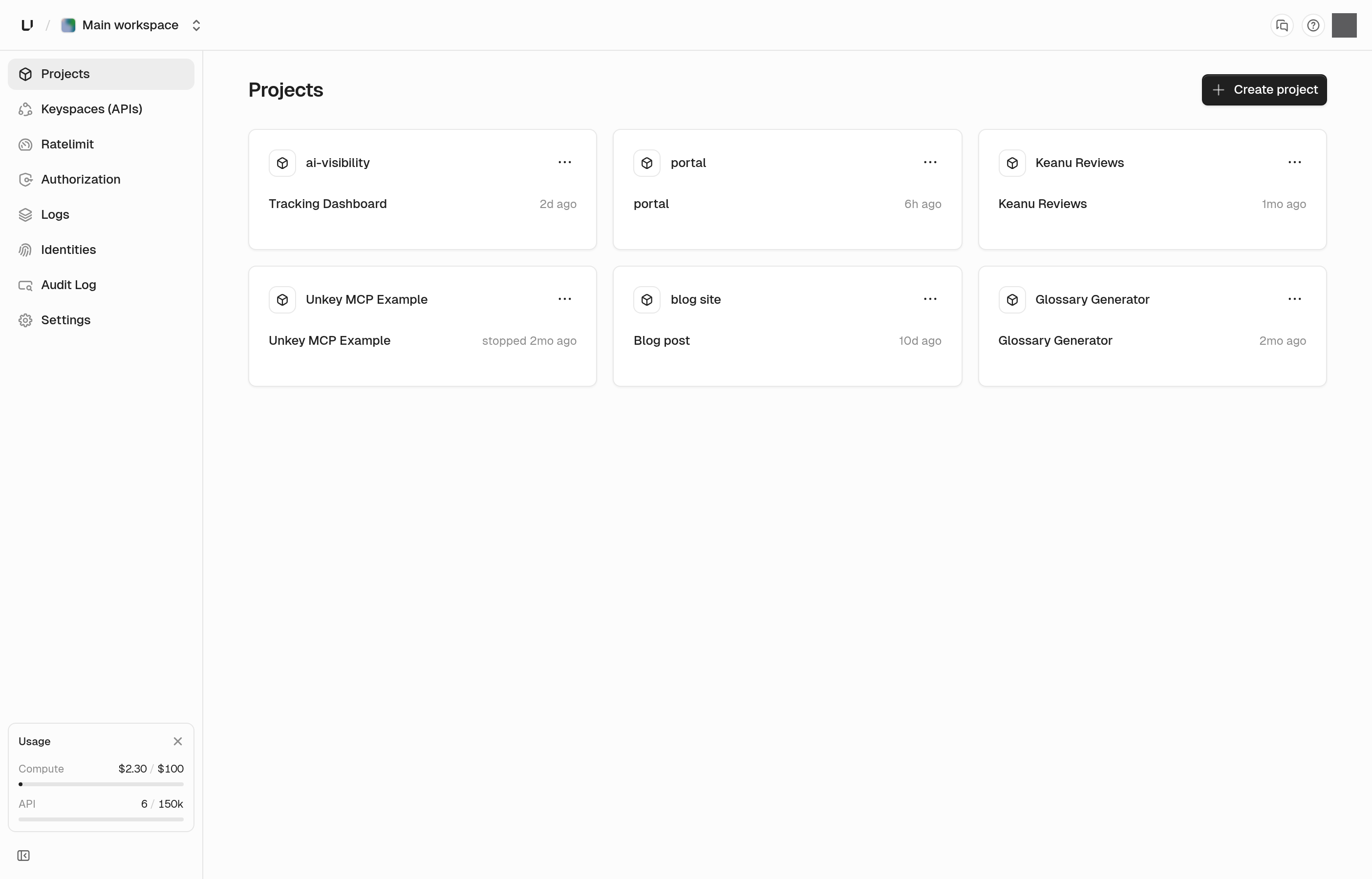
Project cards show each app's current deployment, including builds that are still running or have failed. The production card on the app overview shows the same status. Container-image apps list recent deployments under that card. The apps page has a redesigned card, a list view, and search.
Root keys and API keys
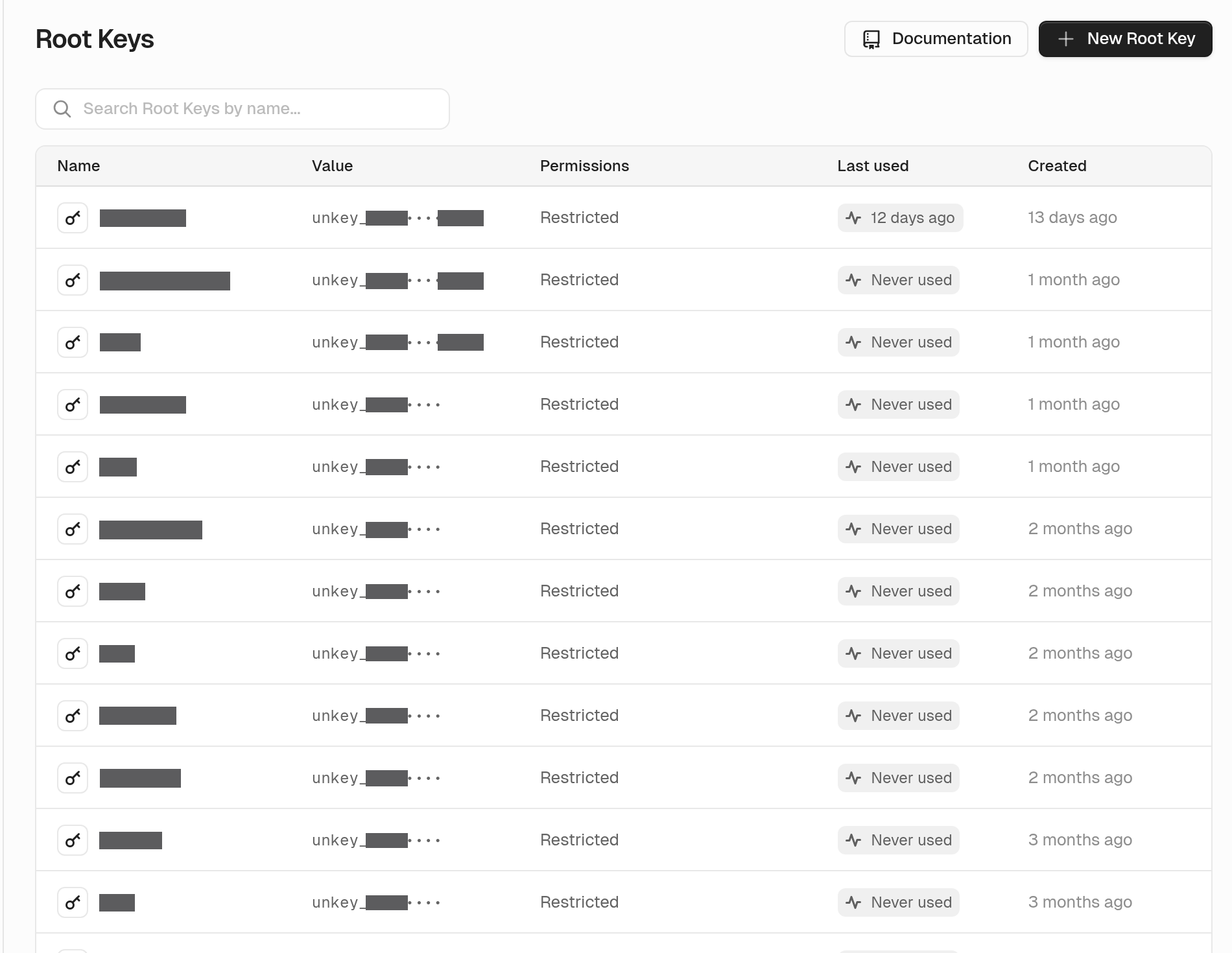
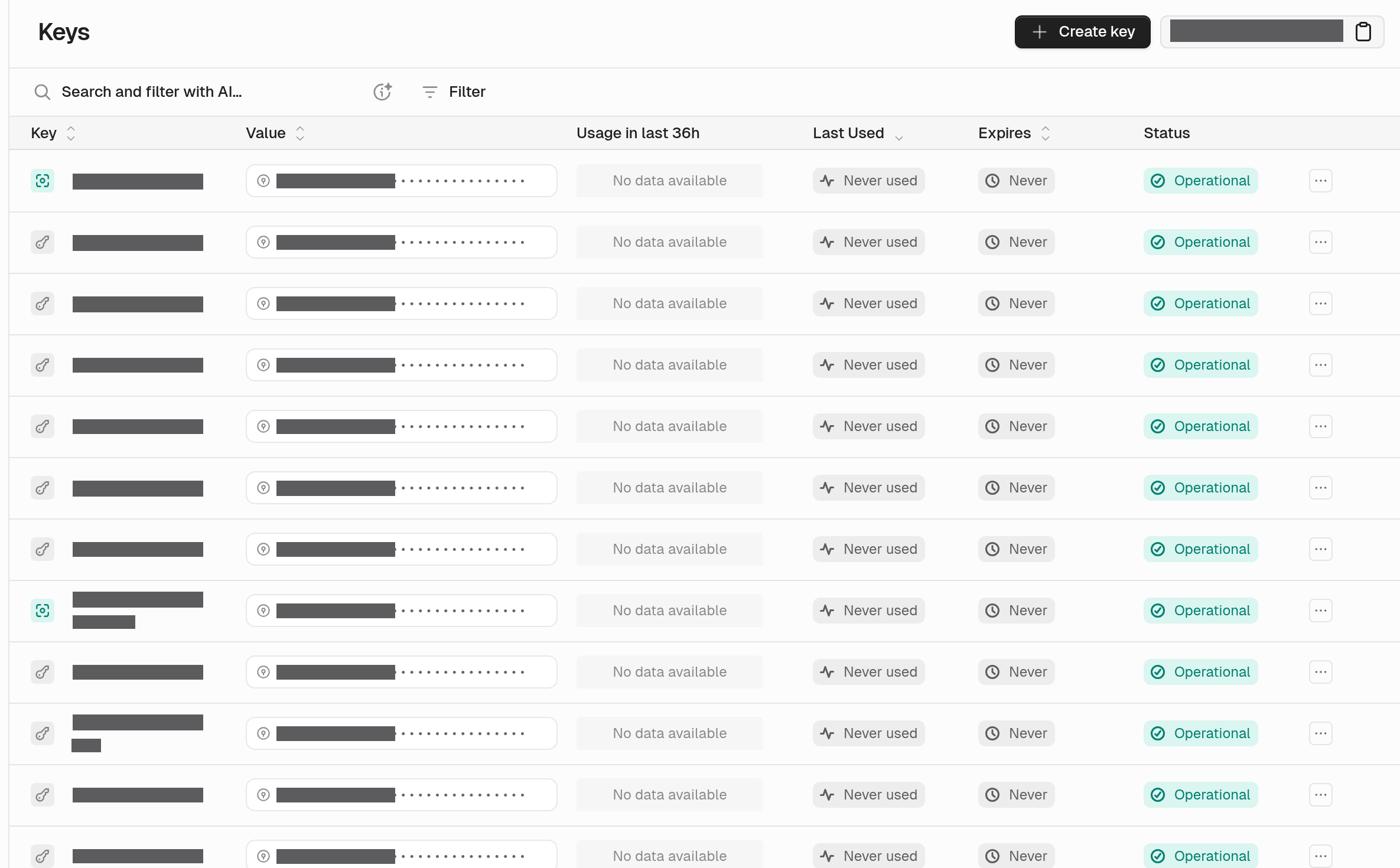
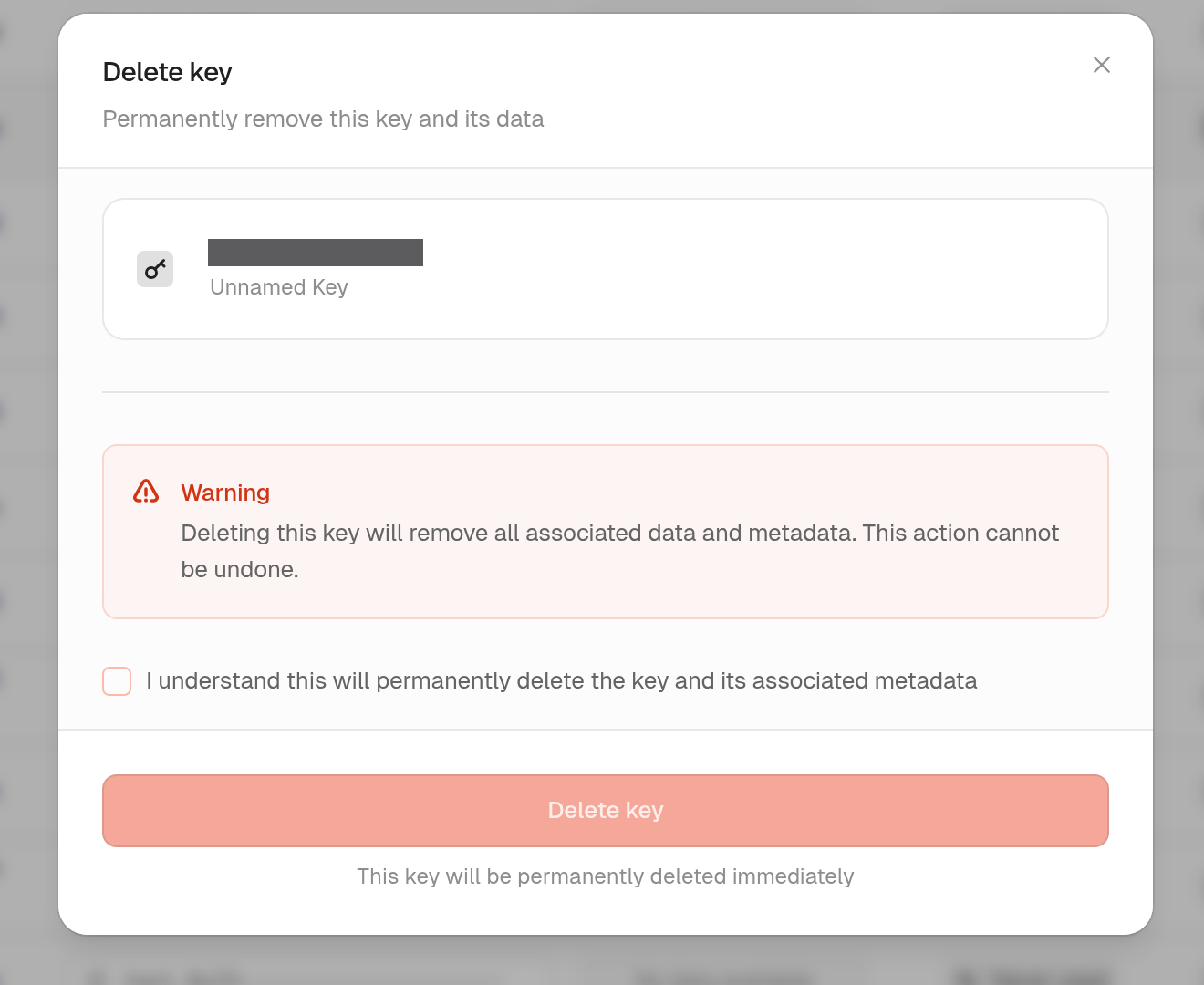
The root keys table shows when each key was last used, with a small usage chart. API key and root key tables show the prefix and the last four characters. If a key was used in the last seven days, we ask you to confirm before deleting it, since it may still be live. That includes bulk deletes and root keys.
Rollback
For 30 minutes after a production deploy, the deployment page reminds you that you can roll back. The dialog names the deployment you're going back to.
Deployments
Skipped deployments are hidden from the default view, which keeps monorepos readable. You can filter to just skipped deployments, separate from cancelled ones. Filters and paging cover your full history.
Domains
You can list custom domains for a workspace, a project, or an app. The dashboard loads a project's domains in one request.
GitHub
You can connect one GitHub account or organization to more than one workspace. Each workspace authorizes the connection separately.

Project-scoped permissions
Project-scoped root keys can call more of the API: projects, apps, deployments, APIs, GitHub installs, analytics queries, and portals. You can limit access for those operations to a single project.
See root key permissions.
CLI
unkey api can create, get, update, and delete portals. It can also list domains without an environment filter.
Portal
New portal ids start with prt_, and exchange codes start with pec_. Unknown links show a not-found page. We removed preview mode, so creating a session no longer accepts it and the portal no longer shows a preview banner.
Navigation
The top bar is more compact. Tips with buttons or links now open as a card you can read and click.
Team and account
Team and account settings now match the look of the rest of the dashboard.
Bug fixes
- Deployment filters now include the live production release even when it's older than the newest deployments
- The last-7-days deployment filter now returns the deployments from that window
- Promote and rollback update the live deployment badge without a reload
- Opening a request row loads its details, including rows that just arrived, and gateway rows open gateway details
- The request log label reads User Agent again
- Invites no longer offer a viewer role
- The workspace switcher only lists workspaces that exist in the current environment
- The usage page labels deleted projects, apps, and environments
- Creating a project without a Compute plan returns a clear error
- Gateway key authentication accepts a keyspace owned by the workspace
- The audit log still lists events when the total count is slow to load
- The gateway policies page loads once environments have resolved
- App, deployment, and log pages load for project-scoped root keys
- A deployment is only marked ready when every region has a running instance
- A deploy that retries after a partial save now completes
- Egress is counted again after a deployment is recreated, including after hitting a memory limit
- Setting a rate-limit override that was deleted brings it back
- Preview URLs for long branch names resolve, and branches that differ only in the trimmed part stay distinct
- Creating a role and attaching it to keys in the same step works
- Saving a key with an external ID that already exists stays responsive when many of those requests arrive at once
- The CLI no longer prints root keys or other environment values in help text or errors
- Disconnecting a repository asks you to confirm and names the repository
- Audit events sent through a log drain include the timestamp only once
- Swapping a chart's start and end time no longer breaks the chart
- A brief analytics interruption no longer blanks deployment charts
- Deployment status updates finish when many instances report at once
- Relative times keep updating, and the same timestamp reads the same on every screen
- Tips with copy buttons, badges, or links are readable again
- Dashboard requests keep their session
- Signed-out pages render, and a plan downgrade finishes removing members the plan no longer covers