> ## Documentation Index
> Fetch the complete documentation index at: https://unkey.com/docs/llms.txt
> Use this file to discover all available pages before exploring further.
> ## Agent Instructions
> Unkey is two separate products. Compute builds, deploys, and runs apps behind a gateway. API Management issues API keys, enforces rate limits, manages identities and permissions, and reports usage. Say which product a page belongs to; a reader can use either without the other.
> Every Unkey API endpoint is an HTTP POST to https://api.unkey.com/v2/{service}.{procedure} with a root key in the Authorization: Bearer header. Root keys are workspace scoped.
> Error codes have the form err:{system}:{category}:{specific} and each has a page at /errors/{system}/{category}/{specific}.
> The word environment means production or preview in Compute. Rate limiting has four meanings on this site; the glossary lists them.
# Team
> Invite people to your workspace and choose whether each one is an admin or a developer.
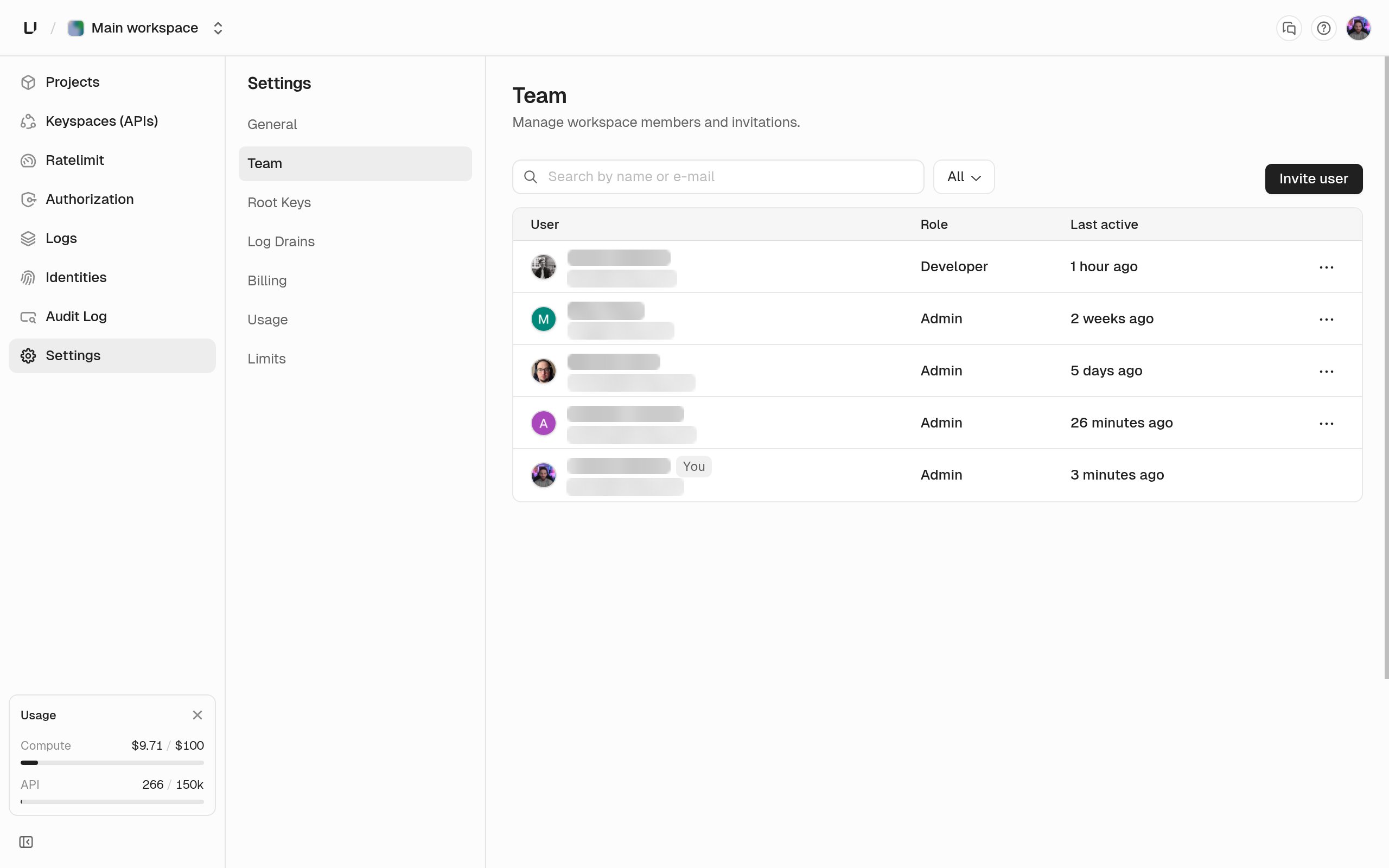
A workspace has its own members and roles. A role covers the whole workspace: there are no per-project or per-keyspace permissions for dashboard users. Manage members under **Settings > Team**.
## Roles
There are two roles.
| Role | What it can do |
| - | - |
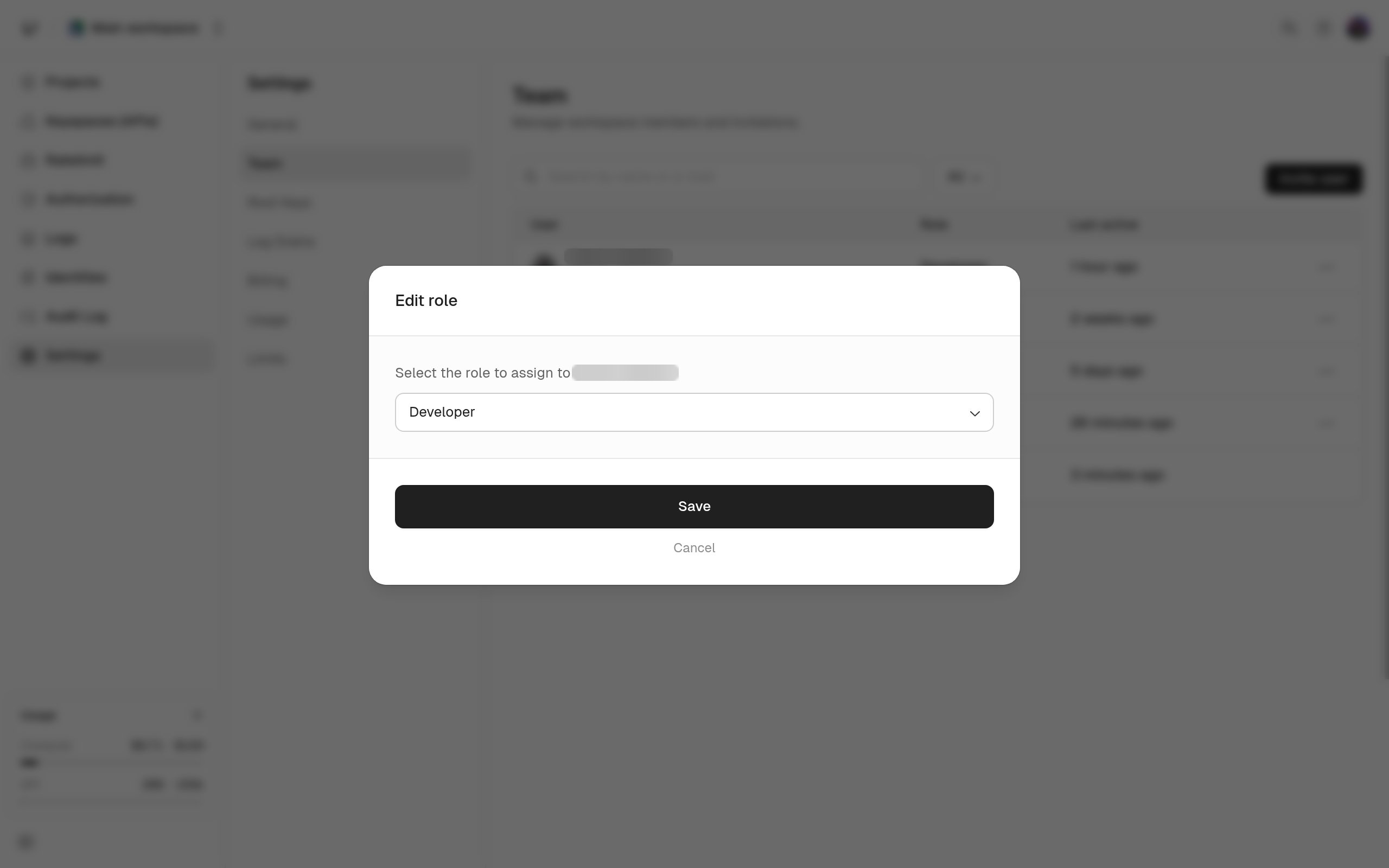
| Admin | Everything a developer can, plus manage members and invitations, rename the workspace, create and edit root keys, and change billing. |
| Developer | Read and change every resource in the workspace: keyspaces, keys, identities, projects, apps, deployments, domains, and gateway policies. Cannot manage members, root keys, billing, or the workspace name. |
A developer who tries an admin-only action gets `This action requires admin privileges.`, and the **Root Keys** tab doesn't appear in their settings sidebar.
Accounts created before these two roles existed carry a legacy `basic_member` role. It keeps full developer access and the dashboard labels it Developer.
## Which plans include team members
Free and Compute Starter don't include team members, and the Team page shows **Upgrade Your Plan to Add Team Members** with a link to Billing instead of the member list. Compute Pro and Business include them, and so does any paid API tier. See [Plans](/docs/platform/billing/plans) and [Limits](/docs/platform/billing/limits).
If the workspace loses team access, we deactivate every member except the one who created the workspace. That happens when a paid API tier ends and you don't have Compute Pro or Business, or when you're on the free API tier and downgrade Compute to Starter or cancel it.
## Invite, change a role, remove someone
Use the **Members** section of **Settings > Team**. From that one table you invite someone by email address, pick Admin or Developer, change someone's role, and remove a member.
 Invitations expire after a while. If one shows as expired, send a new one.
Only an admin can manage members. Anyone else sees **Admin access required** with a note that their role doesn't allow them to manage workspace members, and the table isn't shown.
Removing a member ends their dashboard access immediately. It doesn't delete anything they created, and it doesn't touch root keys, which are workspace credentials rather than personal ones. To leave a workspace yourself, ask another admin to remove you.
Invitations expire after a while. If one shows as expired, send a new one.
Only an admin can manage members. Anyone else sees **Admin access required** with a note that their role doesn't allow them to manage workspace members, and the table isn't shown.
Removing a member ends their dashboard access immediately. It doesn't delete anything they created, and it doesn't touch root keys, which are workspace credentials rather than personal ones. To leave a workspace yourself, ask another admin to remove you.