> ## Documentation Index
> Fetch the complete documentation index at: https://unkey.com/docs/llms.txt
> Use this file to discover all available pages before exploring further.
> ## Agent Instructions
> Unkey is two separate products. Compute builds, deploys, and runs apps behind a gateway. API Management issues API keys, enforces rate limits, manages identities and permissions, and reports usage. Say which product a page belongs to; a reader can use either without the other.
> Every Unkey API endpoint is an HTTP POST to https://api.unkey.com/v2/{service}.{procedure} with a root key in the Authorization: Bearer header. Root keys are workspace scoped.
> Error codes have the form err:{system}:{category}:{specific} and each has a page at /errors/{system}/{category}/{specific}.
> The word environment means production or preview in Compute. Rate limiting has four meanings on this site; the glossary lists them.
# Workspace settings
> Rename your workspace, copy its ID, and connect the GitHub App.
**Settings > General** holds the three workspace-wide settings: the name, the workspace ID, and the GitHub App connection.
## General
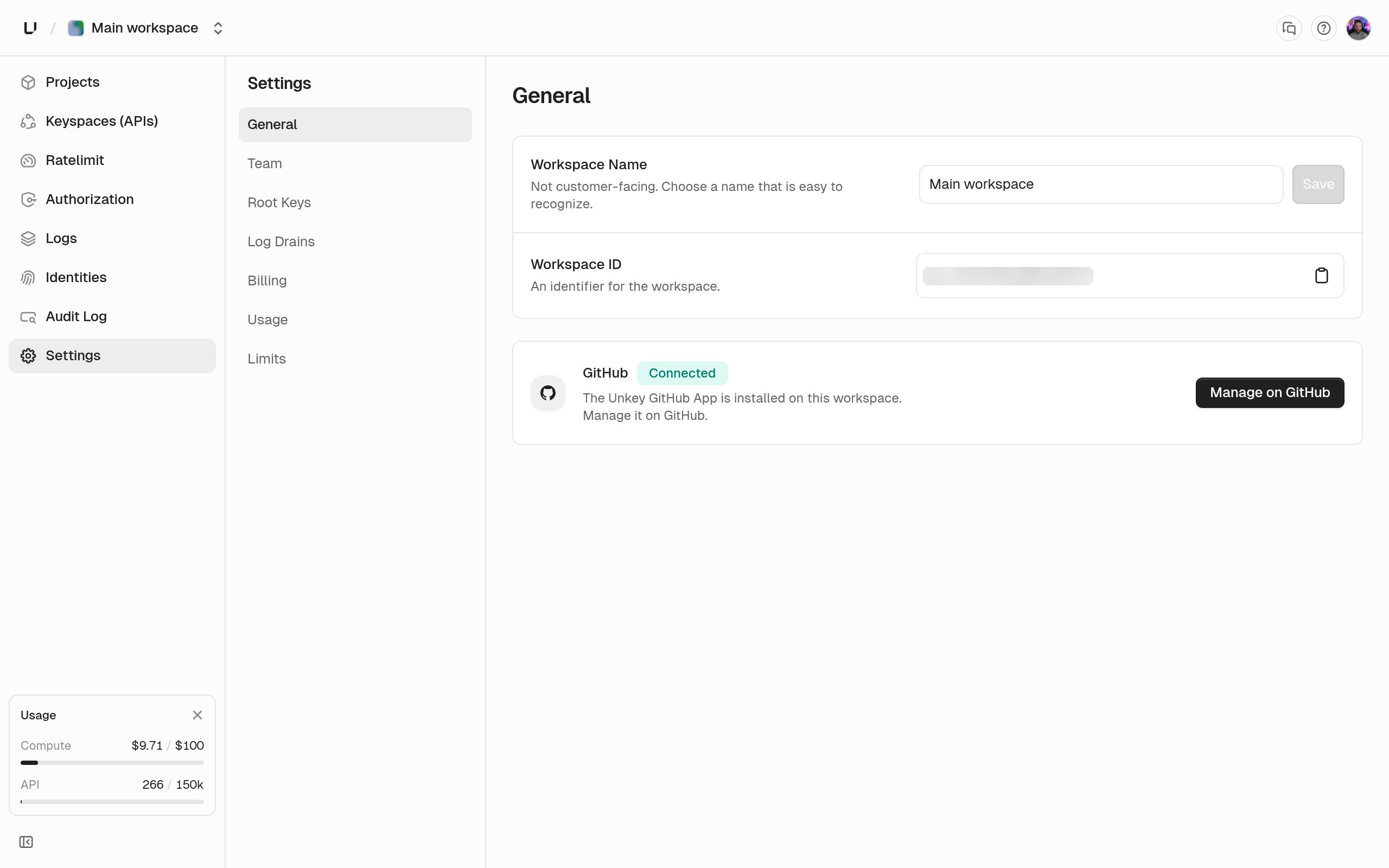 Between 3 and 50 characters. Internal only: your users never see it. Only an admin can save a new name. Other roles see the field, but **Save** stays disabled with "Admin access required to rename the workspace". Renaming writes a `workspace.update` audit log entry.
Read-only. The `ws_` identifier with a copy button. Use it in API calls and support requests. The slug in the URL is a different identifier and can't be changed. See [Workspaces](/docs/platform/workspace/overview).
Whether the Unkey GitHub App is installed for this workspace. **Install GitHub App** sends you to GitHub to pick the repos Unkey may read. Once it's installed, the card shows **Connected** and the button becomes **Manage on GitHub**. That connection is what lets Compute deploy an app from a repo and create preview environments per pull request. API Management-only workspaces can leave it disconnected.
## Other settings pages
The rest of the settings sidebar lives on its own pages.
Roles, invitations, and removing members.
The credential for the API. Admins only.
API tier, Compute plan, payment method, invoices.
What you used this month and the ceilings your plan sets.
**Settings > Billing** is where you see your plan and what you've used this month, and the ceilings themselves are tabulated on [Limits](/docs/platform/billing/limits).
Log drains also live under Settings and are documented under [Log drains](/docs/platform/workspace/log-drains). You set up [two-factor authentication](/docs/platform/workspace/two-factor-auth) from your account page, not from workspace settings.
Between 3 and 50 characters. Internal only: your users never see it. Only an admin can save a new name. Other roles see the field, but **Save** stays disabled with "Admin access required to rename the workspace". Renaming writes a `workspace.update` audit log entry.
Read-only. The `ws_` identifier with a copy button. Use it in API calls and support requests. The slug in the URL is a different identifier and can't be changed. See [Workspaces](/docs/platform/workspace/overview).
Whether the Unkey GitHub App is installed for this workspace. **Install GitHub App** sends you to GitHub to pick the repos Unkey may read. Once it's installed, the card shows **Connected** and the button becomes **Manage on GitHub**. That connection is what lets Compute deploy an app from a repo and create preview environments per pull request. API Management-only workspaces can leave it disconnected.
## Other settings pages
The rest of the settings sidebar lives on its own pages.
Roles, invitations, and removing members.
The credential for the API. Admins only.
API tier, Compute plan, payment method, invoices.
What you used this month and the ceilings your plan sets.
**Settings > Billing** is where you see your plan and what you've used this month, and the ceilings themselves are tabulated on [Limits](/docs/platform/billing/limits).
Log drains also live under Settings and are documented under [Log drains](/docs/platform/workspace/log-drains). You set up [two-factor authentication](/docs/platform/workspace/two-factor-auth) from your account page, not from workspace settings.