> ## Documentation Index
> Fetch the complete documentation index at: https://unkey.com/docs/llms.txt
> Use this file to discover all available pages before exploring further.
> ## Agent Instructions
> Unkey is two separate products. Compute builds, deploys, and runs apps behind a gateway. API Management issues API keys, enforces rate limits, manages identities and permissions, and reports usage. Say which product a page belongs to; a reader can use either without the other.
> Every Unkey API endpoint is an HTTP POST to https://api.unkey.com/v2/{service}.{procedure} with a root key in the Authorization: Bearer header. Root keys are workspace scoped.
> Error codes have the form err:{system}:{category}:{specific} and each has a page at /errors/{system}/{category}/{specific}.
> The word environment means production or preview in Compute. Rate limiting has four meanings on this site; the glossary lists them.
# Workspaces
> Understand what a workspace holds and how to create or switch between them.
A workspace is the top-level container. Everything you create sits in exactly one. Whether you deploy an app with Compute or only issue API keys, it's the same workspace with different parts in use.
Most teams need one workspace. Make a second when you need hard isolation: separate billing for two business units, or a client whose data must never sit next to yours.
## What sits in a workspace
Everything on this site is scoped to a workspace: the [team](/docs/platform/workspace/team) and roles, [billing plans](/docs/platform/billing/plans) and [limits](/docs/platform/billing/limits), root keys, keyspaces and keys, and Compute projects with their apps and environments. A root key from one workspace can't touch another.
## Slug and ID
A workspace has two identifiers. They do different jobs.
The URL handle you choose when creating the workspace. It appears in every dashboard URL as `app.unkey.com//...`, must be unique across Unkey, and can't be changed later. It's 3 to 64 characters of lowercase letters, digits, and hyphens, and can't start or end with a hyphen. The dashboard derives a slug from the workspace name as you type and lets you edit it before creating.
A generated identifier prefixed with `ws_`. Use it when an API call or a support request needs to name the workspace. Copy it from **Settings > General**. See [Workspace settings](/docs/platform/workspace/settings).
## Create a workspace
Go to [app.unkey.com/new](https://app.unkey.com/new). Signing in with a new account lands you here automatically.
Enter a name between 3 and 50 characters. The name isn't shown to your users, so choose one your team recognizes.
The dashboard fills in a slug derived from the name. Edit it if you want a shorter handle. If the slug is already taken, the form tells you and you pick another.
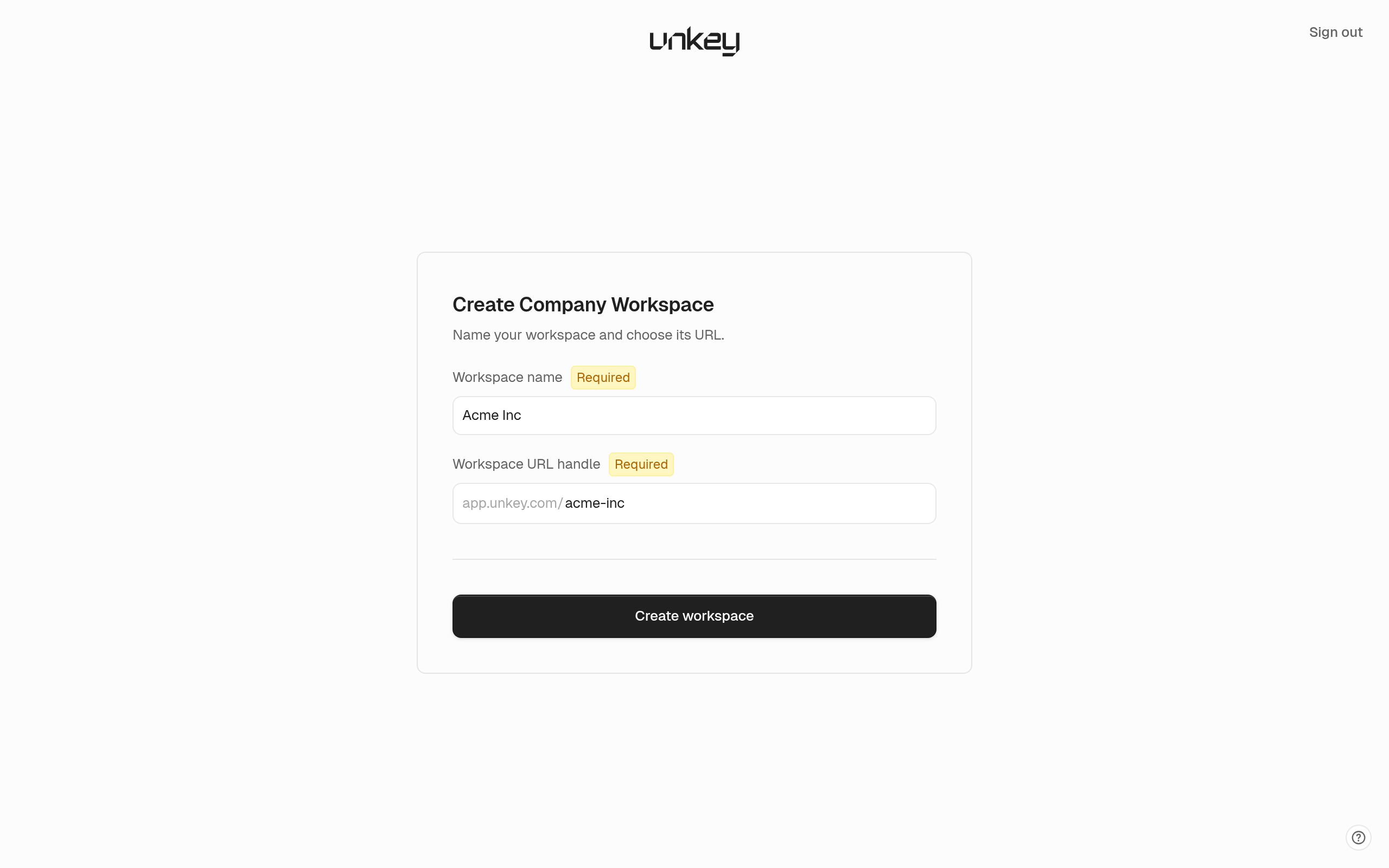 Click **Create workspace**. The workspace starts on the free tier with the [free limits](/docs/platform/billing/limits) and no Compute plan. You can deploy once you pick one under [Plans](/docs/platform/billing/plans).
## Delete a workspace
The dashboard and the API don't offer workspace deletion. To close a workspace, email [support@unkey.com](mailto:support@unkey.com) from an address that belongs to a workspace admin. Make sure you cancel any paid plans under **Settings > Billing** so nothing renews while the request is handled.
Click **Create workspace**. The workspace starts on the free tier with the [free limits](/docs/platform/billing/limits) and no Compute plan. You can deploy once you pick one under [Plans](/docs/platform/billing/plans).
## Delete a workspace
The dashboard and the API don't offer workspace deletion. To close a workspace, email [support@unkey.com](mailto:support@unkey.com) from an address that belongs to a workspace admin. Make sure you cancel any paid plans under **Settings > Billing** so nothing renews while the request is handled.