> ## Documentation Index
> Fetch the complete documentation index at: https://unkey.com/docs/llms.txt
> Use this file to discover all available pages before exploring further.
> ## Agent Instructions
> Unkey is two separate products. Compute builds, deploys, and runs apps behind a gateway. API Management issues API keys, enforces rate limits, manages identities and permissions, and reports usage. Say which product a page belongs to; a reader can use either without the other.
> Every Unkey API endpoint is an HTTP POST to https://api.unkey.com/v2/{service}.{procedure} with a root key in the Authorization: Bearer header. Root keys are workspace scoped.
> Error codes have the form err:{system}:{category}:{specific} and each has a page at /errors/{system}/{category}/{specific}.
> The word environment means production or preview in Compute. Rate limiting has four meanings on this site; the glossary lists them.
# Build logs
> Read the steps and output Unkey records while building a deployment.
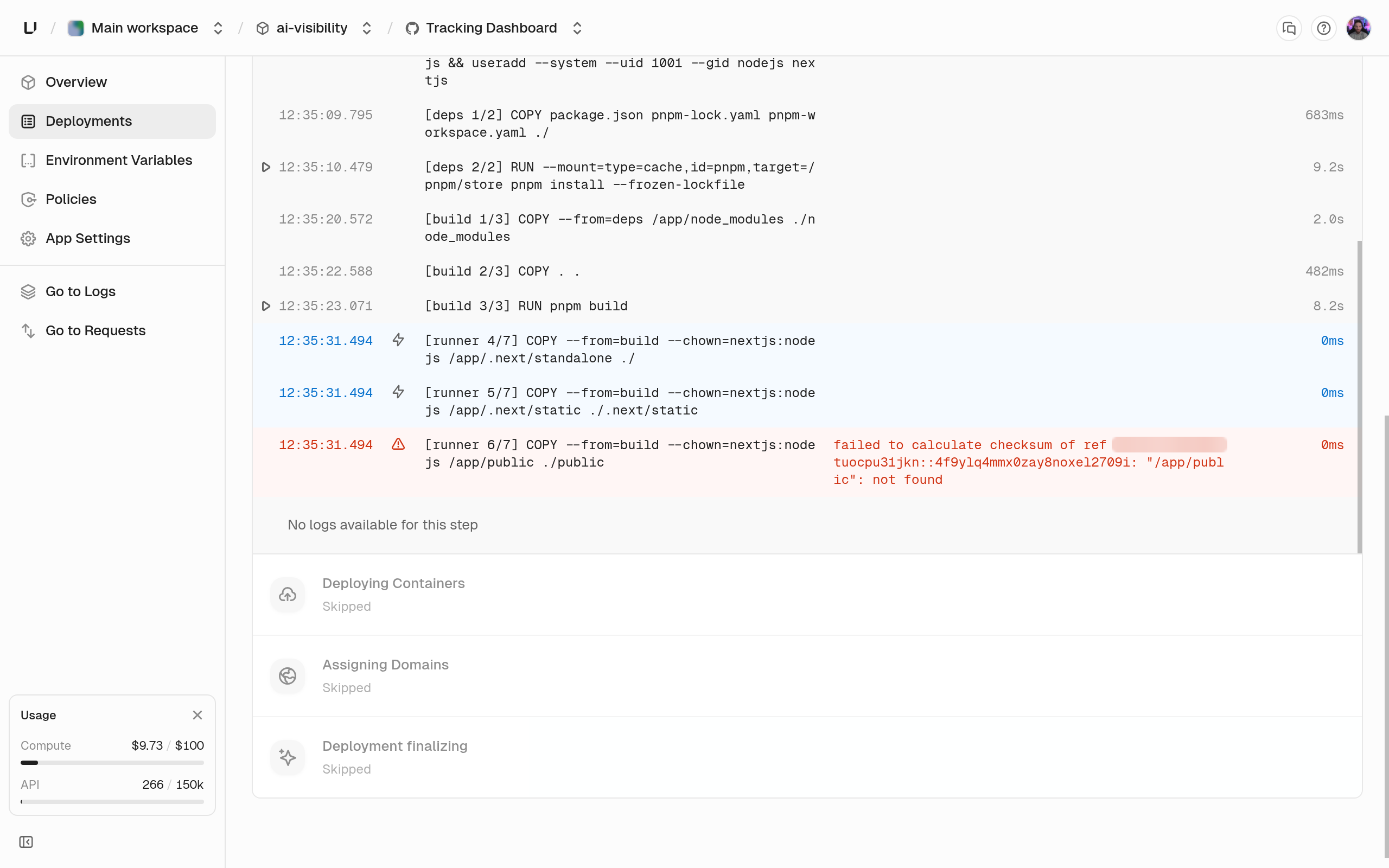
Build logs show each step of building a deployment and its output. Open the app, click **Deployments**, and open the deployment. The steps appear as the build runs and stay afterwards. A deployment from a prebuilt image has no build, so it has no build logs. See [Deploy a container image](/docs/compute/get-started/deploy-an-image).
## What a step shows
Each step shows its name, start and end time, whether it came from the cache, and an error message if it failed. Click a step to see its output. A cached step didn't run, because nothing it depends on changed since an earlier build. See [Builds](/docs/compute/build/overview) for what the cache covers.
## Find why a build failed
Look for the step with the error. Its last lines of output usually name the cause, such as a missing dependency, a compile error, or a Dockerfile instruction that failed. See [Deployments](/docs/compute/concepts/deployments).
 ## Retention and access
Build logs are kept for 3 months, and are only in the dashboard.
## Retention and access
Build logs are kept for 3 months, and are only in the dashboard.