> ## Documentation Index
> Fetch the complete documentation index at: https://unkey.com/docs/llms.txt
> Use this file to discover all available pages before exploring further.
> ## Agent Instructions
> Unkey is two separate products. Compute builds, deploys, and runs apps behind a gateway. API Management issues API keys, enforces rate limits, manages identities and permissions, and reports usage. Say which product a page belongs to; a reader can use either without the other.
> Every Unkey API endpoint is an HTTP POST to https://api.unkey.com/v2/{service}.{procedure} with a root key in the Authorization: Bearer header. Root keys are workspace scoped.
> Error codes have the form err:{system}:{category}:{specific} and each has a page at /errors/{system}/{category}/{specific}.
> The word environment means production or preview in Compute. Rate limiting has four meanings on this site; the glossary lists them.
# Rate limit overrides
> Give one identifier or a pattern its own limit without changing code.
An override gives particular identifiers a different limit from the one your code sends. Your app keeps calling `ratelimit.limit` with its default numbers, and when the identifier matches an override, Unkey uses the override's numbers instead. Use it to raise a partner's limit or throttle an abuser without deploying.
You need a root key with the permissions listed on this page. Create one in the dashboard under **Settings > Root Keys**. See [Permission reference](/docs/platform/root-keys/permissions-legacy) for every permission.
Setting an override needs `ratelimit.*.set_override` or `ratelimit..set_override`. Reading and listing need `ratelimit.*.read_override`, and deleting needs `ratelimit.*.delete_override`.
## Set an override
Namespace name or ID, 1 to 512 characters. Unlike `ratelimit.limit`, this doesn't create a missing namespace. It returns HTTP 404 `err:unkey:data:ratelimit_namespace_not_found`.
The exact identifier, or a pattern containing `*`, 1 to 512 characters. Case-sensitive.
Tokens per window for matching identifiers, 1 or more. Don't use `0` to ban someone: the API accepts it, but checks against it fail with a server error. Use `1` with a long duration instead.
Window length in milliseconds, 1000 or more. It may differ from the duration your code sends.
```bash theme={"system"}
curl -X POST https://api.unkey.com/v2/ratelimit.setOverride \
-H "Authorization: Bearer $UNKEY_ROOT_KEY" \
-H "Content-Type: application/json" \
-d '{
"namespace": "api.requests",
"identifier": "org_acme",
"limit": 10000,
"duration": 60000
}'
```
```json theme={"system"}
{
"meta": { "requestId": "req_..." },
"data": { "overrideId": "rlor_..." }
}
```
Setting an override on an identifier that already has one replaces it. The change shows in the audit log as `ratelimit.set_override`. It takes up to about a minute to apply everywhere.
The endpoint is `/v2/ratelimit.setOverride` (singular `ratelimit`) and the namespace is passed as `namespace`, by name or ID. The request has no separate namespace-id or namespace-name field and no asynchronous mode.
## How a match is chosen
An override on the exact identifier always wins. If there isn't one, a matching wildcard override applies. In a pattern, `*` matches any run of characters (including none), and the pattern must match the whole identifier.
| Override | Matches | Does not match |
| - | - | - |
| `*@acme.com` | `alice@acme.com`, `@acme.com` | `alice@acme.com.evil.io` |
| `enterprise:*` | `enterprise:123`, `enterprise:` | `pro:123` |
| `user_*_prod` | `user_1_prod`, `user__prod` | `user_1_staging` |
| `*suspicious*` | anything containing `suspicious` | |
With `*@acme.com` at 500 per minute and `ceo@acme.com` at 10,000, `ceo@acme.com` gets 10,000, everyone else at `acme.com` gets 500, and `user@other.com` gets the numbers your code sent. If two wildcards match the same identifier, there's no rule for which wins, so avoid overlapping wildcards in one namespace.
## Read, list, and delete
* **`ratelimit.getOverride`** takes `namespace` and `identifier` and returns the override that would apply, using the same matching rules: `overrideId`, `identifier` (the stored pattern), `limit`, and `duration`. If nothing matches, it returns HTTP 404 `err:unkey:data:ratelimit_override_not_found`.
* **`ratelimit.listOverrides`** takes `namespace`, `limit` (1 to 100, default 50), and `cursor`, and returns the same objects with pagination.
* **`ratelimit.deleteOverride`** takes `namespace` and `identifier`. Matching identifiers go back to your code's numbers (or another matching wildcard) within about a minute.
```bash theme={"system"}
curl -X POST https://api.unkey.com/v2/ratelimit.deleteOverride \
-H "Authorization: Bearer $UNKEY_ROOT_KEY" \
-H "Content-Type: application/json" \
-d '{ "namespace": "api.requests", "identifier": "org_acme" }'
```
## From the dashboard
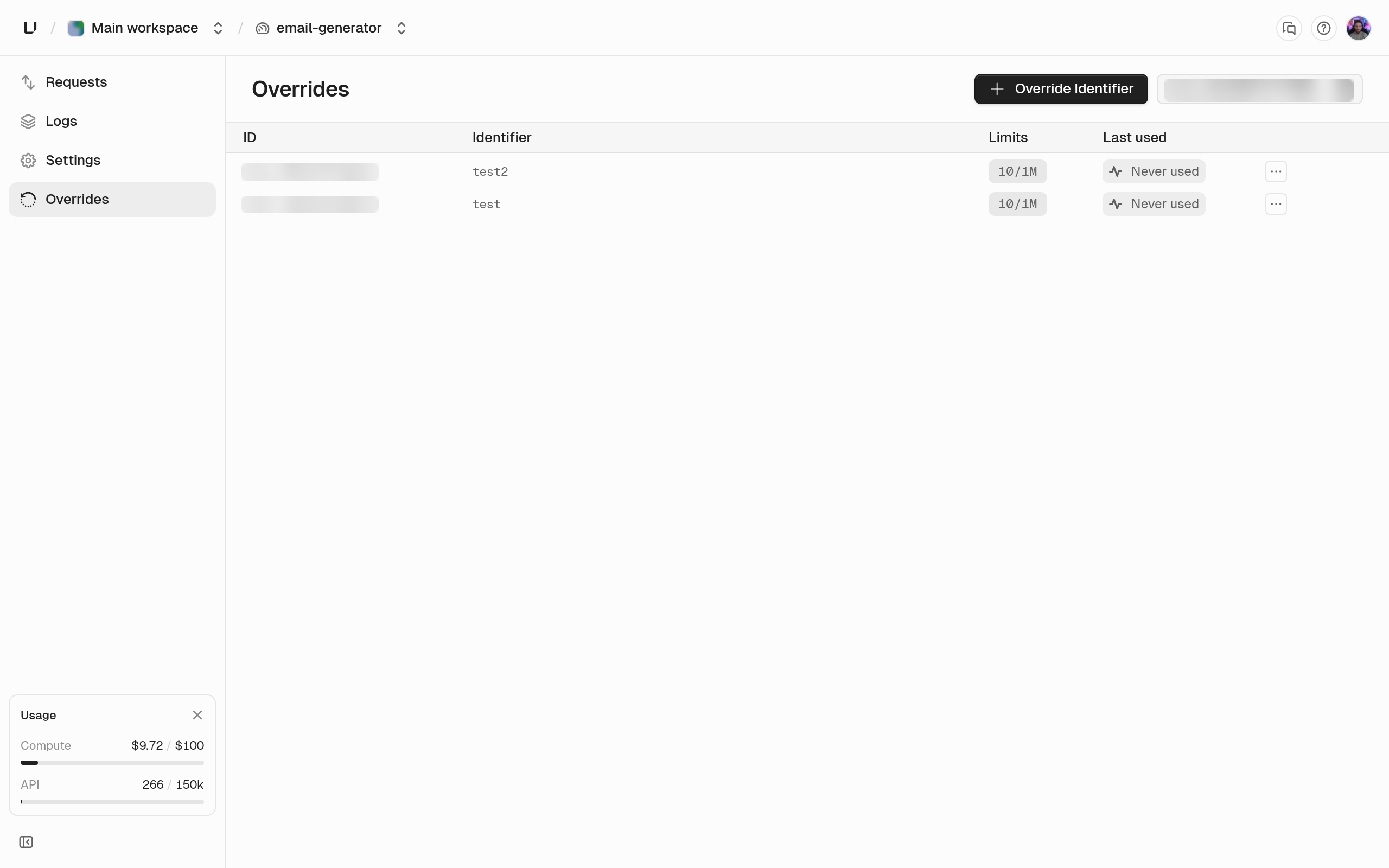
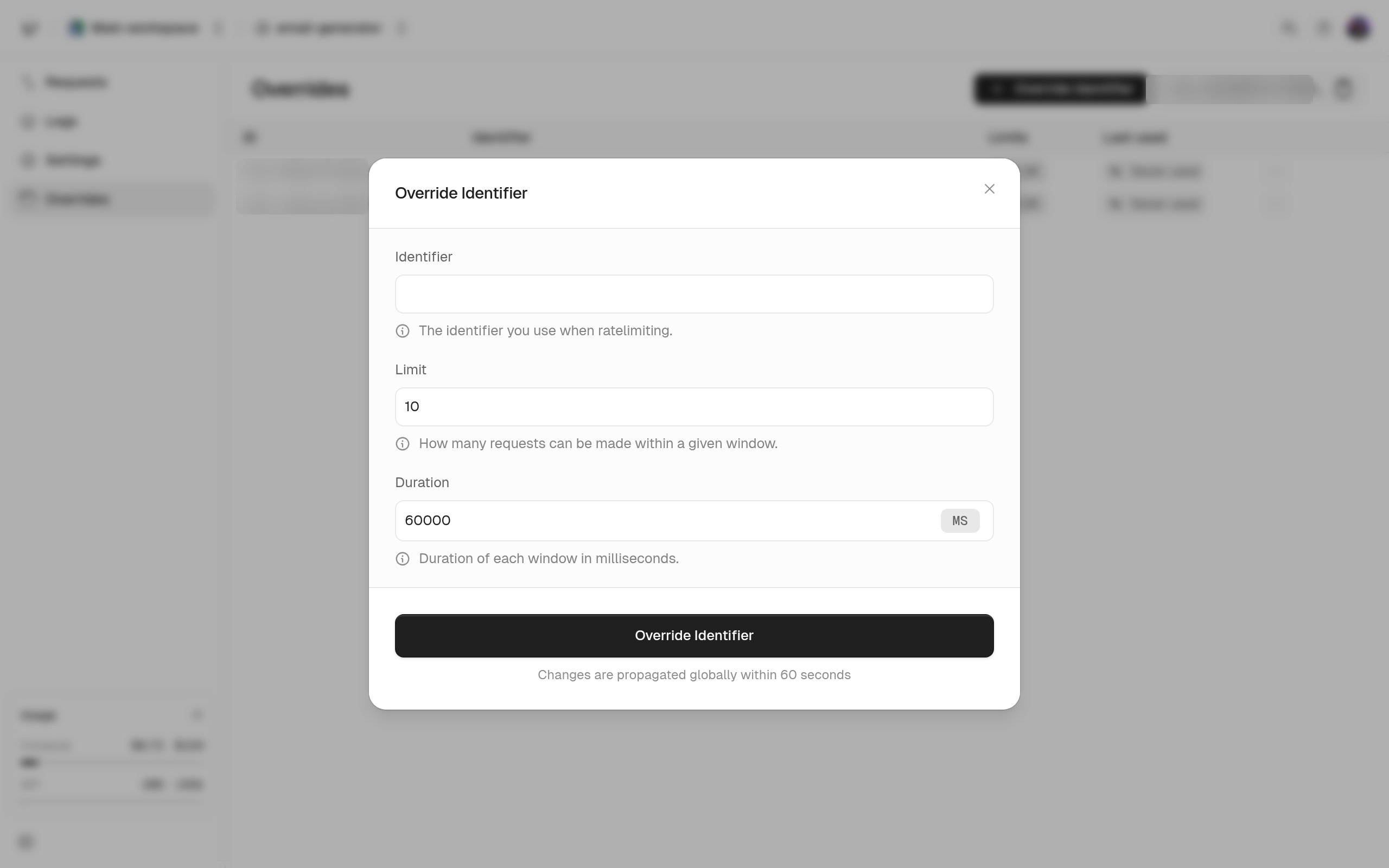
Under **Ratelimit**, open the namespace and its **Overrides** tab to add, edit, or delete overrides. You can also choose **Delete Override** on a row in the namespace's logs. In the dashboard, the identifier must be at least 2 characters and the limit can't go over 10,000. Overrides set through the API outside those bounds still work.
 ## Patterns that work well
* **Per-plan limits.** Build identifiers as `${plan}:${userId}` and set one wildcard override per plan (`free:*`, `pro:*`, `enterprise:*`). Update overrides from your billing webhooks when customers change plans.
* **Stop an attack.** Set the identifier to a limit of `1` over a long duration, and delete the override when the incident ends.
## Patterns that work well
* **Per-plan limits.** Build identifiers as `${plan}:${userId}` and set one wildcard override per plan (`free:*`, `pro:*`, `enterprise:*`). Update overrides from your billing webhooks when customers change plans.
* **Stop an attack.** Set the identifier to a limit of `1` over a long duration, and delete the override when the incident ends.