> ## Documentation Index
> Fetch the complete documentation index at: https://unkey.com/docs/llms.txt
> Use this file to discover all available pages before exploring further.
> ## Agent Instructions
> Unkey is two separate products. Compute builds, deploys, and runs apps behind a gateway. API Management issues API keys, enforces rate limits, manages identities and permissions, and reports usage. Say which product a page belongs to; a reader can use either without the other.
> Every Unkey API endpoint is an HTTP POST to https://api.unkey.com/v2/{service}.{procedure} with a root key in the Authorization: Bearer header. Root keys are workspace scoped.
> Error codes have the form err:{system}:{category}:{specific} and each has a page at /errors/{system}/{category}/{specific}.
> The word environment means production or preview in Compute. Rate limiting has four meanings on this site; the glossary lists them.
# Rerolling keys
> Replace a key's secret while keeping its configuration and a grace period.
Rerolling gives a key a new secret and keeps its settings. Unkey creates a new key with the same settings, and the old key keeps working for a grace period you choose. Use it for scheduled rotation, after a suspected leak, or when a user asks for a fresh key.
You need a root key with the permissions listed on this page. Create one in the dashboard under **Settings > Root Keys**. See [Permission reference](/docs/platform/root-keys/permissions-legacy) for every permission.
The root key needs `api.*.create_key` or `api..create_key`. When the original key is recoverable, it also needs `api.*.encrypt_key` or `api..encrypt_key`. See [Root key permissions](/docs/platform/root-keys/permissions).
## Request
The identifier of the key to reroll (`key_...`), not the key string itself.
Milliseconds from now until the old key stops working. The maximum is `4102444800000`. The time is rounded up to the next whole minute, so `expiration: 1` can leave the old key working for up to a minute. Only `0` revokes it immediately.
```bash theme={"system"}
curl -X POST https://api.unkey.com/v2/keys.rerollKey \
-H "Authorization: Bearer $UNKEY_ROOT_KEY" \
-H "Content-Type: application/json" \
-d '{ "keyId": "key_...", "expiration": 86400000 }'
```
## Response
```json theme={"system"}
{
"meta": { "requestId": "req_..." },
"data": {
"keyId": "key_...",
"key": "sk_live_..."
}
}
```
`key` is the new key, and this is the only time it's returned. `keyId` is the new key's ID. The old key keeps its own `keyId` until it expires.
## What the new key copies
The new key copies the old key's enabled state, name, metadata, identity, expiry, credits and refill schedule, roles, permissions, and rate limits. If the old key was recoverable, so is the new one.
The new key gets a new `keyId` and secret. It keeps the old key's prefix, or uses the keyspace's default prefix if it had none. Its length is the keyspace's current default, or 16 bytes if none is set, so a key created with a custom `byteLength` can change length.
Analytics by identity carry on across the reroll. Analytics by `keyId` start fresh for the new key.
## What happens to the original
The old key's expiry becomes now plus `expiration`, rounded up to the next minute. With `0`, its next verification returns `code: EXPIRED`. The API applies the grace period even if the old key was due to expire sooner, so a reroll can extend its life. Check the old key's `expires` first if that matters.
The event is recorded in the audit log as `key.reroll`.
## From the dashboard
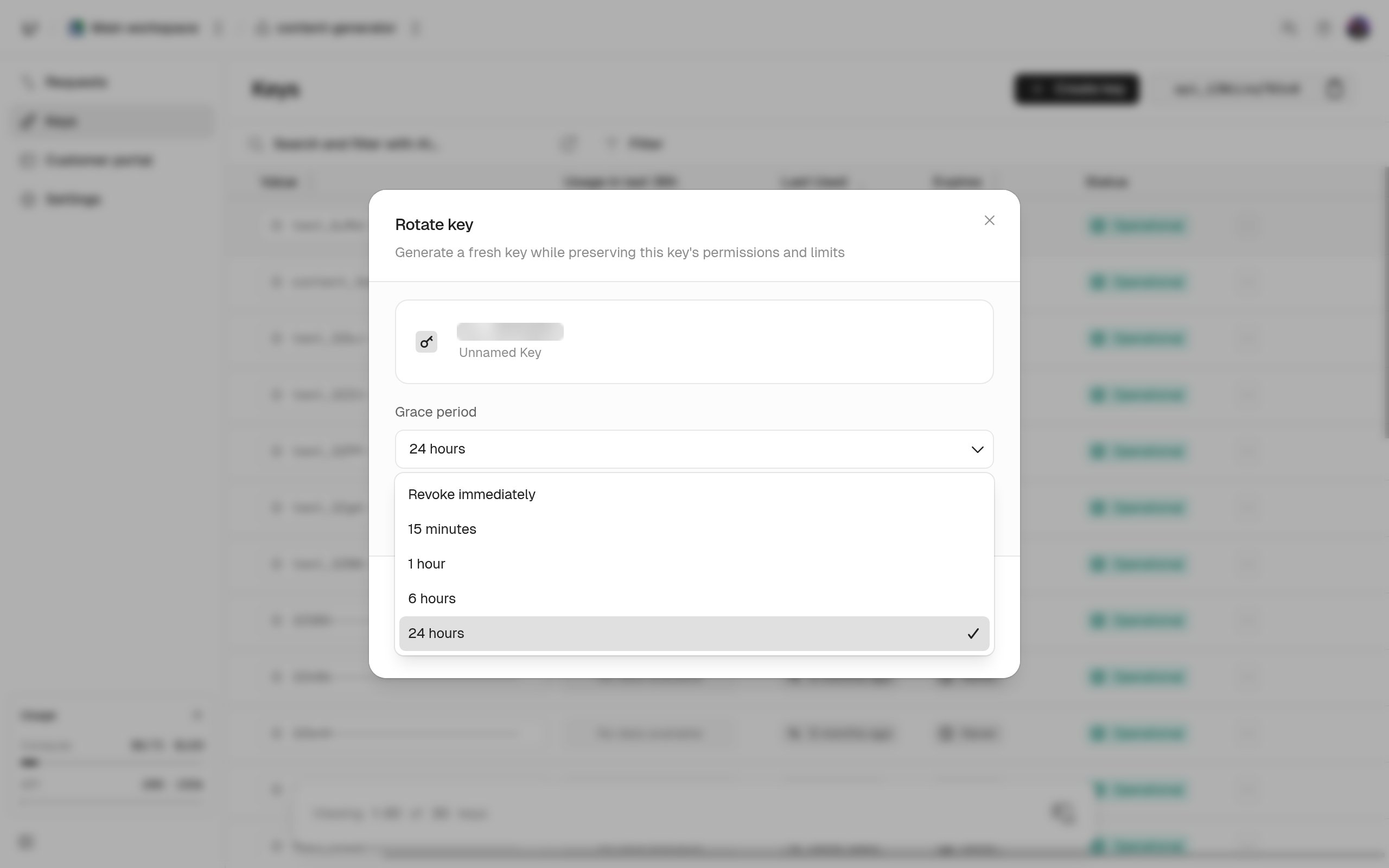
Choose **Rotate key** from the key's actions menu. Pick a grace period: revoke immediately, 15 minutes, 1 hour, 6 hours, or 24 hours (the default). The dashboard is stricter than the API: you can't rotate an expired key, and the grace period can't go past the key's original expiry. The new key is shown once.
 ## Reroll or reissue
Reroll when the user should keep working without a break. `keys.rerollKey` can't change settings, so to change them too, update the new key with `keys.updateKey` afterward, or create a new key and delete the old one.
## Reroll or reissue
Reroll when the user should keep working without a break. `keys.rerollKey` can't change settings, so to change them too, update the new key with `keys.updateKey` afterward, or create a new key and delete the old one.