
Workspace environment variables, per-environment runtime settings, and an editable production branch
New features
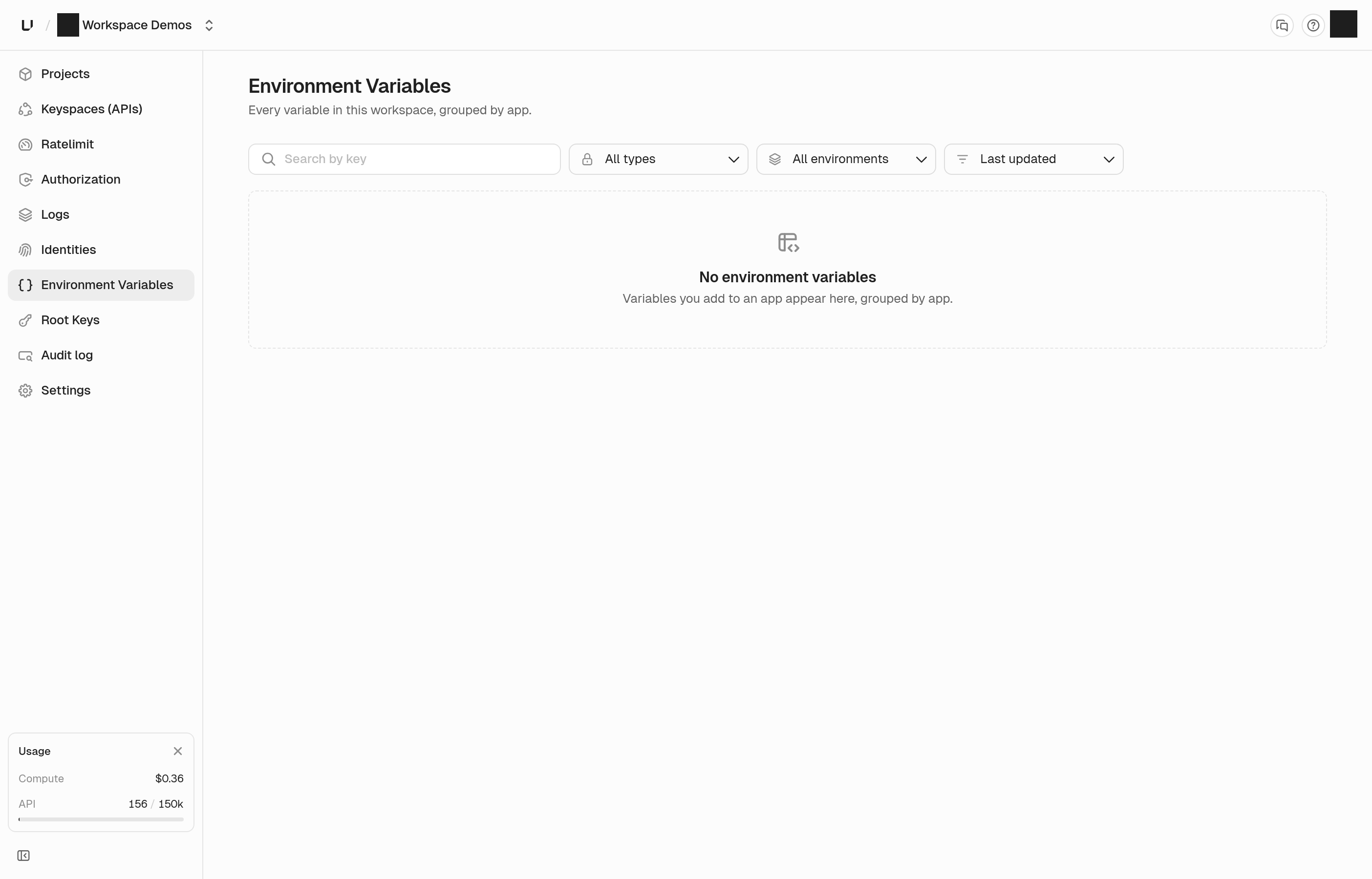
Find any environment variable across your workspace
There's a new Environment Variables page in the dashboard sidebar that lists every variable in your workspace, grouped by app. If you need to rotate a leaked secret or check where a key is set, you search once instead of opening each app.
Filter by environment or by whether a variable is sensitive, and click a row to jump straight to that app with the key already filtered. Values are never shown on this page.
Root keys also moved out of Settings and now have their own spot in the sidebar.
See finding a variable across the workspace.
Runtime settings now live in each environment
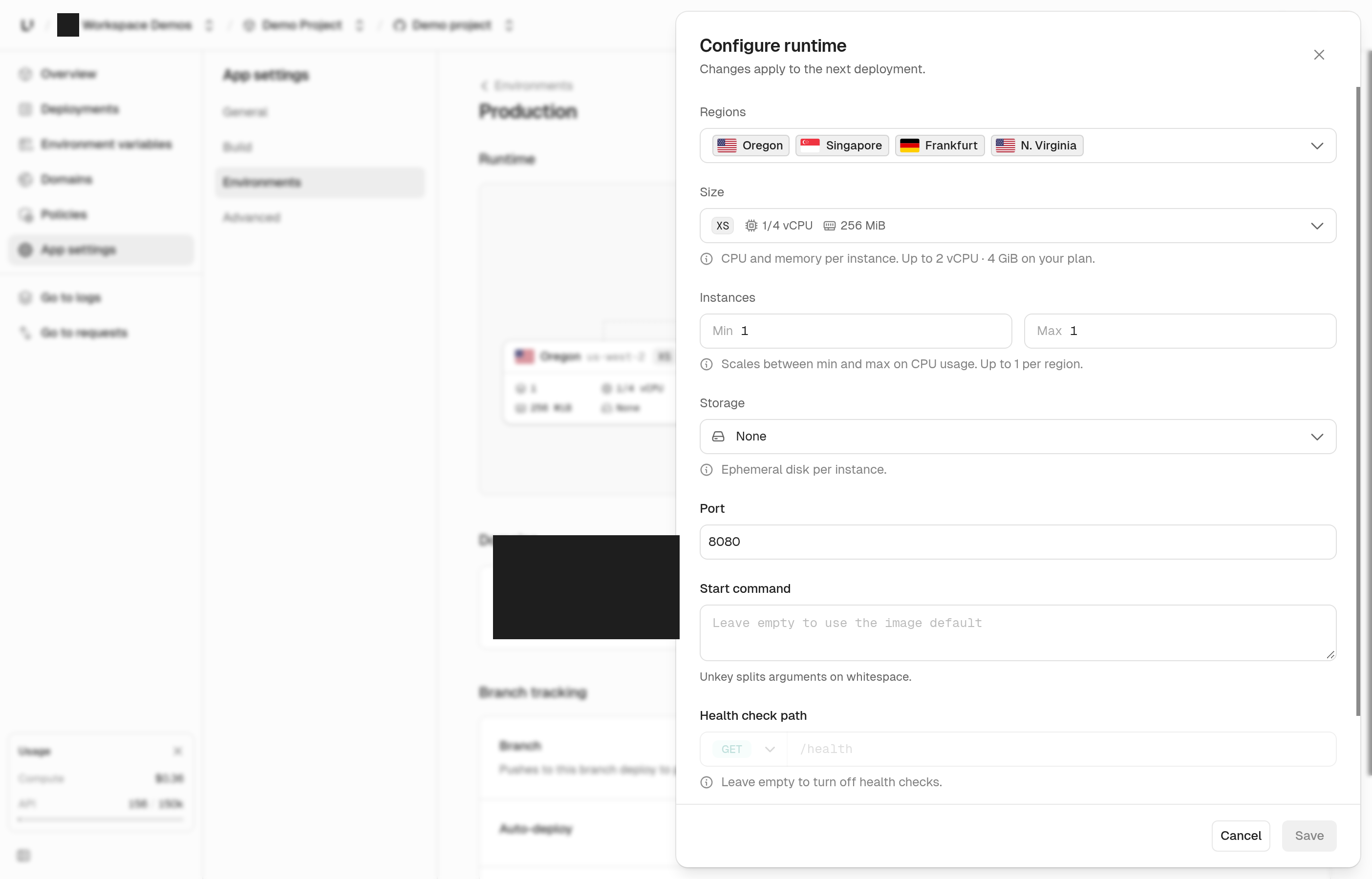
Port, start command, and health check used to sit on an app-wide Runtime page, while regions, size, and instances were set per environment. Now all of them live together on each environment's page.
This also means production and preview can have different ports or start commands. Each Save applies to that environment only.
Min and max instances are now plain number inputs, and they tell you when you go past your plan's limit.
Change your production branch
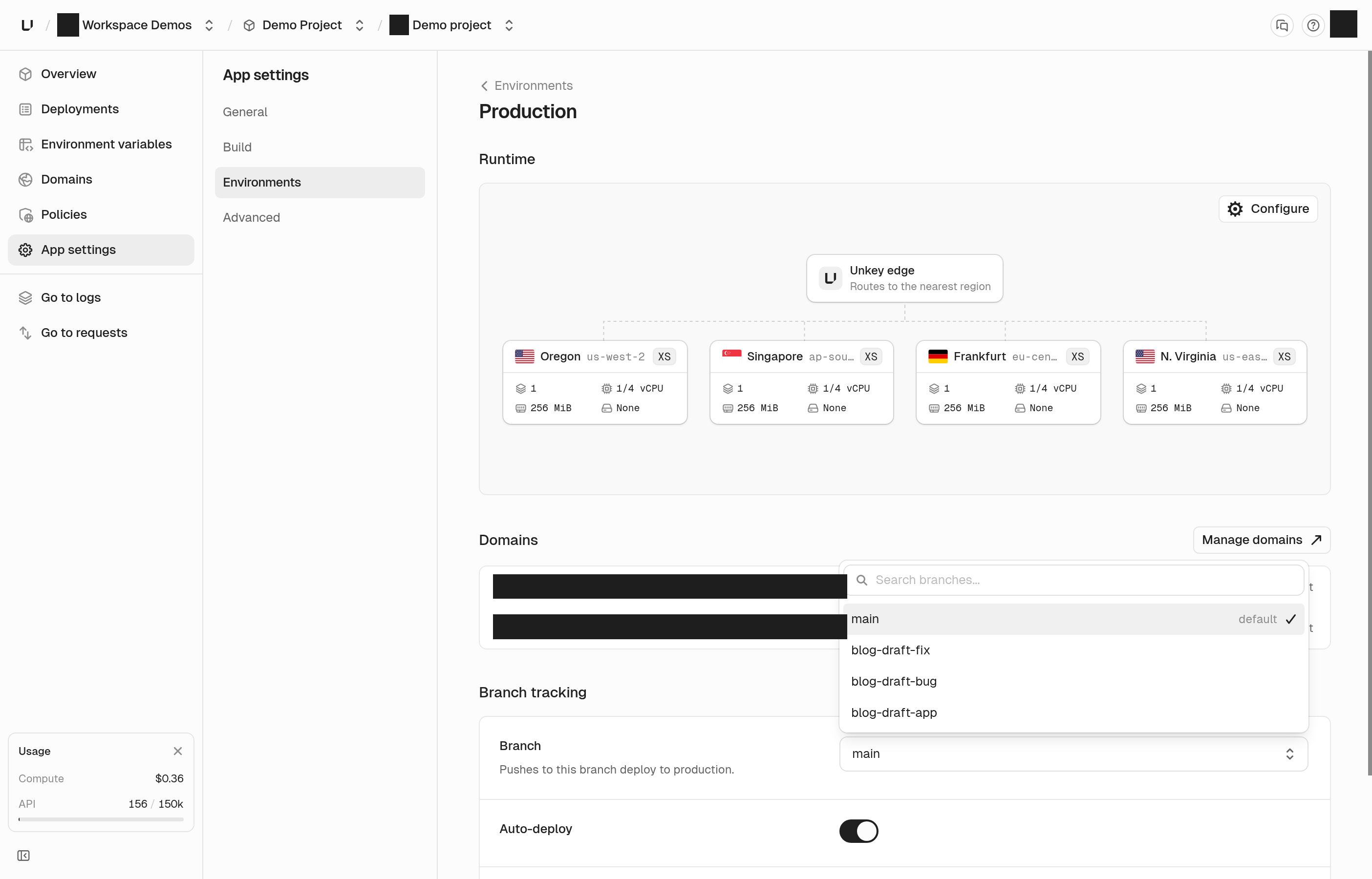
You can now change the branch that deploys to production from the production environment's settings. It used to be locked in when you created the app.
Changing the branch doesn't trigger a deploy. Your next push to the new branch goes to production.
Deploy the right branch to the right place
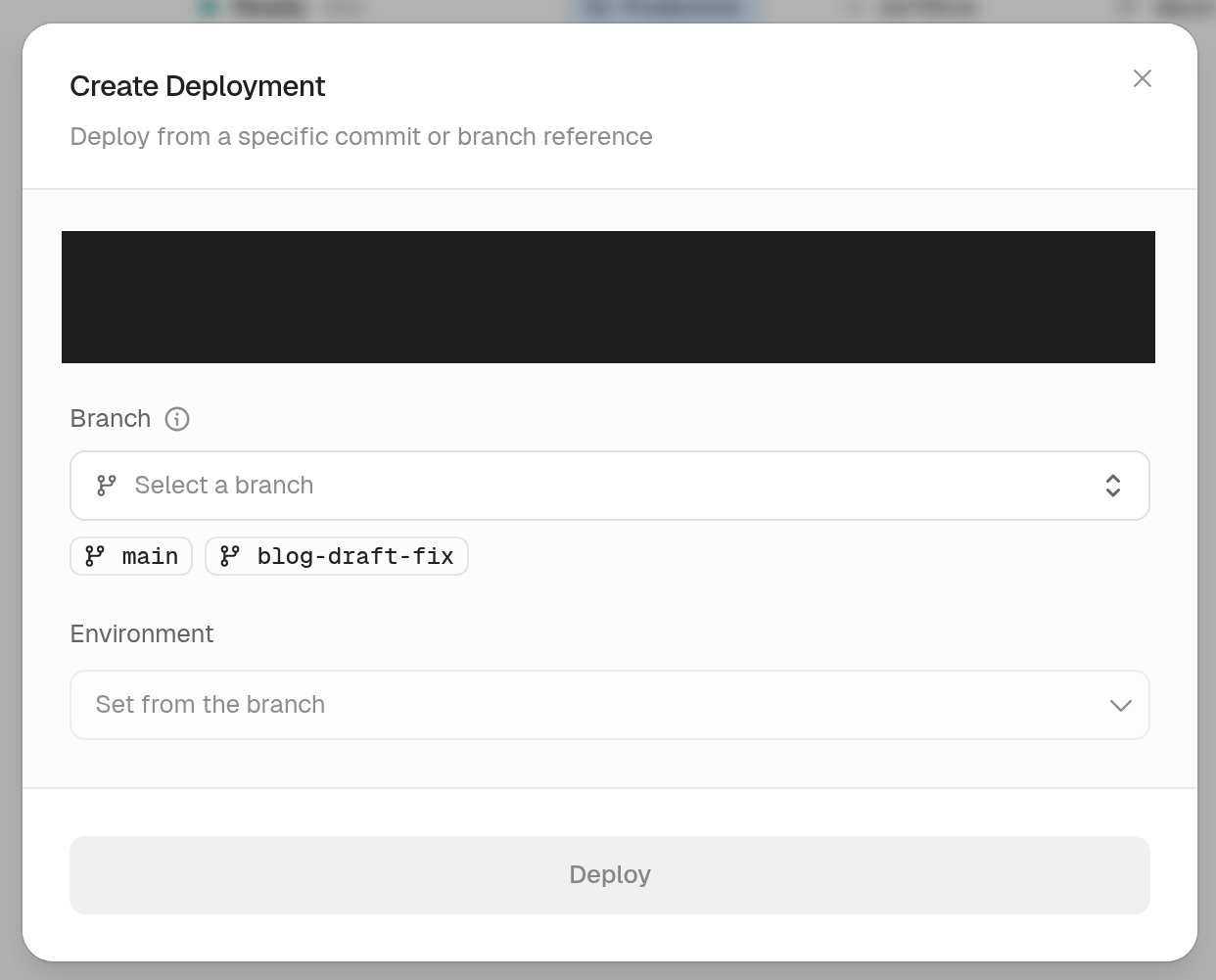
When you create a deployment by hand, the environment now follows the branch you pick. Your production branch deploys to production and anything else goes to preview. Next to the main branch there's a quick pick for the branch that was pushed most recently, so deploying what you just pushed takes one click.
Container image deployments now default to production too, so you no longer have to switch the environment every time.
Updates
Choose what you came for
New sign-ups are asked whether they want to deploy apps or manage API keys, and land in the right place after creating their workspace.
Connect another GitHub account
The account menu in the new-app flow now has an Add GitHub account option, so you can connect another account or organization right from there. See adding another GitHub account.
Private submodules
Builds now clone private GitHub submodules, as long as the Unkey GitHub App can access those repositories.
New apps start in one region
New apps default to us-east-1 instead of every available region. You can still pick more regions at any time.
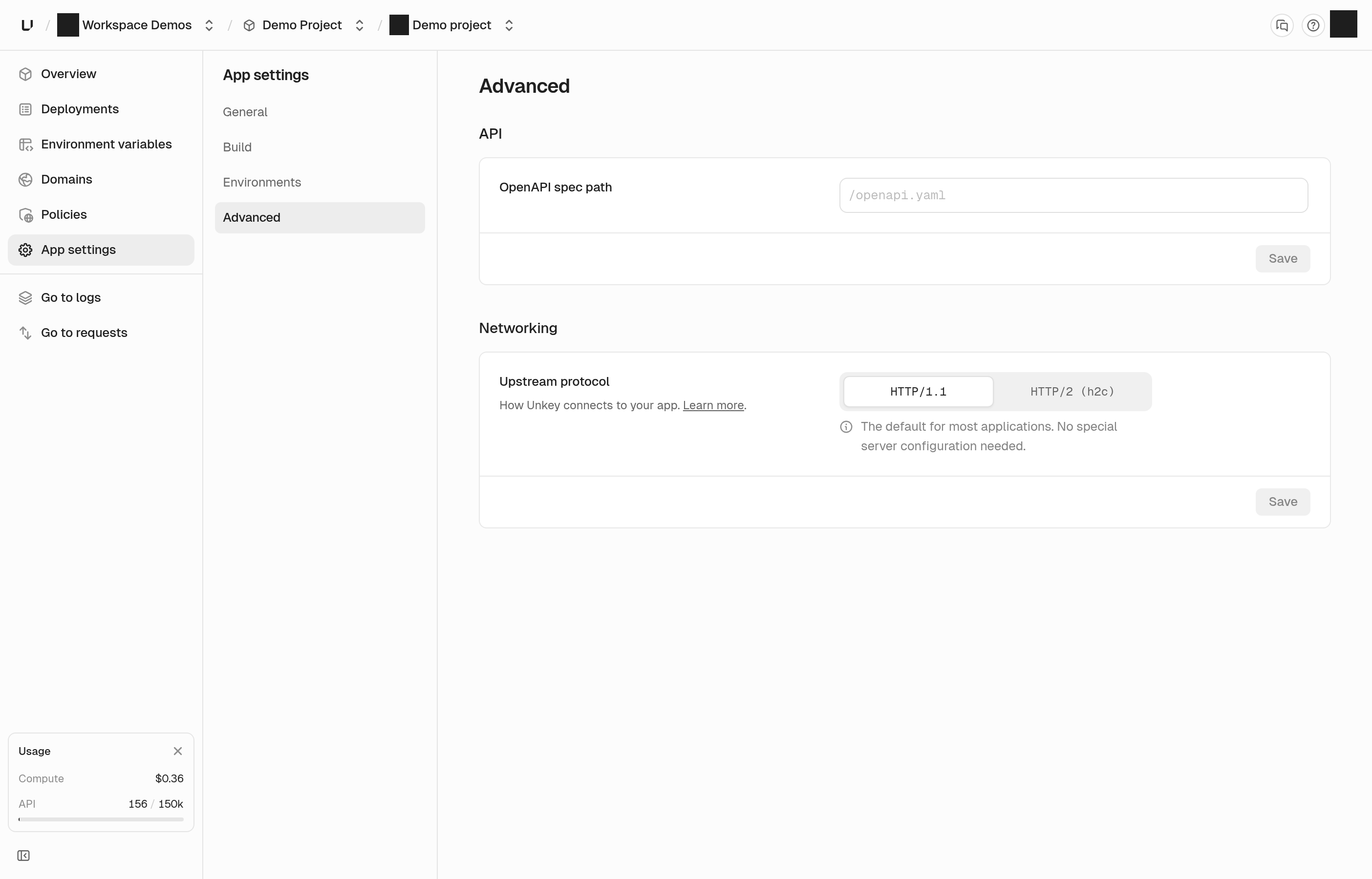
Upstream protocol
Picking HTTP/1.1 or HTTP/2 for your upstream is now a compact toggle in settings.
Request logs for rejected requests
Requests your gateway policies reject now show up in your request logs, along with the key that was used and how its verification turned out. Your logging settings for headers and bodies now apply to rejected requests as well.
Gateway response headers
When a request passes through more than one region, diagnostic response headers are combined into one value each, and a single request ID now follows the request all the way to your app and your logs. If your app refuses connections, you get a 502 instead of a 500 that looked like our fault.
Builds
Builds now stop after 30 minutes instead of running forever when stuck. When a build fails for a reason we don't recognize, we show a message asking you to contact support with the deployment ID.
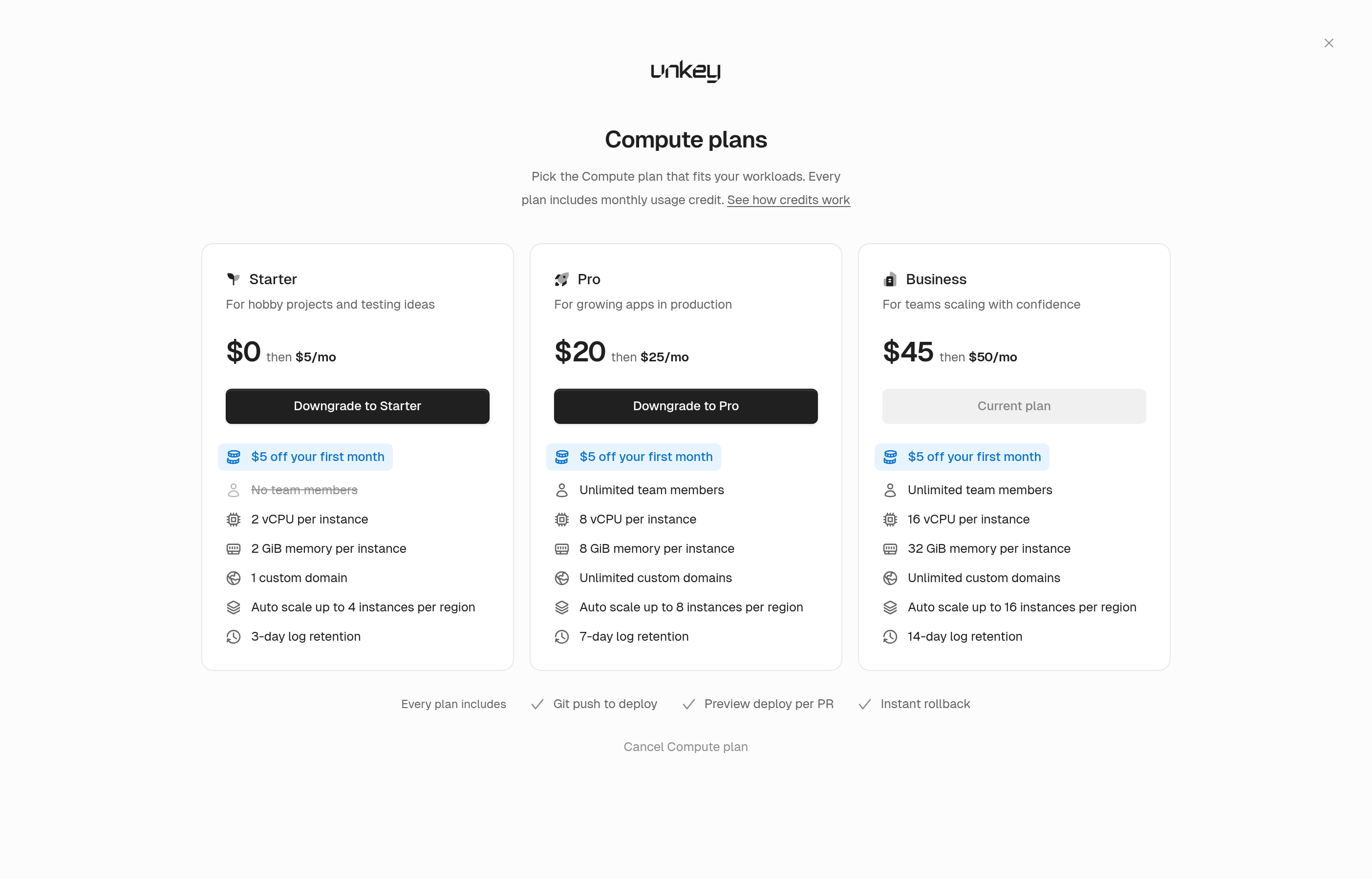
Compute plan cards
The Compute plan picker now shows that every plan includes monthly usage credit.
Starter credit carryover
On the Starter plan, the credit we add to bring your plan to $0 now carries over to your next invoice. Usage credits still don't roll over.
Careers
We now have a careers page where you can see open roles and apply.
Bug fixes
- App settings forms no longer get stuck on "Unsaved changes" or need two saves to apply
- The environment variables panel scrolls properly when you have lots of variables
- Rolling back an app and then deploying to production no longer moves live traffic unexpectedly
- Deleting an app now frees its custom domains so you can use them on another app
- Creating an app from a repository picks the correct GitHub installation when you have more than one
- Build logs no longer show noisy authentication lines from the builder
- Settings lists, keyspaces, keys, and namespaces show an error when they fail to load instead of looking empty
- Active branches no longer disappear when a refresh fails
- The leaked root key email now links to the right section of the docs
- A multi ratelimit request that repeats the same check now returns an error