
Guided new-app flow, rebuilt app settings, and a new policies page
New features
A guided flow for new apps
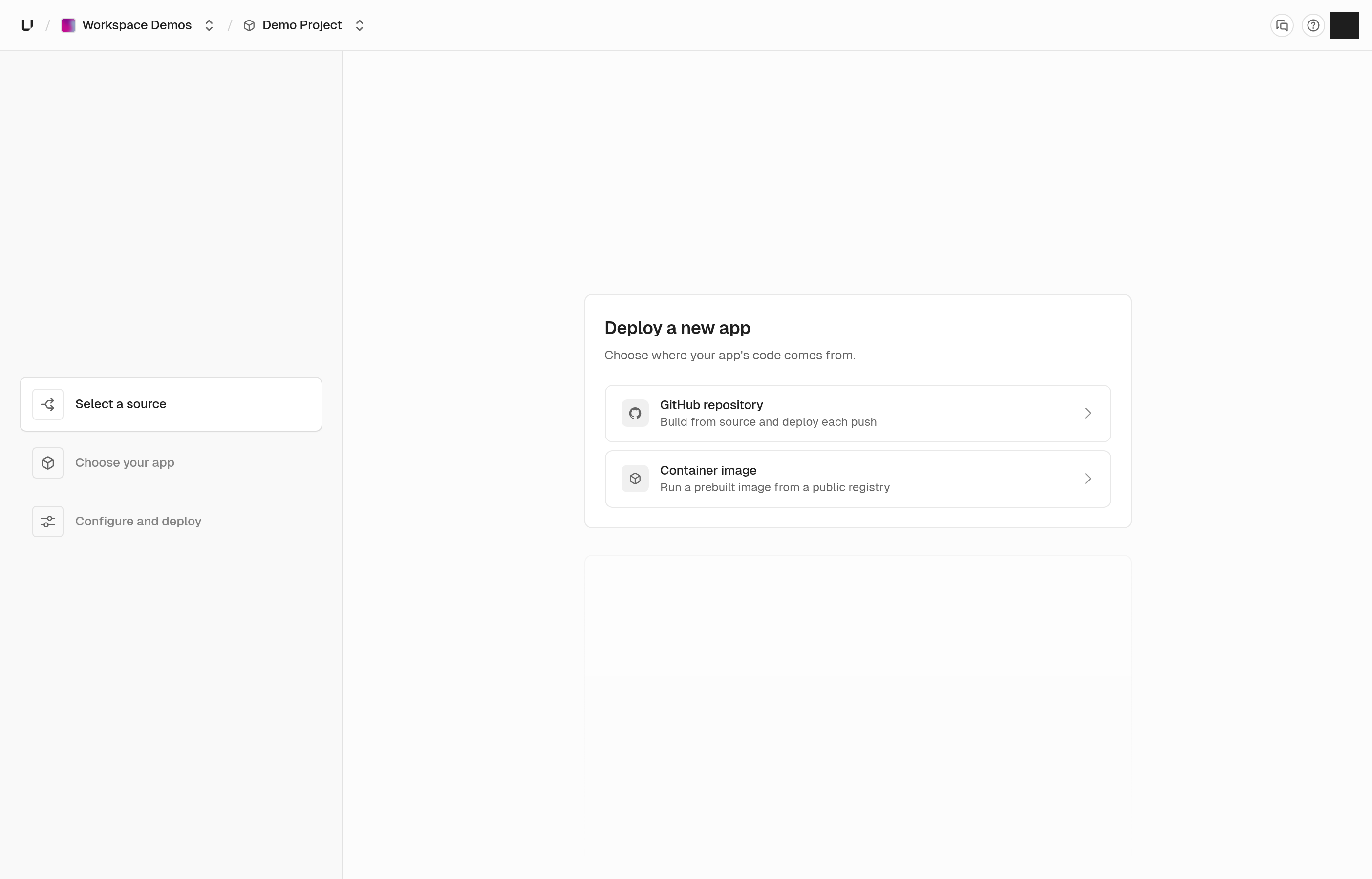
Setting up a new app is now a guided flow instead of one long wizard. Start by picking a GitHub repository or a container image, and we'll walk you through the rest one step at a time.
Everything you need to configure is on one page, and we tell you what's left before you can deploy. You'll only see the options your plan includes, so there are no surprises halfway through.
App settings, environments, and domains
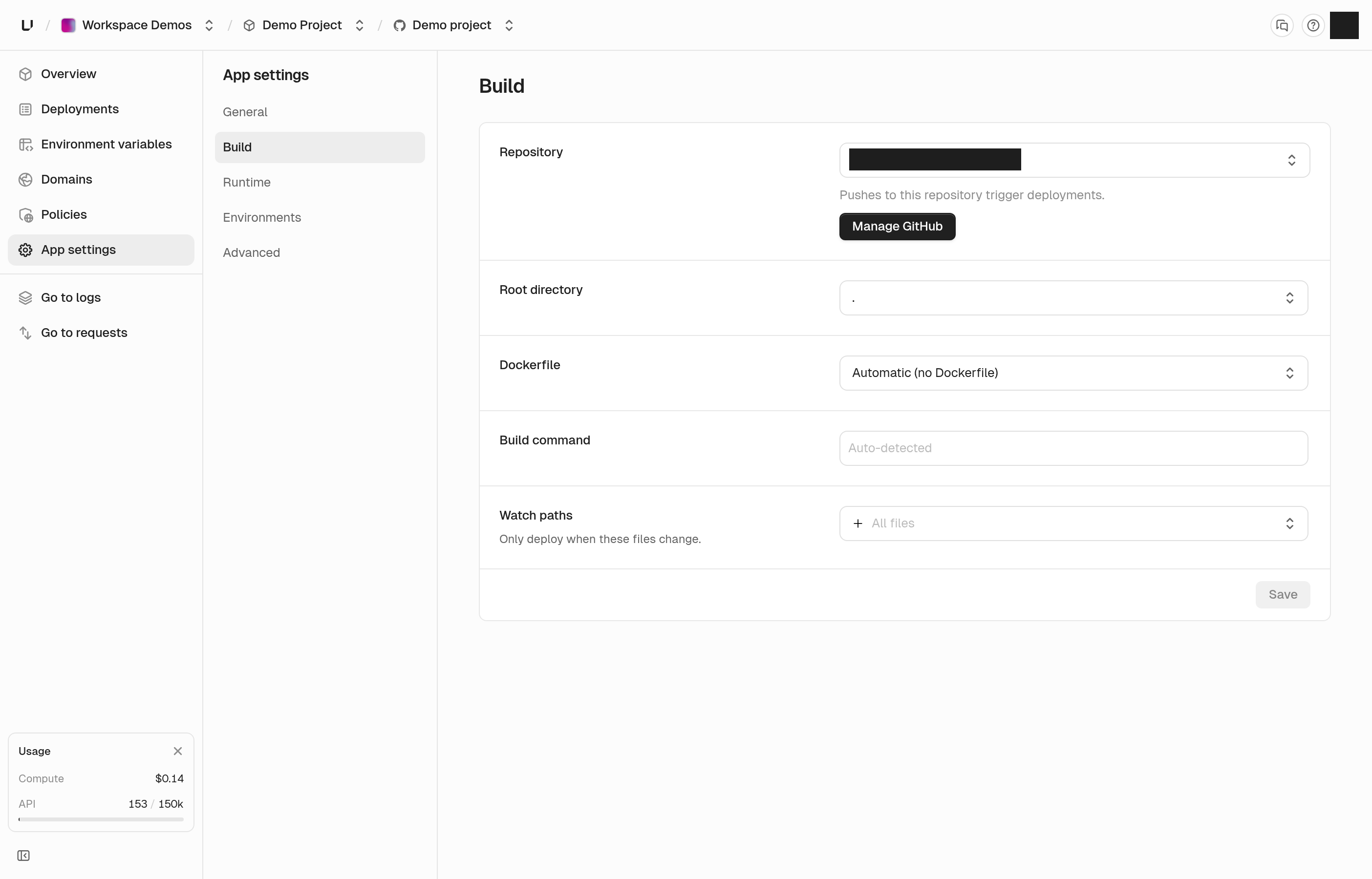
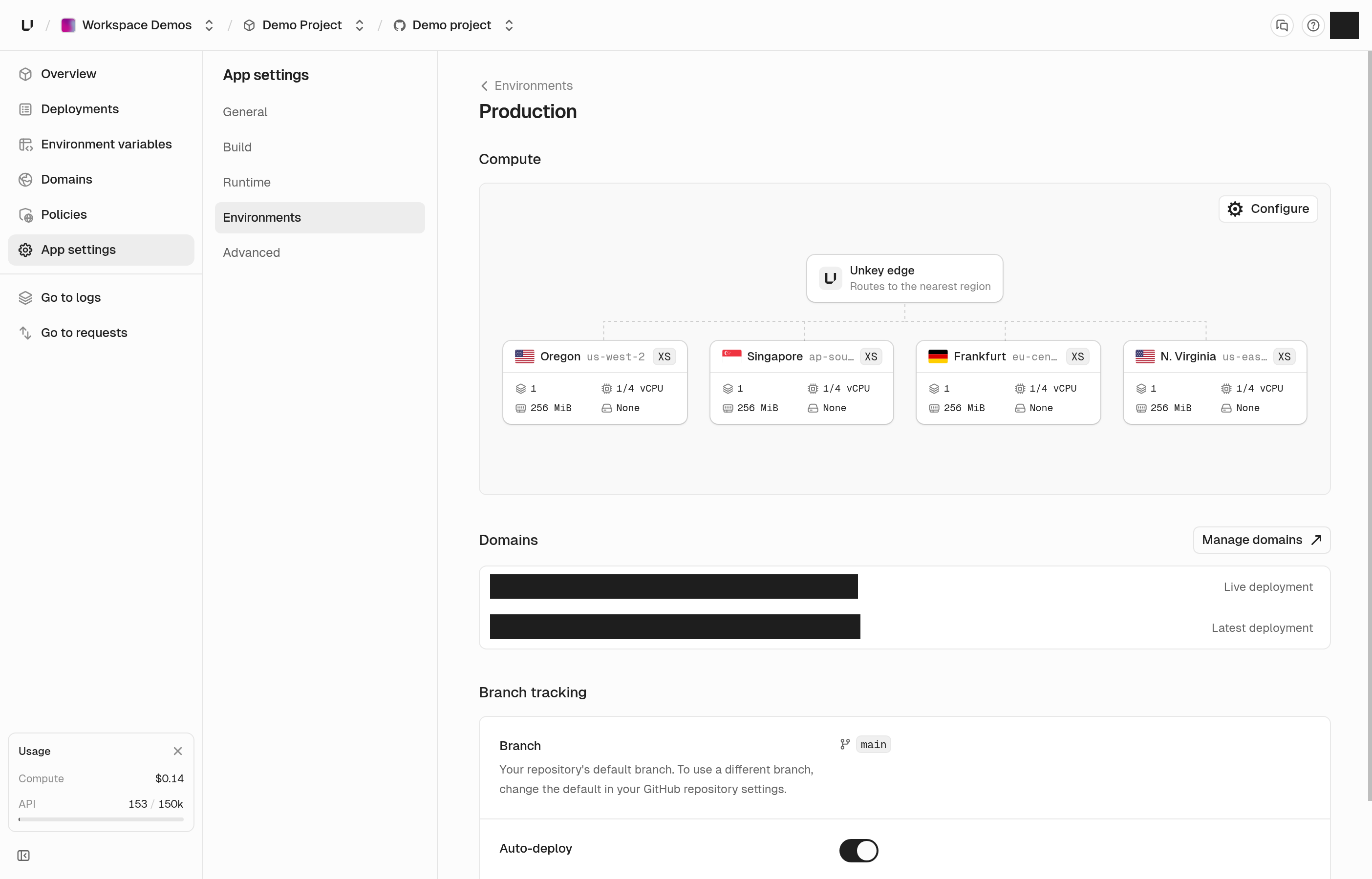
App settings is easier to find your way around. Settings are split into a few clear sections, and each environment now has its own page, so you can see how production is set up without digging.
That page shows where your app runs and how big it is, the domains pointing at it, and which branch deploys to it. If your plan doesn't include a size, we tell you which plan does instead of letting you pick it and fail later.
Domains have their own page in each app too, with every domain in one list you can search.
Add environment variables in bulk
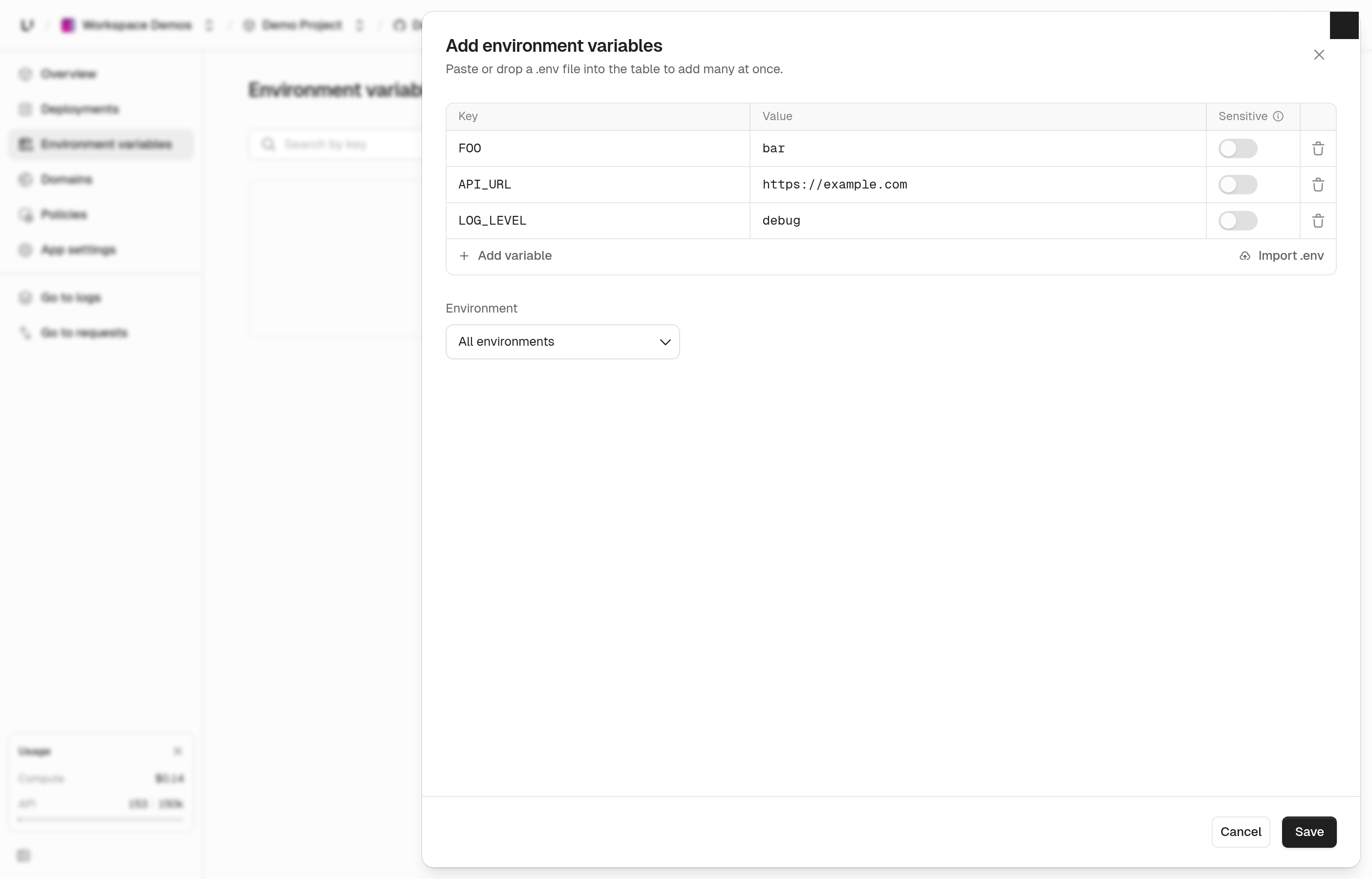
You no longer have to add variables one at a time. Paste the contents of a .env file or import the file itself, choose which environments it applies to, and save them all at once.
If a key already exists, we save nothing and show you which one clashes, so you never end up with half an import.
A new policies page
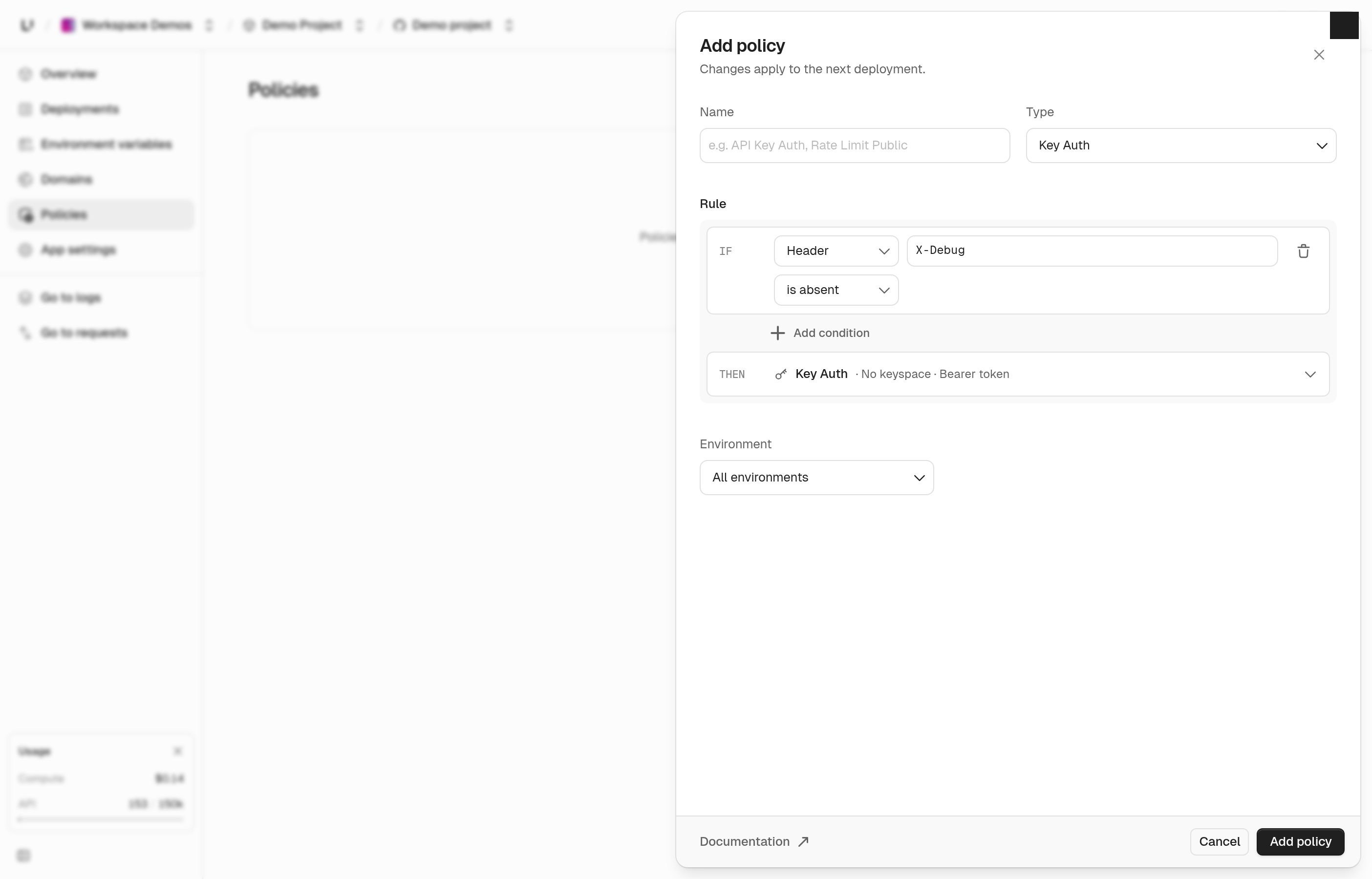
Policies are simpler to write and easier to trust. Each one reads as a plain rule: if a request matches these conditions, do this. You can match on the path, method, headers, query parameters, or client IP, and a header or query parameter can now match when it's missing.
You decide which environments a policy runs in and can turn it off in one without touching the others. Policies run top to bottom, so you can drag them into the order you want, and the page explains how that order plays out.
See firewall policies.
Updates
Root keys
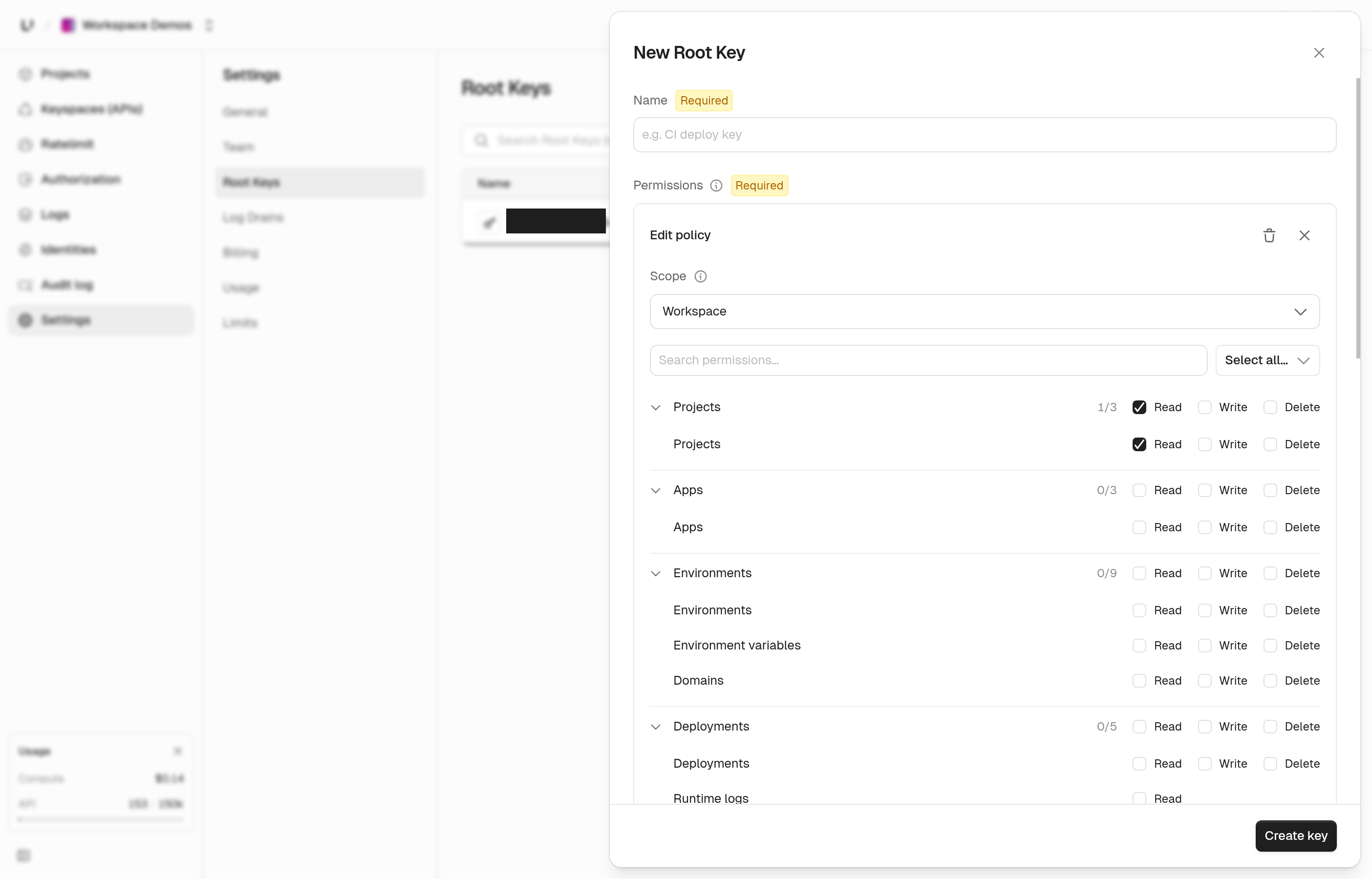
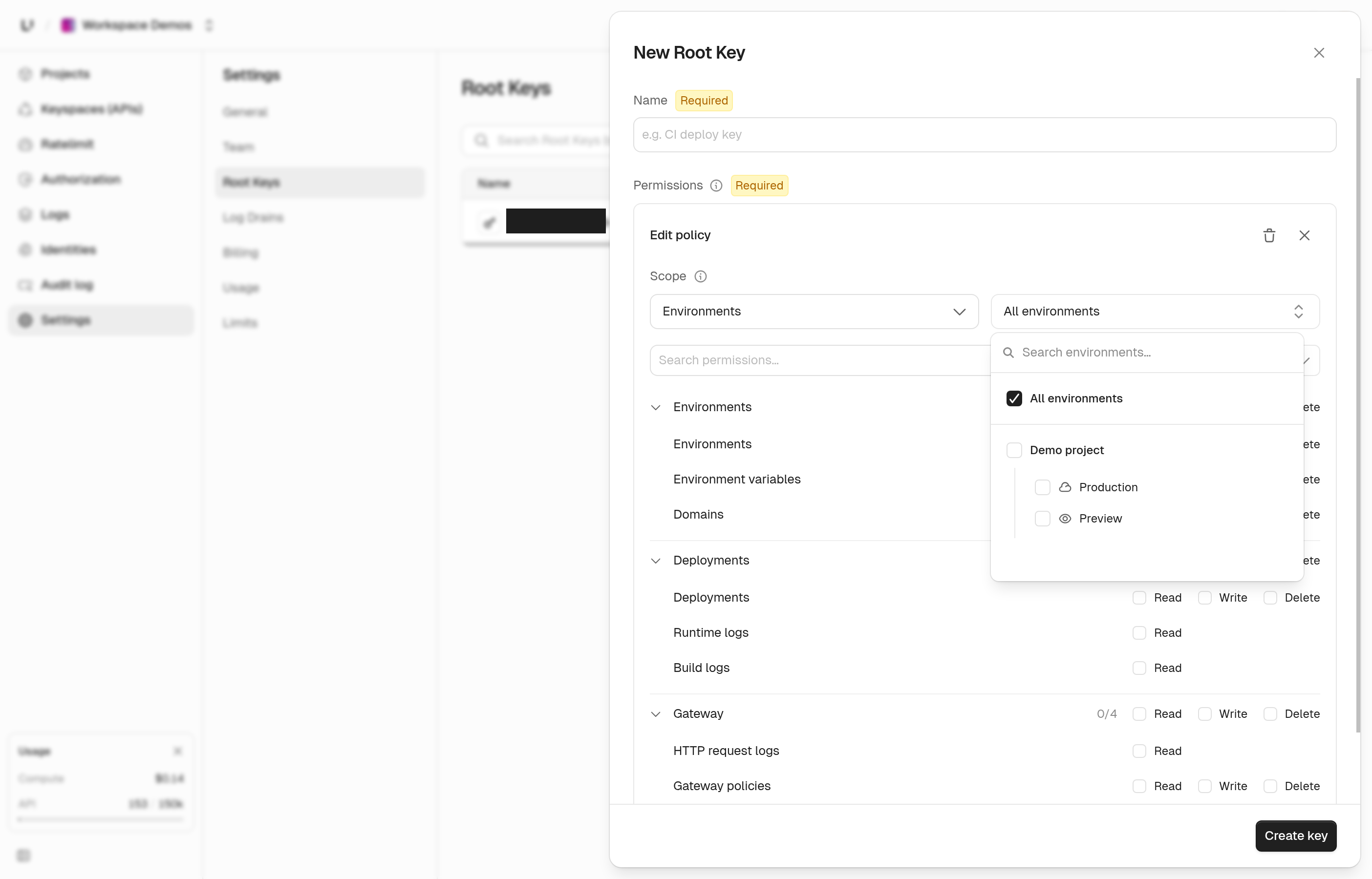
Each permission group in the root key builder has checkboxes to grant read or write across the whole group in one click. Environments are grouped under their app, production first, and the closed picker shows a count.
Logs filters
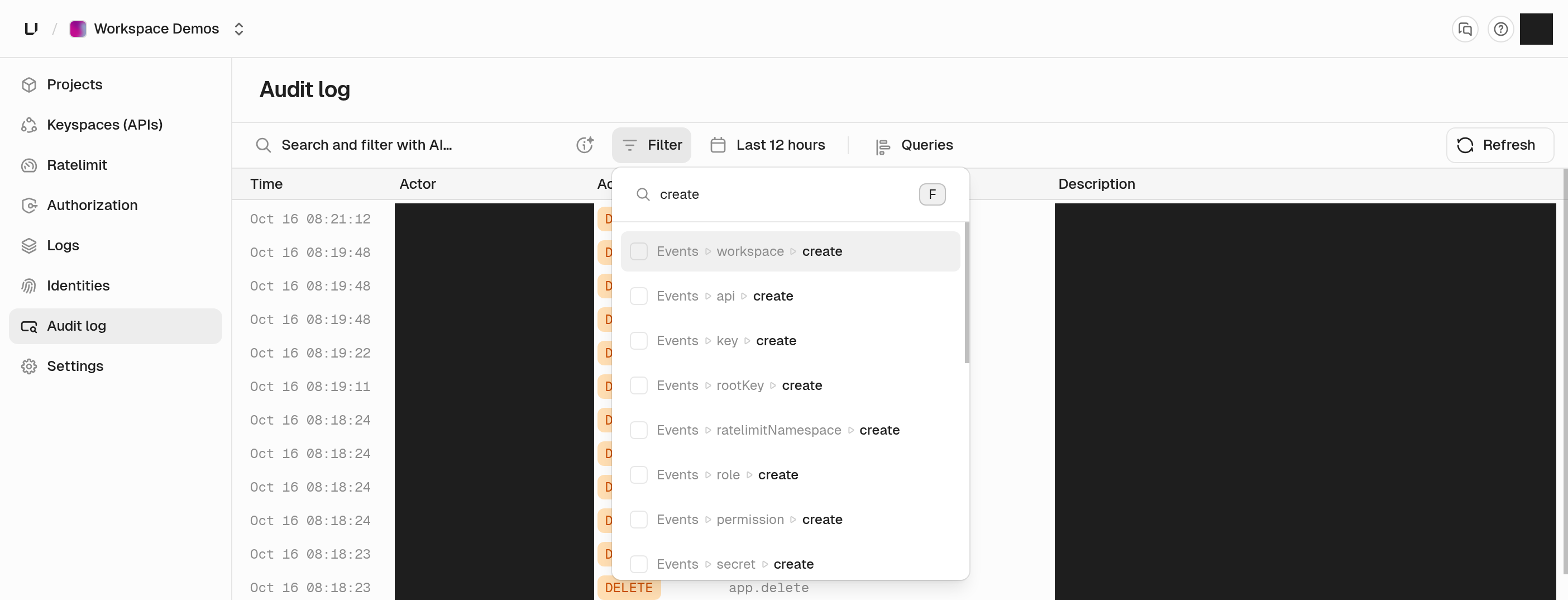
Every logs filter now has a search box at the top, so typing "blocked" or "5xx" finds the right option. The audit log filter groups its events by resource with a select-all per group, and you can search events, users, root keys, and buckets.
Usage and plans
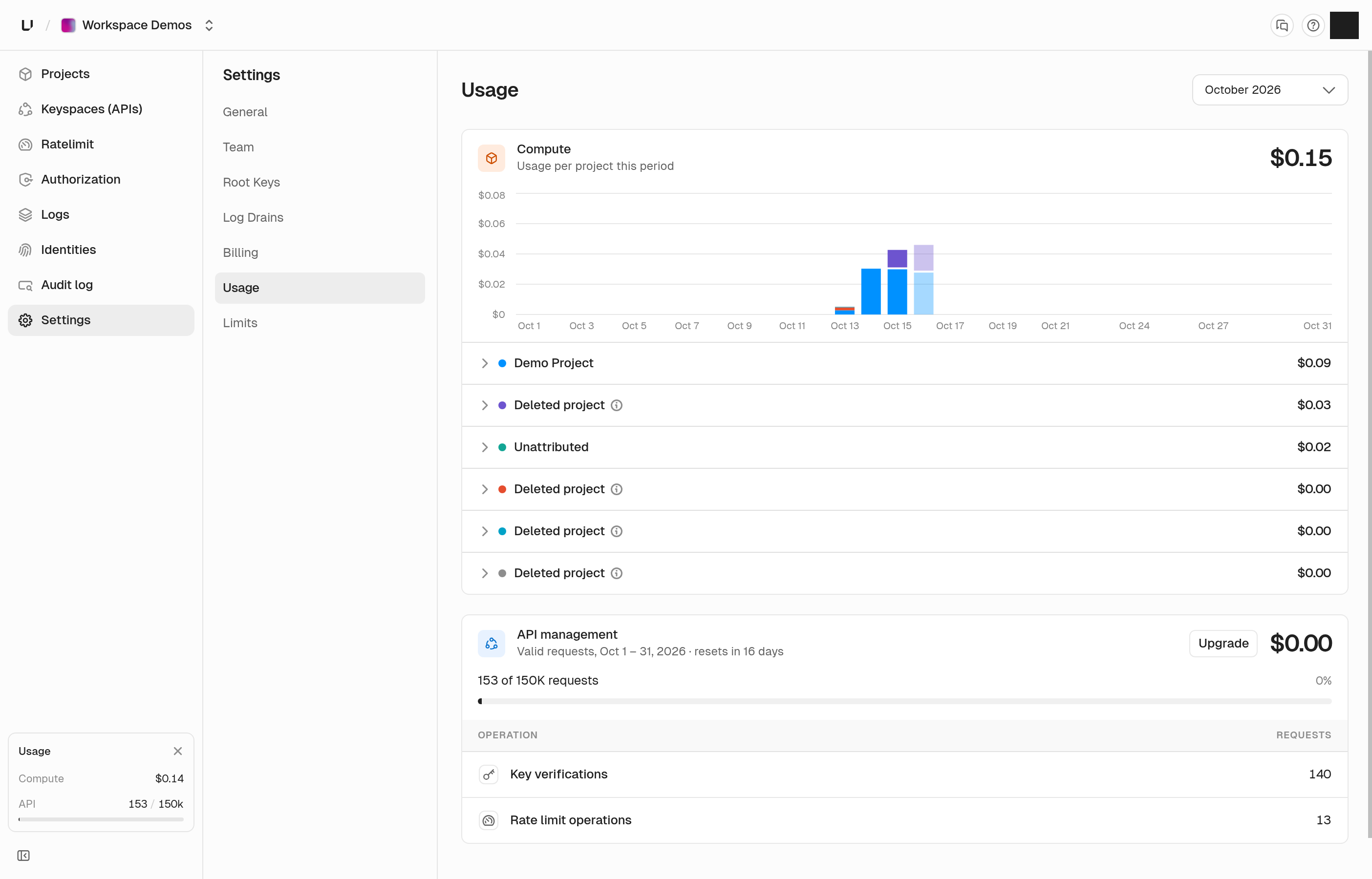
The API usage card shows the billing period dates and how many days until it resets. It also has an Upgrade button, which turns primary once you pass 90% of your quota. New Compute customers get a one-time $5 credit when they add a card, and the plan picker shows what your first invoice will be.
Ratelimit namespaces API
You can now create, list, rename, and delete ratelimit namespaces through the API. Deleting a namespace also removes its overrides.
Keys
Key lists in the dashboard load much faster in large keyspaces. They now page with Previous and Next, and they no longer show a total count.
Response headers
API responses no longer include timing headers by default. If you still want them, send X-Unkey-Debug: 1.
GitHub deployments
Deployment links on GitHub now open the correct app, and each deployment reports a status on its commit.
Bug fixes
- Log and list tables show their rows in Safari again
- Full-width pages fill the window, with no empty strip on the right or gap under tables
- The Requests chart tooltip on the API overview is no longer cut off
- The audit log page no longer times out in busy workspaces
- The repository list loads when one of your GitHub installations was removed
- Creating an app with a name that's already taken returns a clear error instead of a server error
- A gateway policy that names a ratelimit the key doesn't have now returns a 422 instead of a server error
- A denied key lookup no longer reveals resource IDs or whether the key exists
- Team members and identities show an error with Retry when they fail to load
- Selected and hovered items in dialogs are now easier to tell apart
- The last few calls the dashboard makes for you no longer show up in your API request logs