
Root key builder, live build logs, and portal sessions
New features
A builder for root keys
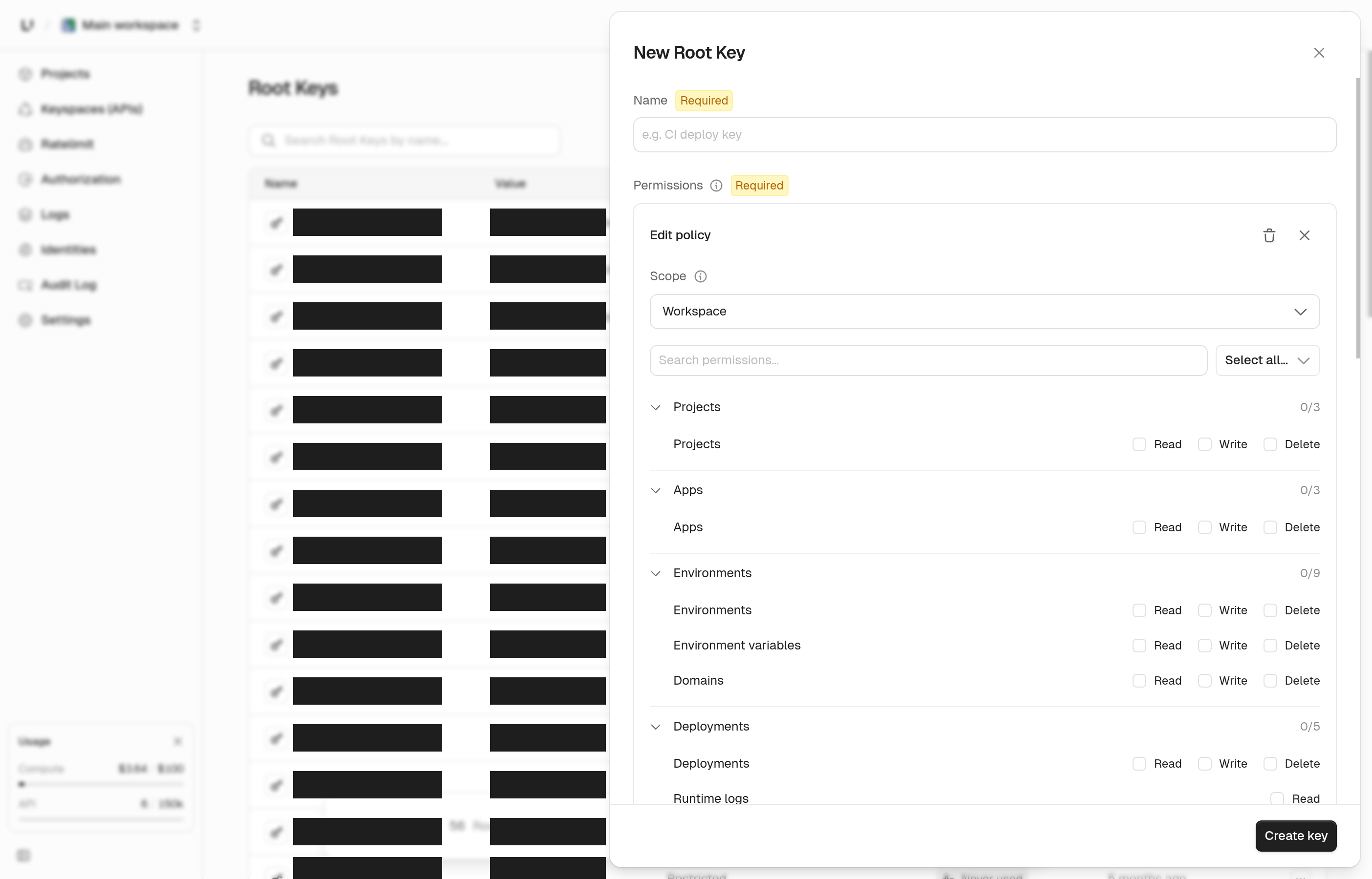
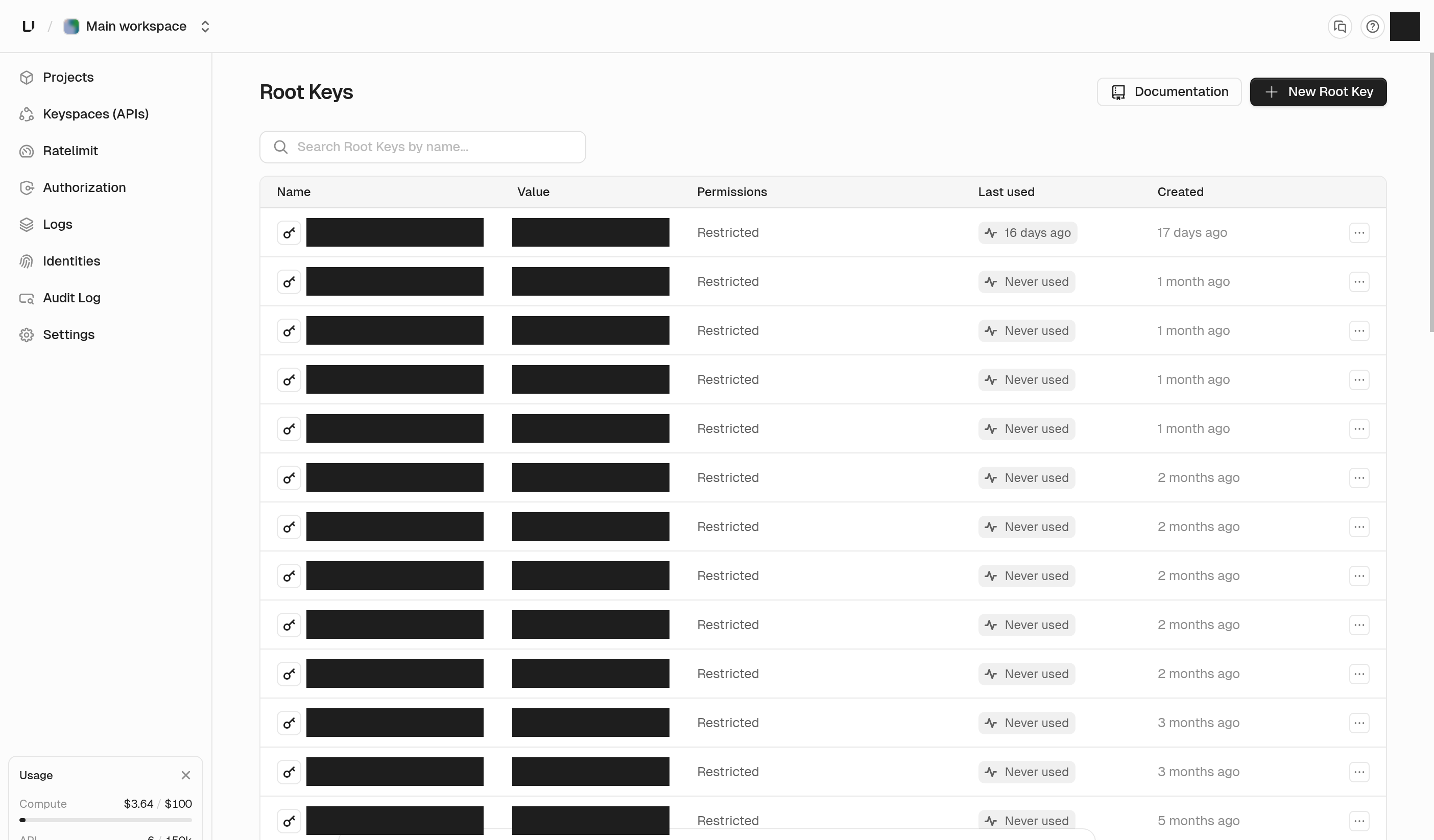
Root keys now have a builder. Click New Root Key and a panel slides in where you name the key and add policy cards. Each policy card picks a scope (the workspace, a project, an app, an environment, a keyspace, or a ratelimit namespace), then the specific resource, then what the key can do with it. The permission list is searchable. Click any row in the table to reopen the same panel and change a key's grants. Rotate and delete are in the panel footer. The table now looks like the apps list, and the whole row is clickable. Narrower keys are easier to get right when you can see what you're granting before you save.
See root key permissions.
Build logs as one live stream
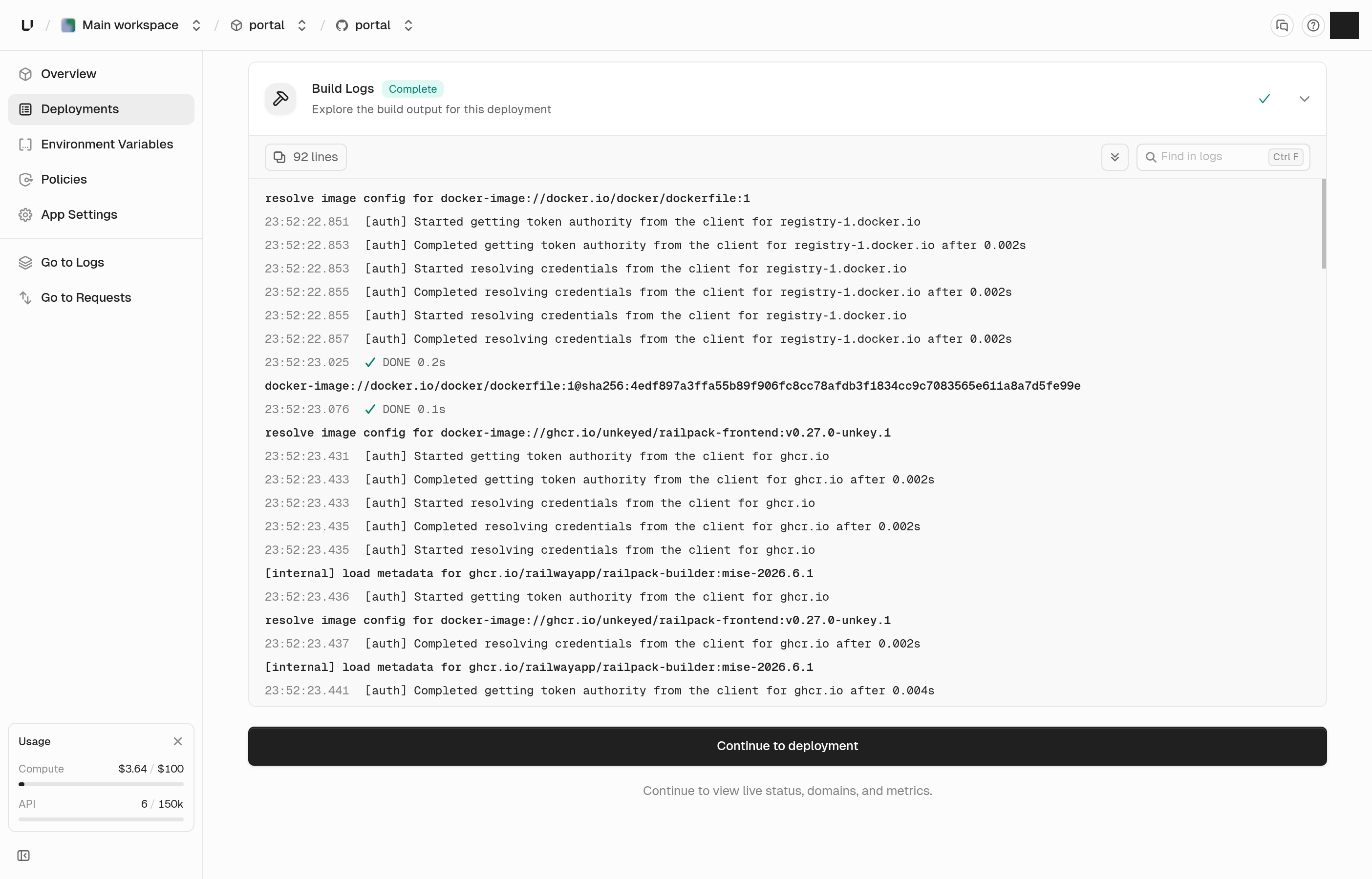
The build step table is gone. Build logs are now a single stream that fills in as the build prints, so a slow step no longer leaves you looking at a blank screen. A heading marks each new step, and when a step ends you get a closing line: cached, done with how long it took, or the reason it failed. Output sent to stderr is amber and errors are red. Use Jump to error to land on the failure, and Jump to latest to catch up. The view follows the end while a build runs, and long steps fold so you can scroll past them. A noisy step also can't push the logs of the other steps out anymore. The same logs are available through the API.
See and sign out customer portal sessions
The customer portal settings now have a Sessions page. It lists the end users who are signed in to your portal, one row each, with how many sessions they have, when the newest started, and when the last one expires. Search by external ID, click a row, and a panel shows each session. Admins can sign a user out with Revoke all sessions. Before this, ending one bad session meant writing backend code. You can also do it through the API, by listing sessions and revoking by external ID. Disabling a portal now signs everyone out too. Before, it only stopped new sessions, and anyone already signed in kept working until their token ran out.
Match on remote IP in gateway policies
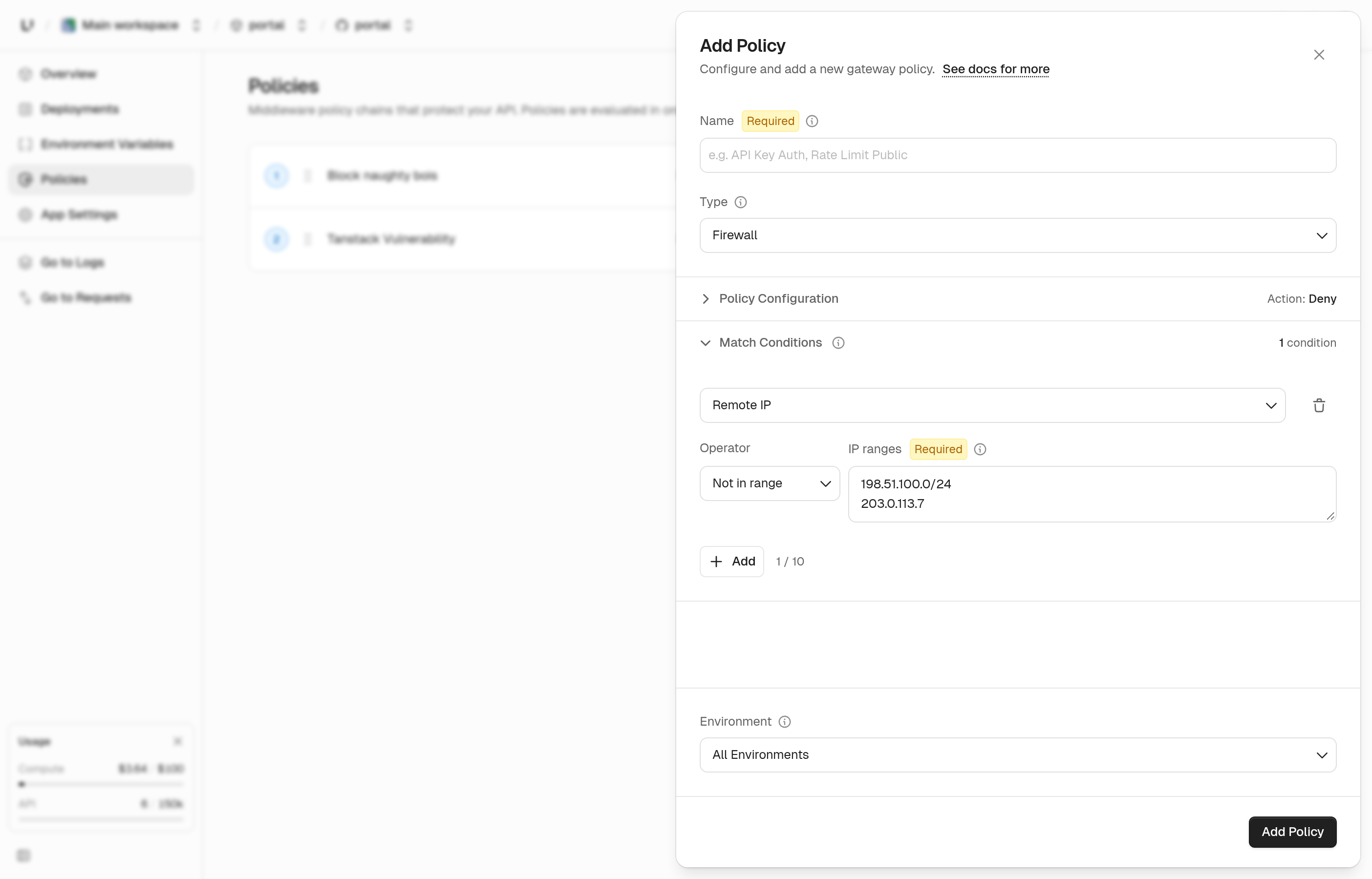
You can now add a Remote IP condition when you create a policy in the dashboard. Choose In range or Not in range, then list the IP addresses and CIDR ranges. Use it to block a range, or to let only your own ranges through. It's the same match the API got in our last changelog, now with a form.
See firewall policies.
Read your limits and usage through the API
You can now ask the API for the numbers the Limits and Usage pages show. Limits returns each cap on your plan next to what you're using now. Usage returns a month at a time: API operations, Compute, and active keys, with a breakdown by app and environment. It covers the month so far by default, and you can ask for a past month within the last 90 days. If the usage data can't be read, the request fails instead of returning zeros that look real. Use a root key that has permission to read limits or usage.
Updates
Usage
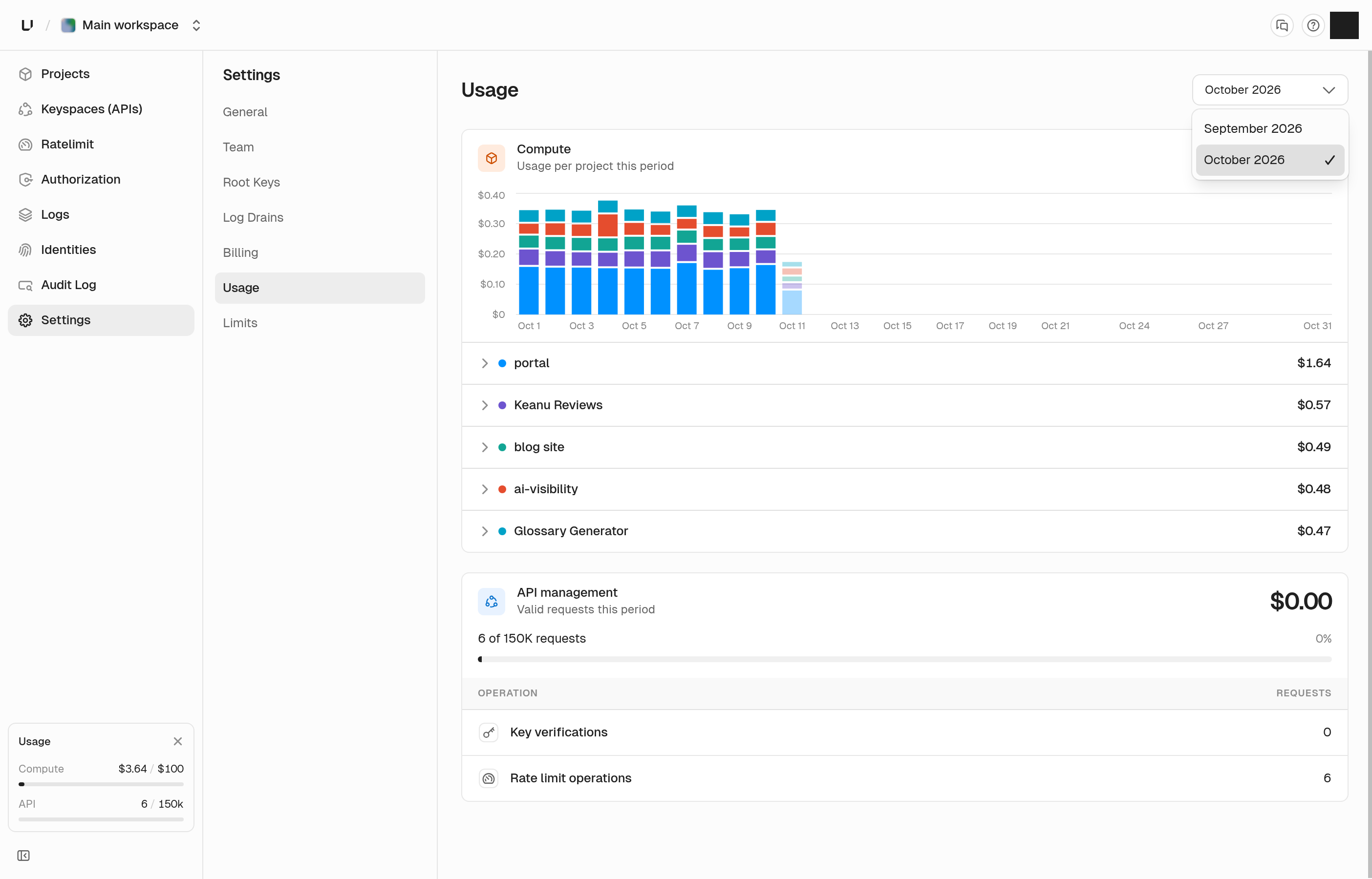
You can pick a billing period on the usage page, so this month and past months are one click apart. The chart now spans the whole month, so the first few days of a month no longer show one wide bar.
Settings pages
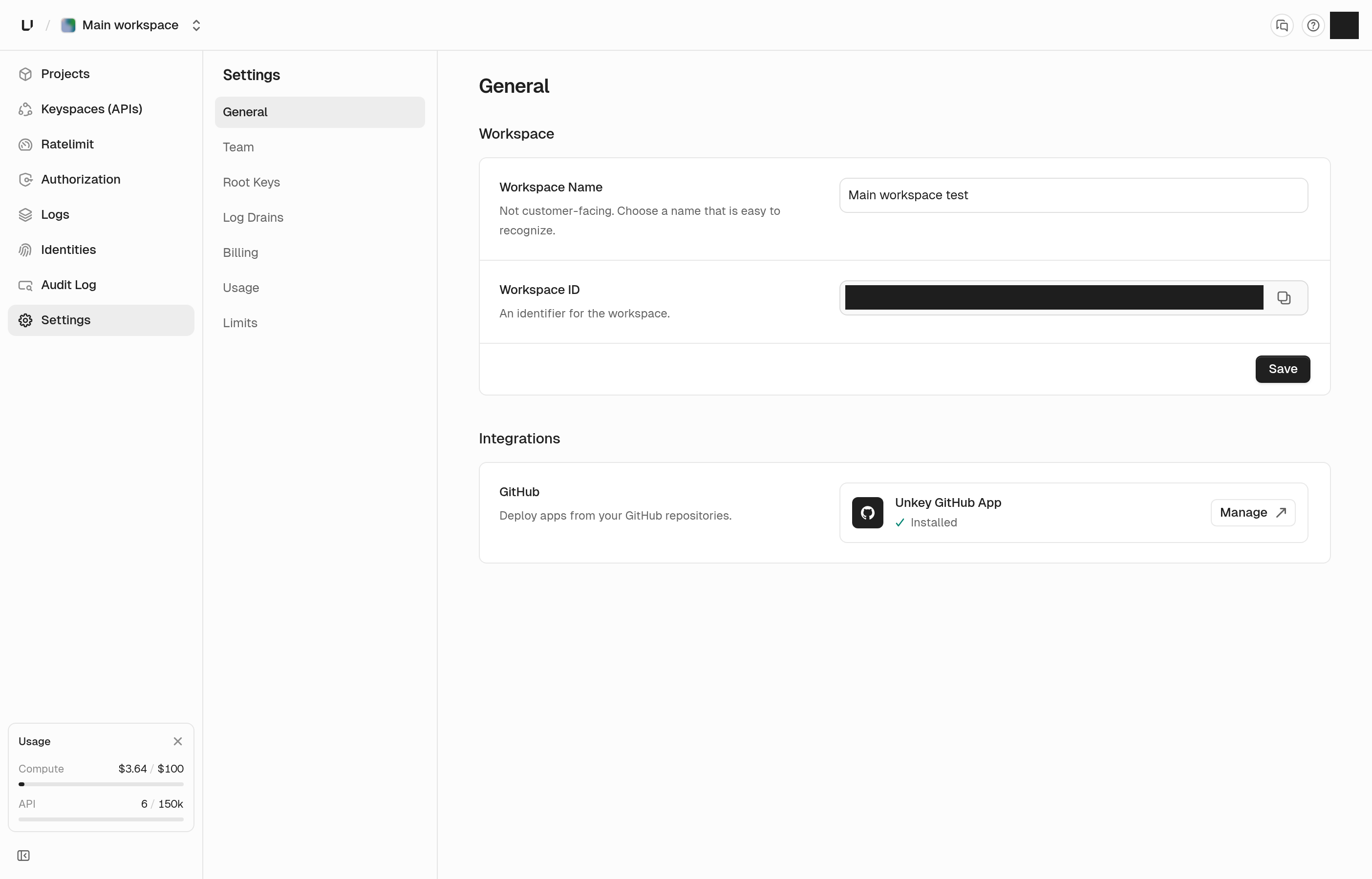
Workspace, project, API, and ratelimit namespace settings share one layout. Each row saves on its own, and Save stays gray until you change something. If a field is invalid, hovering Save tells you to fix it first. ID fields you can copy are the same height as other inputs and have a clearer copy icon.
Deployments API
Listing deployments takes branch and time range filters. Each deployment now includes the commit message, author, pull request number, what triggered it, and when it finished. Results are newest first, and later pages load faster.
Permissions and roles API
You can edit a permission's name, slug, and description, and a role's name and description, through the API. The permission dialog in the dashboard uses the same call, and a slug that's already taken tells you so.
API errors
A request to an endpoint that doesn't exist, or with a method it doesn't accept, now gets a JSON error with a request ID instead of plain text. Creating a root key with an invalid permission now names the permission and says why it was rejected.
Dashboard links
A link like app.unkey.com/~/settings opens that page in whichever workspace you're signed in to. That lets docs link straight to the dashboard.
Bug fixes
- The newest production deployment stays live when an older build finishes after it
- Using an expired root key no longer reveals that the key exists or when it expired
- Your API request logs no longer include calls the dashboard makes for you
- Create deployment lets you pick a branch or saved image by clicking anywhere on its row
- Typing in the time boxes of the time range picker keeps focus, and letters are rejected
- A start time later than the end time no longer drops the start time in the time range picker
- The workspace loading spinner no longer flashes on fast loads
- The build log panel shows a failure to load instead of loading forever, and no longer flashes "No build logs yet"
- Long key secrets stay inside the create dialogs
- The custom domain limit warning shows your plan's limit