Deploy an API with preview environments and request logs
A walkthrough of deploying an API on Unkey from GitHub, with preview environments and request logs.

When you ship a public API, you need somewhere to run it and a preview for each pull request. You also need to check who is calling, and you want logs for the day something breaks. We'll set all of that up on Unkey by connecting a GitHub repository. Every push deploys the app, Compute runs it, and API Management issues and checks the keys. Unkey also records each request the app serves.
What you'll have at the end
You get a production URL on unkey.app that updates when you push to your default branch, and a preview URL for every other branch and fork pull request. The gateway checks API keys and rate limits each caller, and you get logs and metrics without adding an SDK.
You need a Compute plan before the first deploy. The dashboard asks you to Choose a Compute plan, and only a workspace admin can pick one.
The sample API
The app is perkinsjr/Demo-for-deploy, a small Go API built with Gin. It listens on port 8080, which is the port Unkey uses by default, and serves five routes.
Step 1: Connect the repository and deploy
You can connect and deploy from the dashboard, the API, or the CLI. All three get you the same app.
From the dashboard
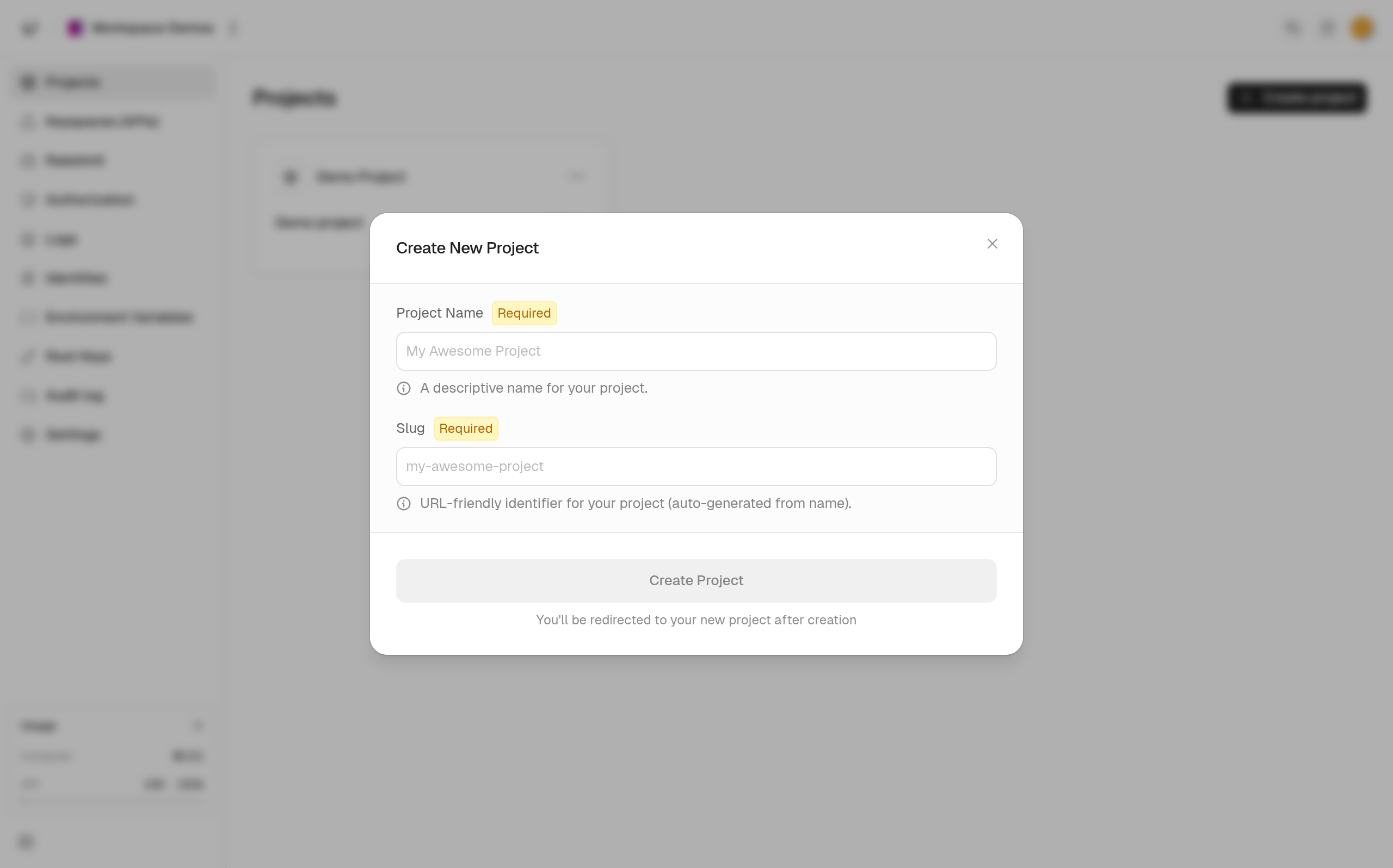
- Open Projects, choose Create project, and enter a Project Name. Unkey generates the Slug from the name. You'll use that slug whenever you call the API or the CLI.
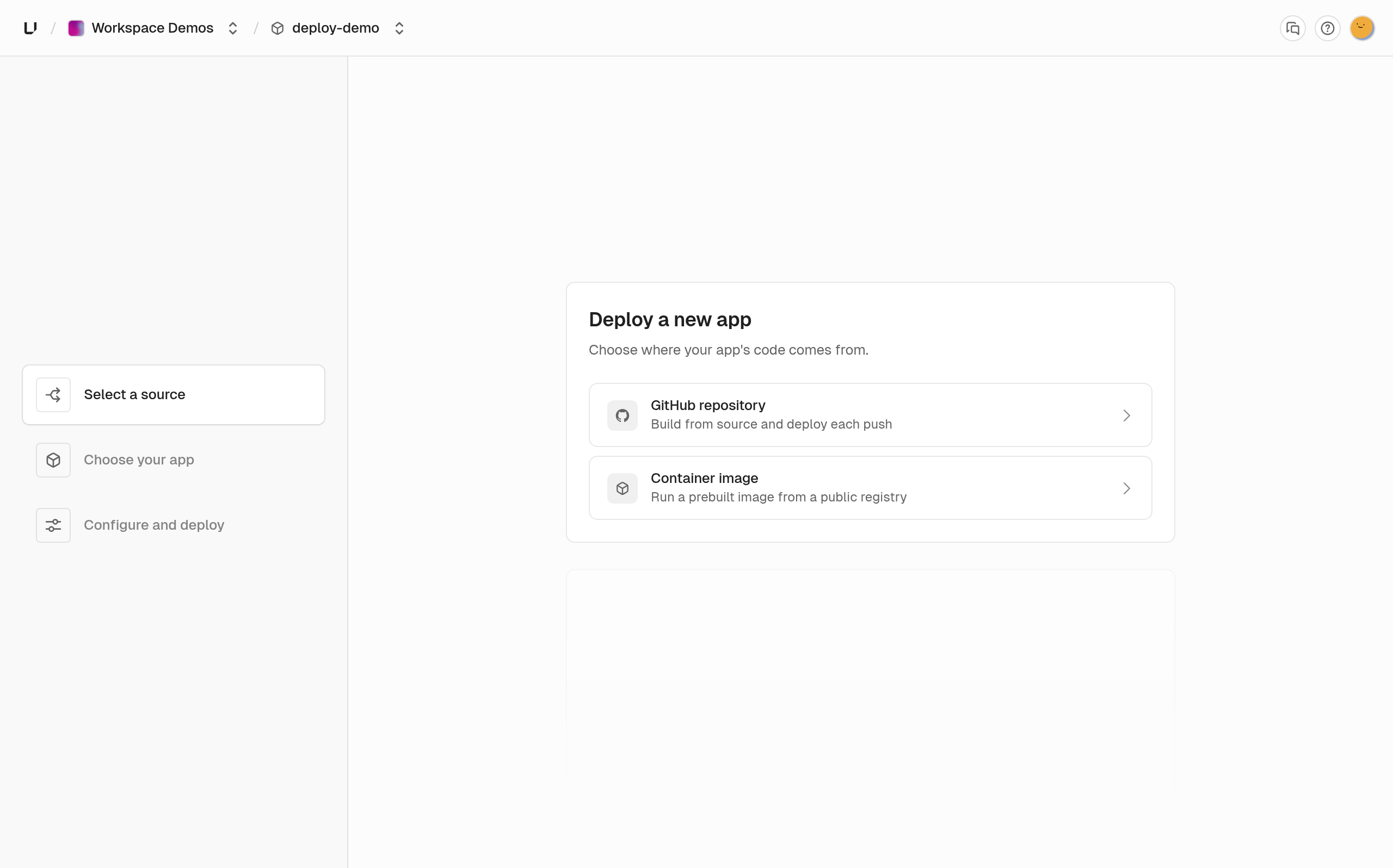
- Choose Create app, then choose GitHub repository as the source. The first time you do this in a workspace, GitHub asks you to install the Unkey GitHub App and give it access to the repository.
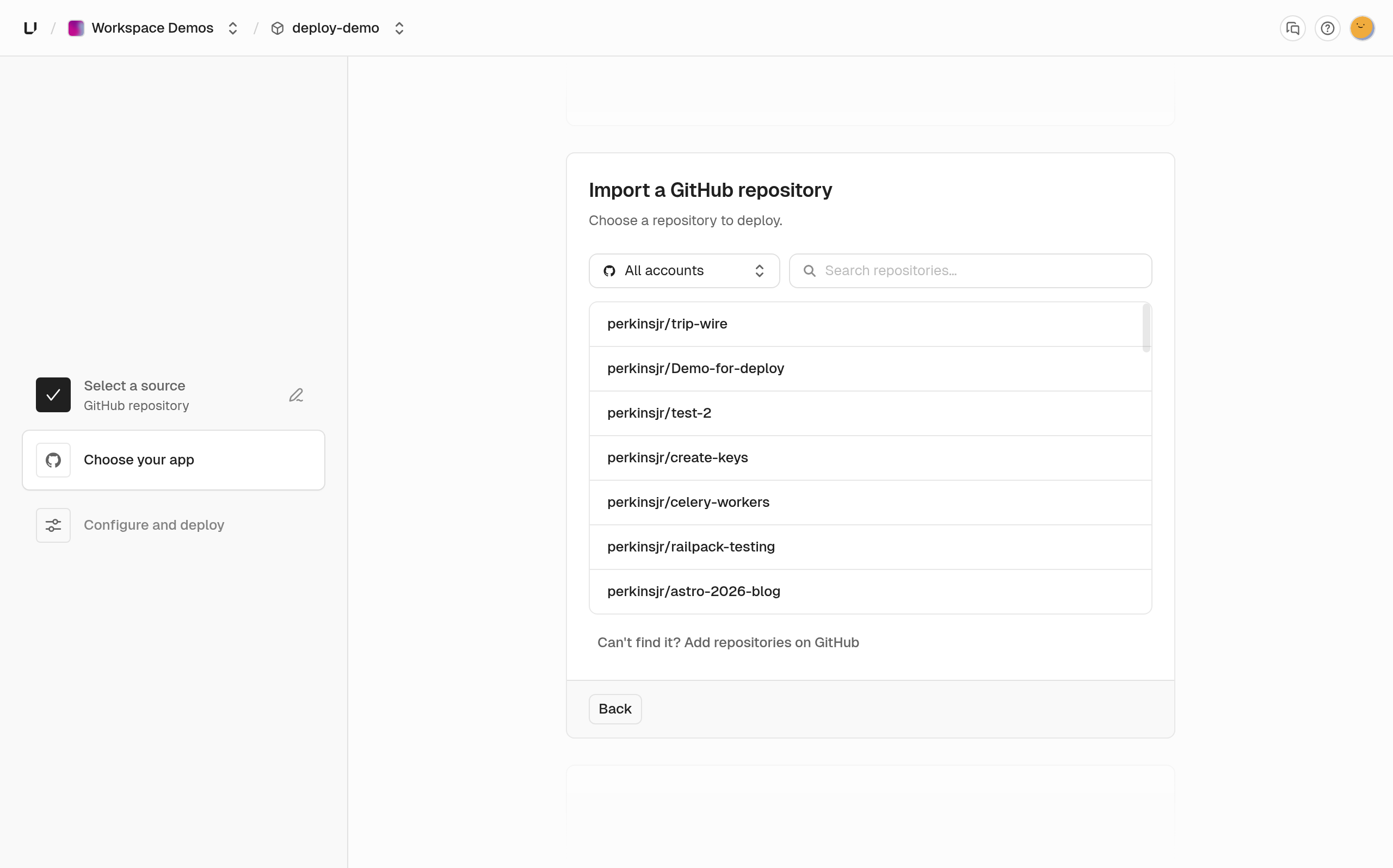
Then pick the repository.
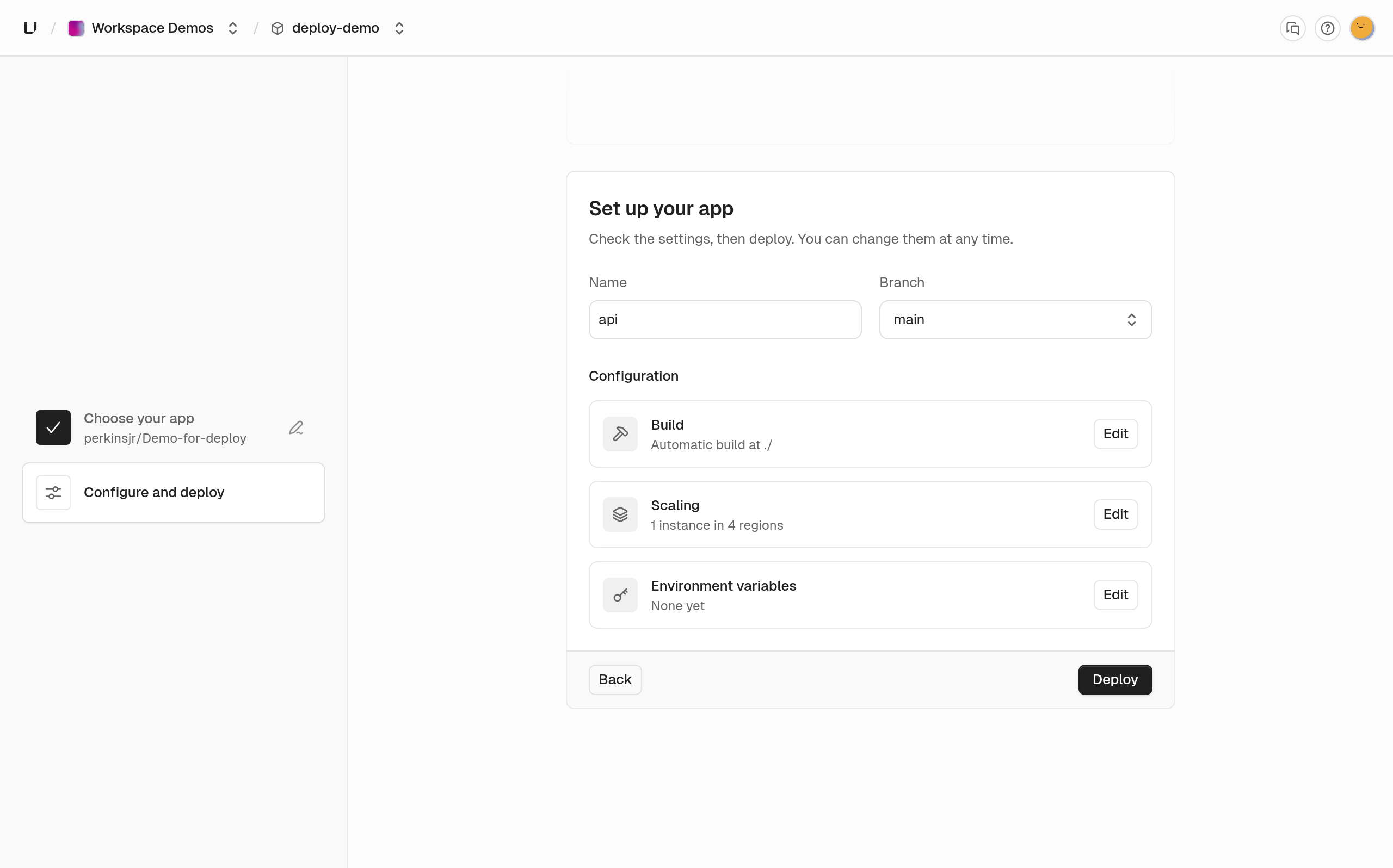
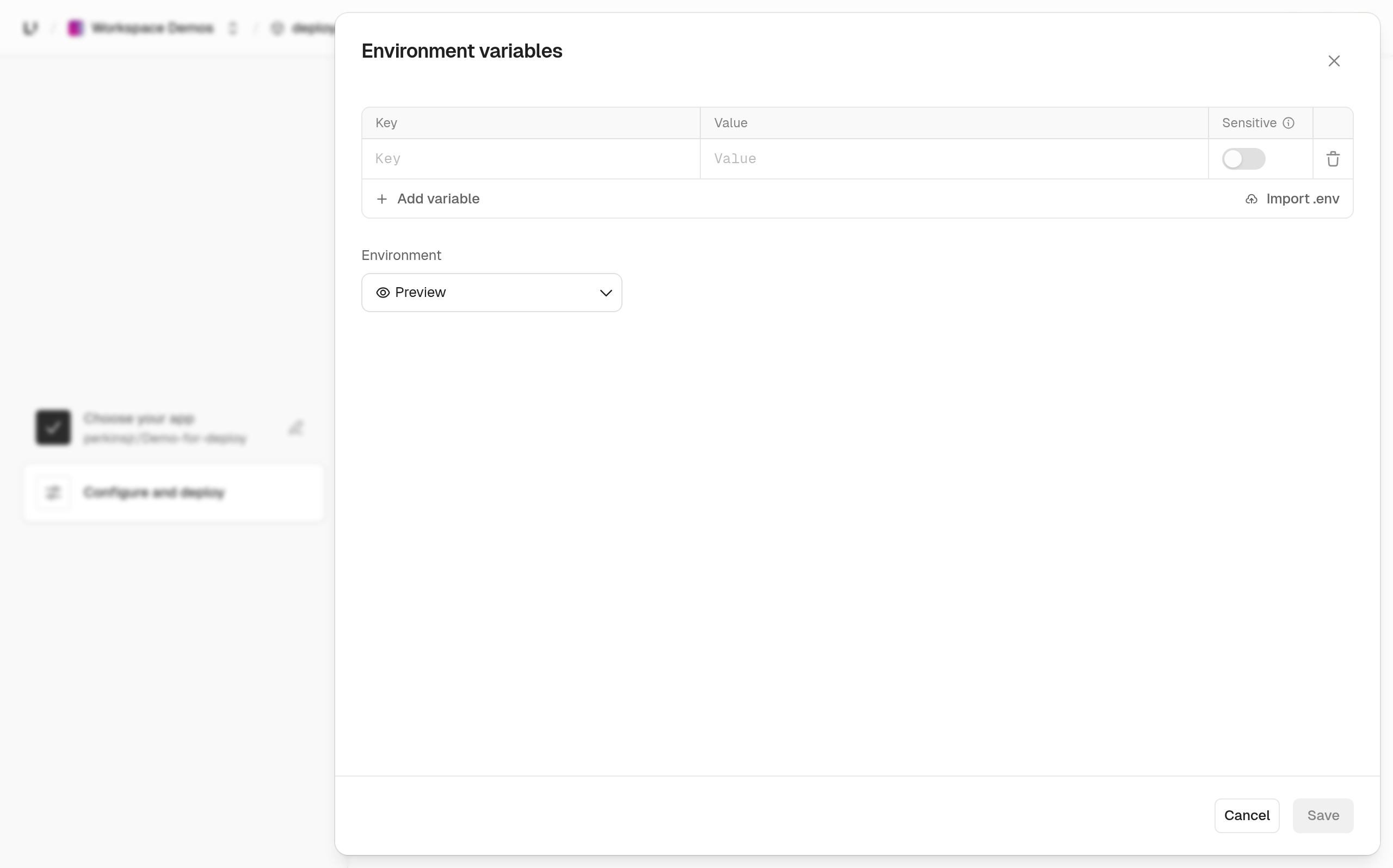
- On Set up your app, enter a name and pick the branch. If the app needs a secret, such as a database URL, choose Edit next to environment variables and add it. If you mark it sensitive, it stays write-only. Use the environment dropdown to give Production and Preview separate values.
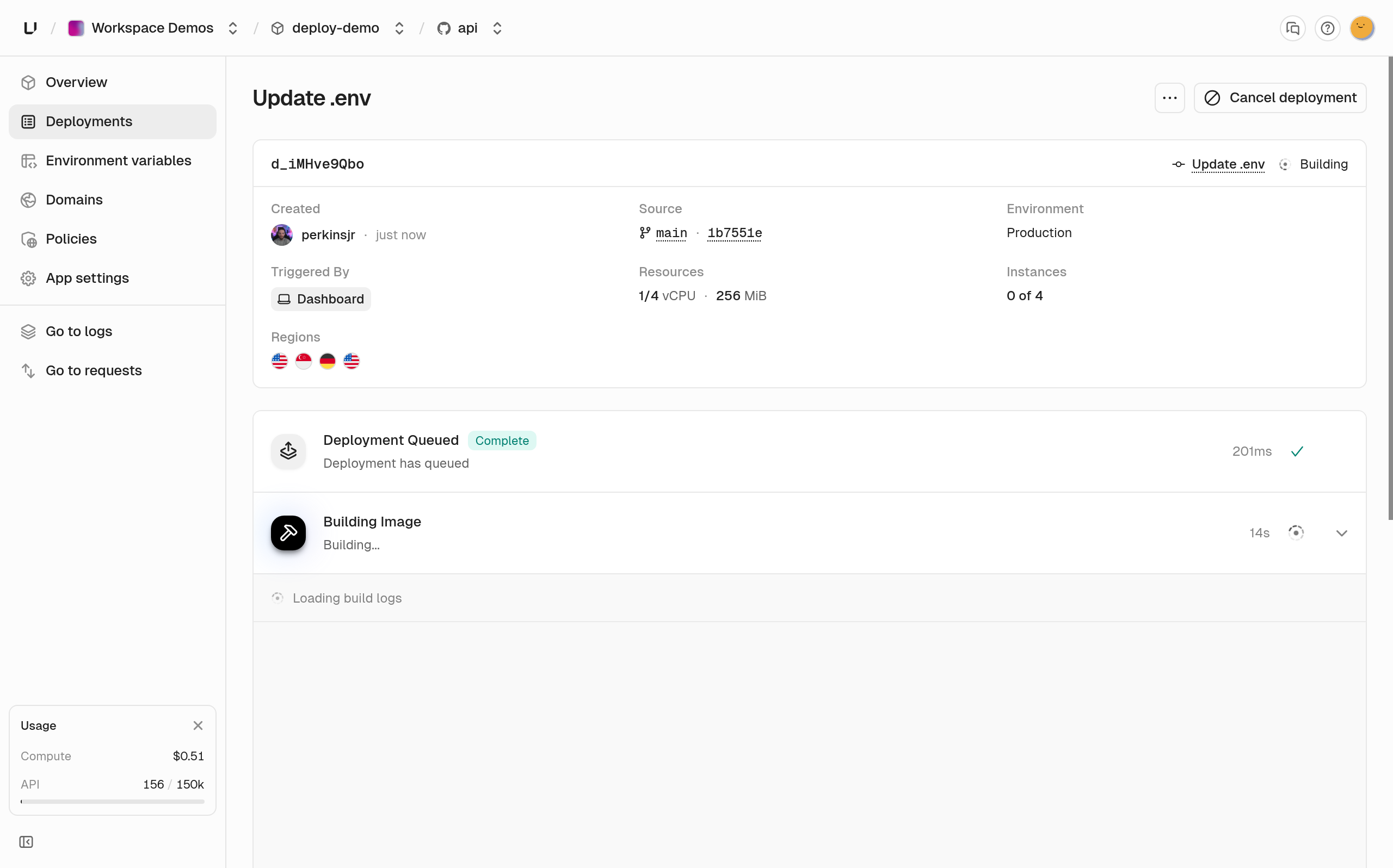
- Choose Deploy. The build log streams while the image builds.
From the API
Create a project, then create an app connected to your repository. Unkey reads defaultBranch from the repository, so you don't need to set it.
Deploy the default branch to production.
The call returns 201 and a deploymentId. Poll deployments.getDeployment with that id until status is ready.
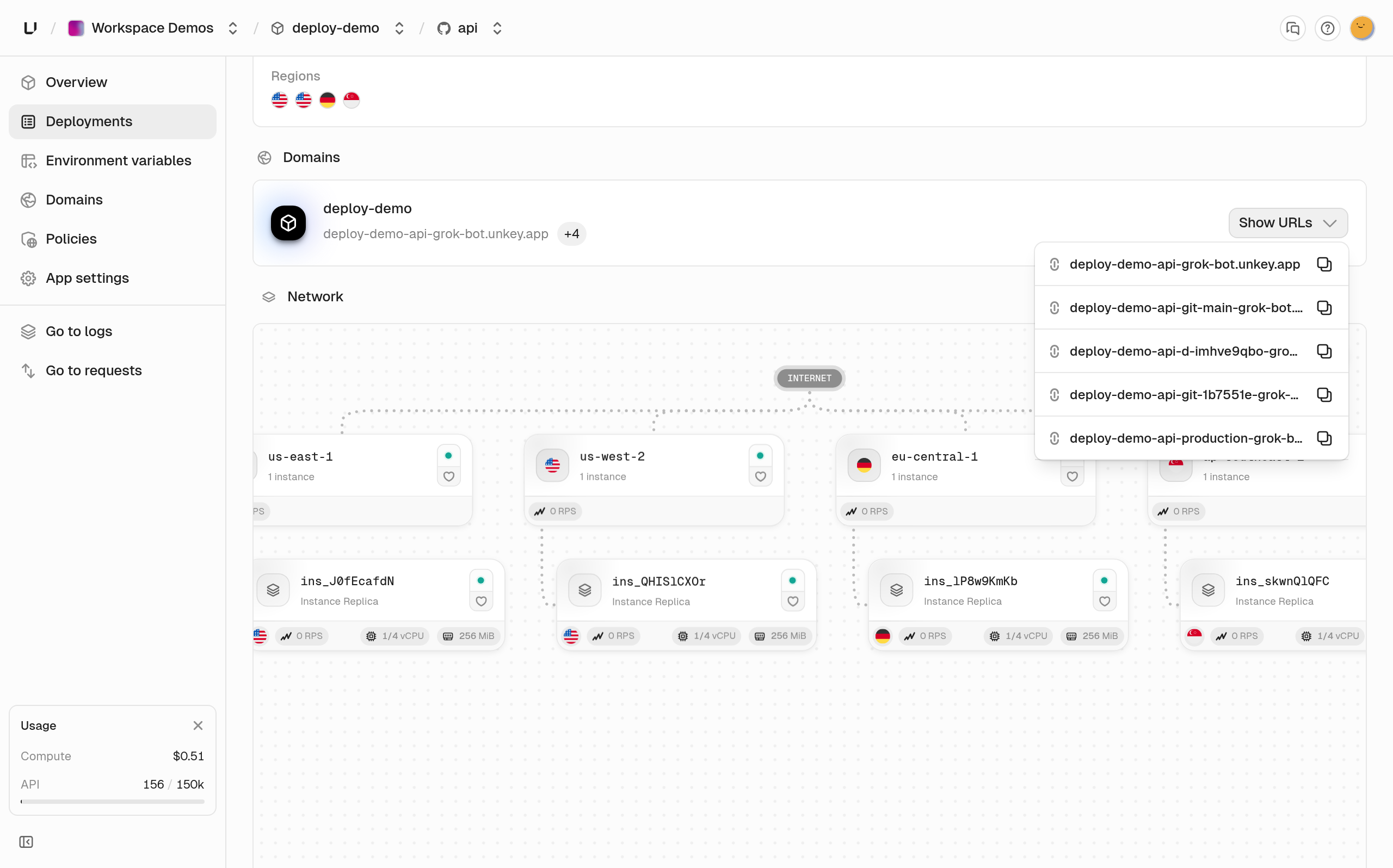
Once it's ready, the app is live at https://<project>-<app>-<workspace>.unkey.app.
From the CLI
Install the CLI and export your root key.
Run the same four calls with the CLI.
Step 2: Every branch and pull request gets a preview
Once the repository is connected, every push to the default branch deploys production. A push to any other branch creates a preview with its own branch domain. Each one shows up in GitHub as a deployment. Unkey also keeps one comment on the pull request updated with a Visit Preview link.
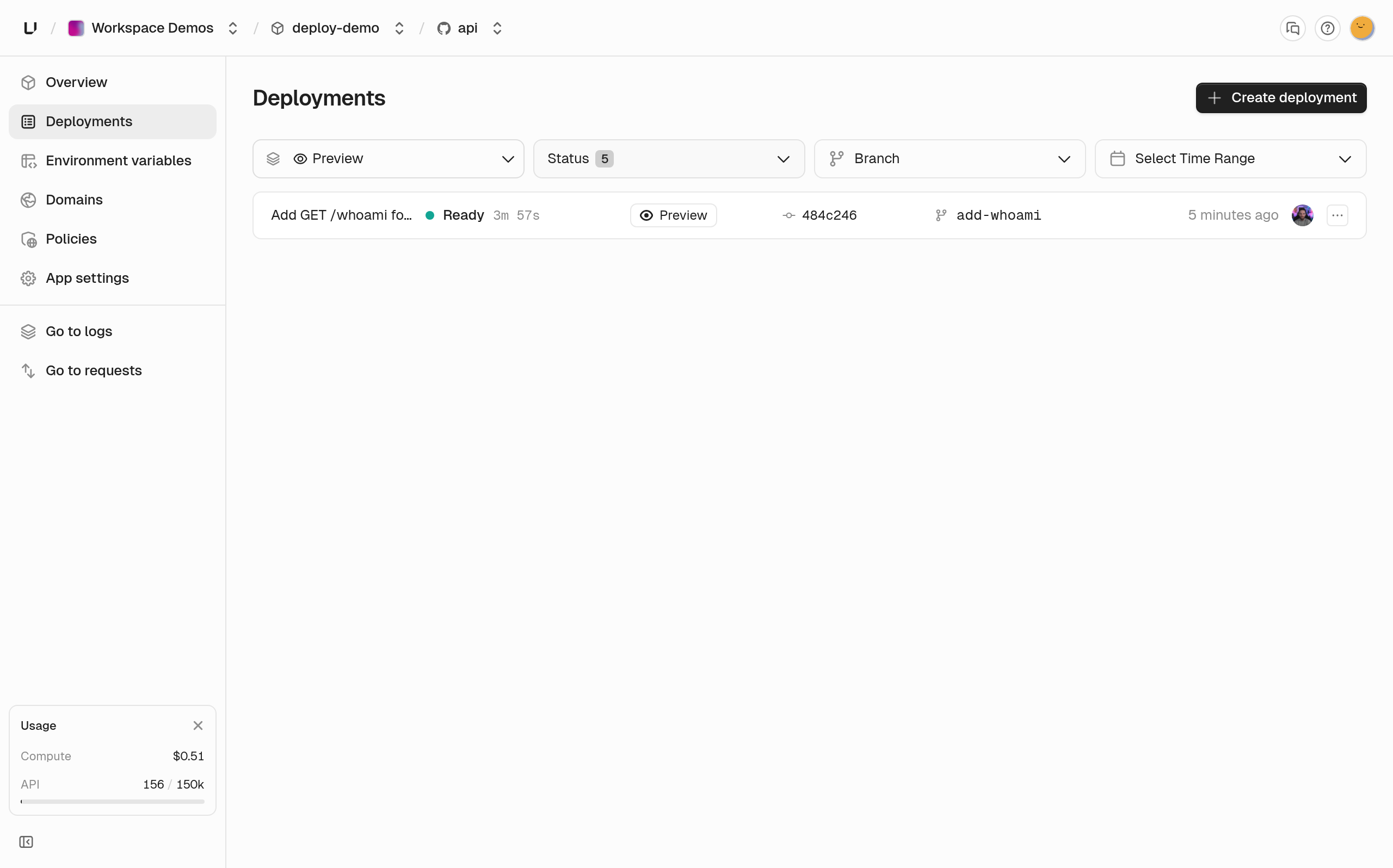
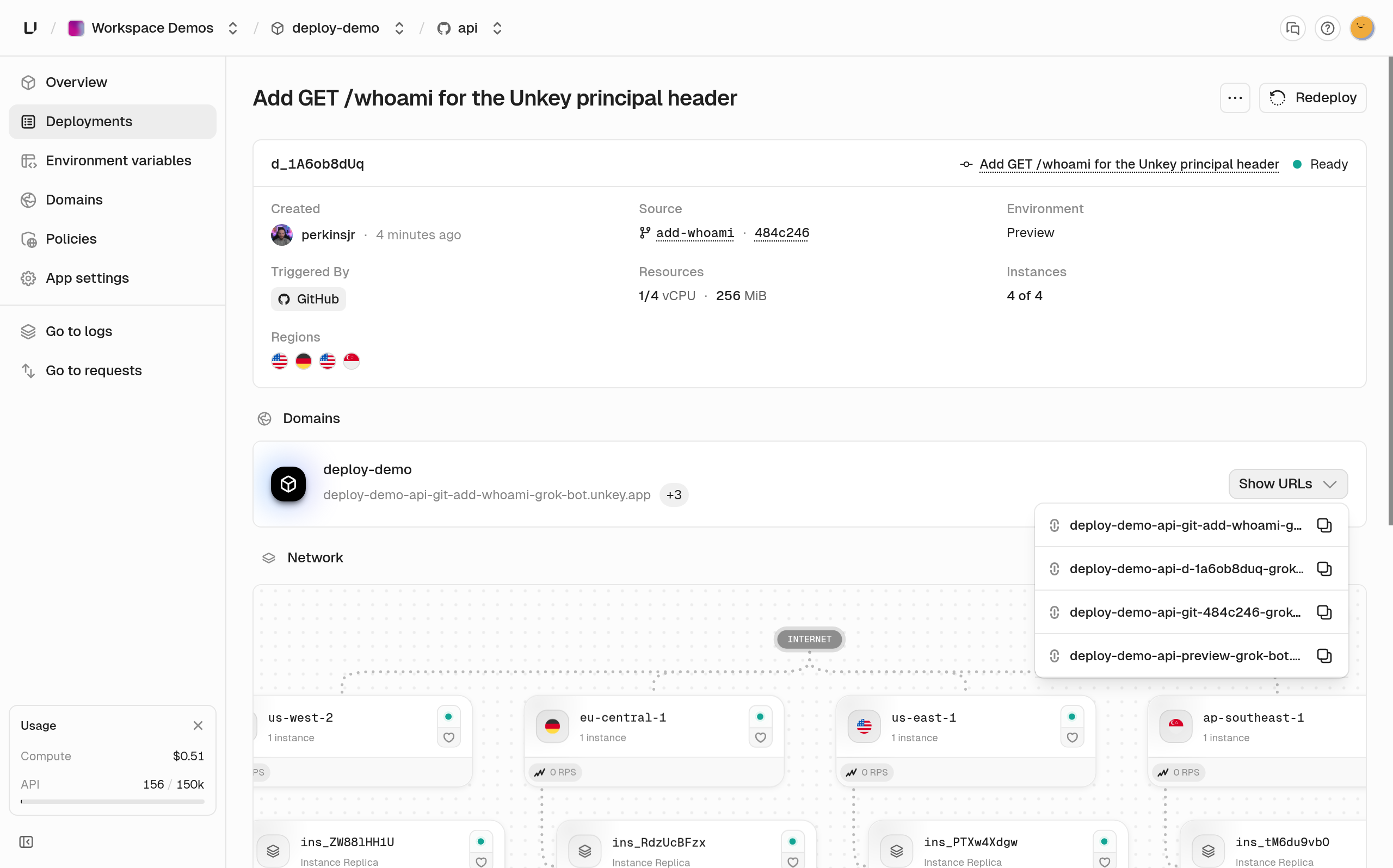
Open a preview deployment to see its branch, commit, and environment.
A pull request from a fork waits for a project member to approve it, because its code would run with your preview secrets.
Give the preview environment its own values. Point it at a test database and test-mode payment keys. You can also give it a separate keyspace, so a preview key can't call production.
Unkey stops previews in these cases, so you don't have to clean them up yourself.
Wake a stopped preview with Wake deployment or deployments.startDeployment.
Step 3: Require an API key and rate limit each customer
Every Compute app sits behind the gateway. Policies run on the gateway, so it checks each request before the request reaches your code. Start by creating a keyspace in API Management. In the API, a keyspace is called an API.
Save the apiId from the response. You need it every time you create a key.
Now create a key for a customer and attach a rate limit to it. externalId links the key to an identity. With autoApply set, every request made with this key counts against the limit.
That's 5 requests per minute. It's low enough that you can watch it trip. In production, start closer to 100.
data.key is the full key, and you only see it in this response. Unkey stores just a hash, so hand the key to the customer now.
Next, tell the gateway to check keys. Open the app's Policies and choose Add policy.
- Give the policy a name and set Type to Key Auth. The rule reads IF Every request THEN Key Auth. Under Keyspaces, pick the keyspace you just created.
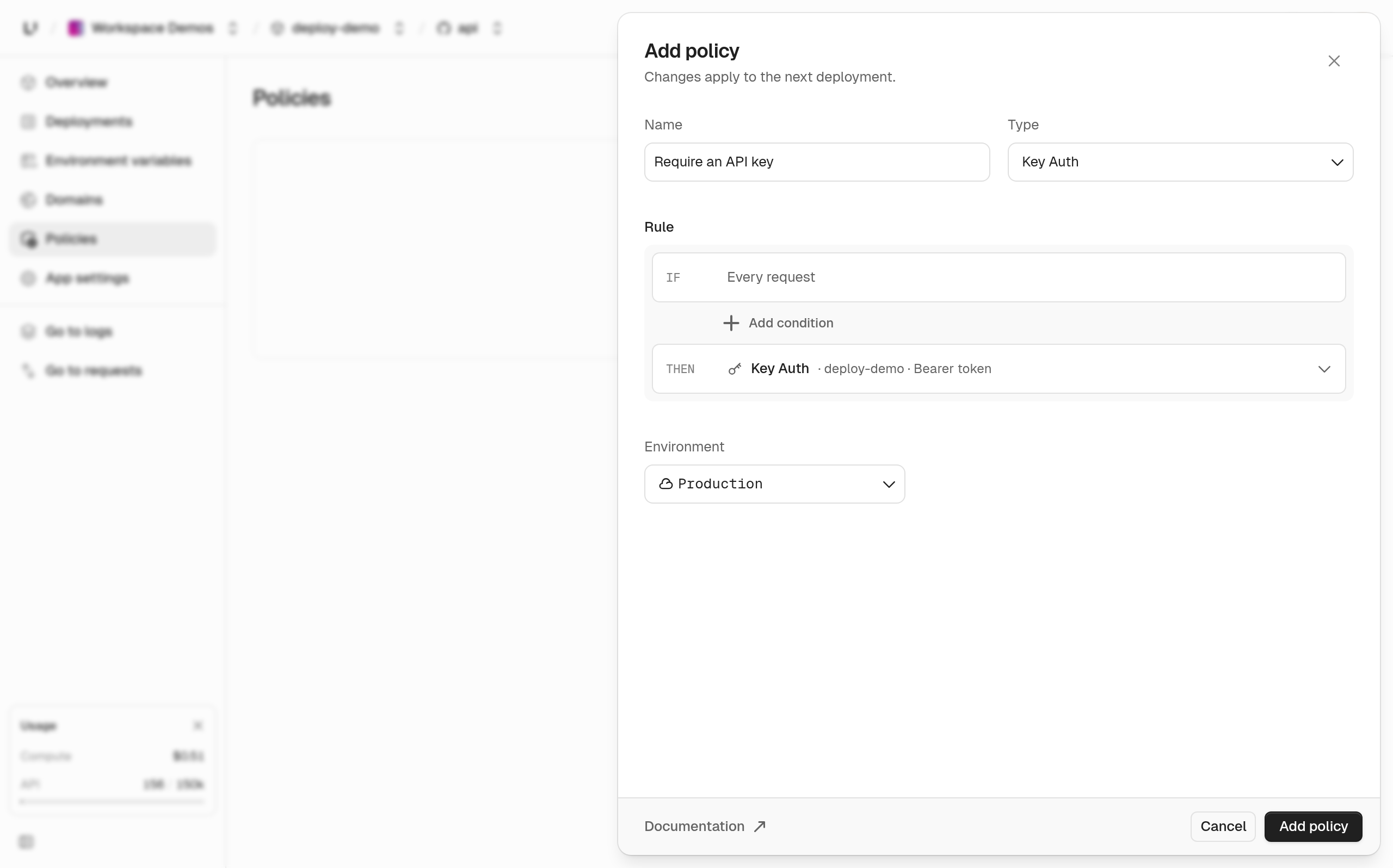
- Set Environment to Production. ON FAIL shows what callers get back when the check fails, which is
401,403, or429.
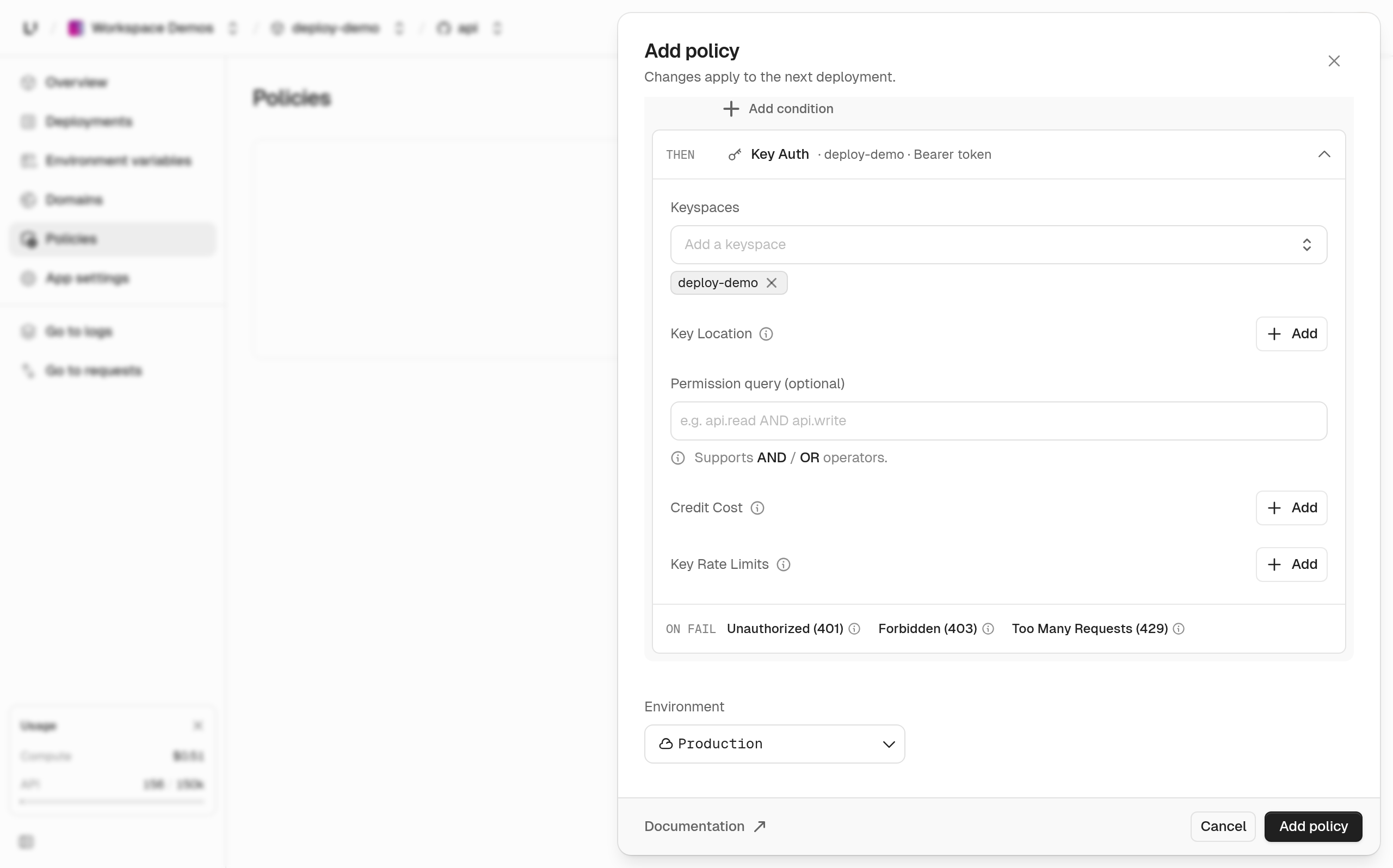
- Choose Add policy.
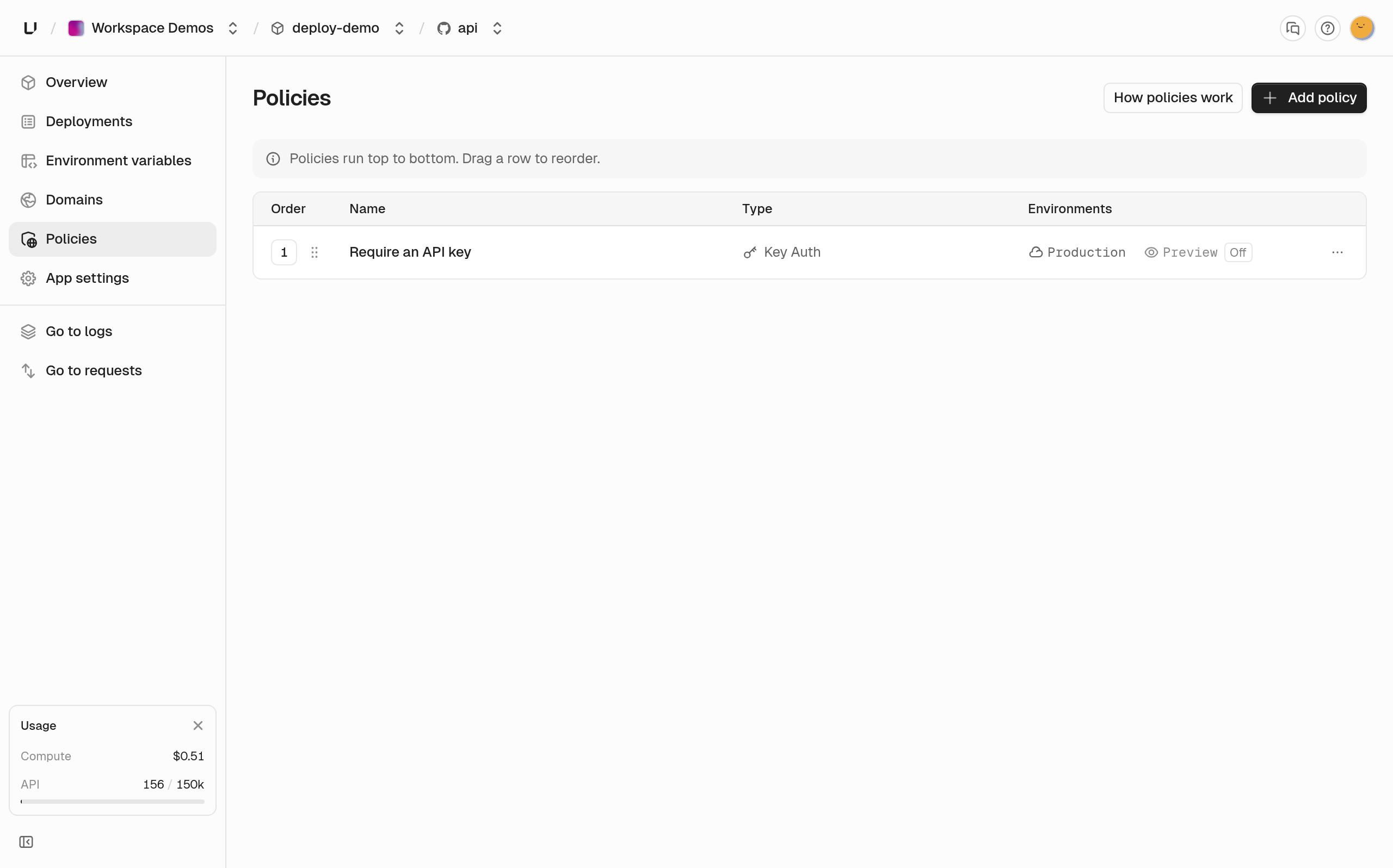
You don't need a separate rate limit policy. Once the gateway verifies the key, it also enforces the limit you attached to that key.
Policies apply on the next deployment, so redeploy production to turn this one on.
If you'd rather use the API or CLI, you can set the same policy with one command. Both need the keyspace id (ks_xxx), which is on the keyspace Settings page.
setPolicies replaces the environment's whole policy list, so include every policy you want to keep. The root key needs environment.*.set_policies.
Once the new deployment is live, call the app without a key.
The gateway answers 401, and the request never reaches your code.
Now call /whoami with the key.
The response headers show the caller's limit and how many requests they have left.
The body is the X-Unkey-Principal header that the gateway added. It tells your code who is calling.
subject is the identity's externalId, or the key id when the key has no identity. The gateway strips any X-Unkey-* header the client sends. Compute deployments are only reachable through the gateway, so inside Compute you can trust that Unkey set the header. If you run the same code somewhere else, a caller can forge it, so don't trust it there.
Once a caller goes over the limit, requests return 429 with a retry-after header that gives the wait in seconds.
Preview has its own policy list, so your production policies don't cover it. If a preview shouldn't be public, set policies for it too, or choose All Environments in the dashboard.
Step 4: Find and fix a bug
Say a change to the item lookup ships to production, and customers' GET /items/2 calls start failing.
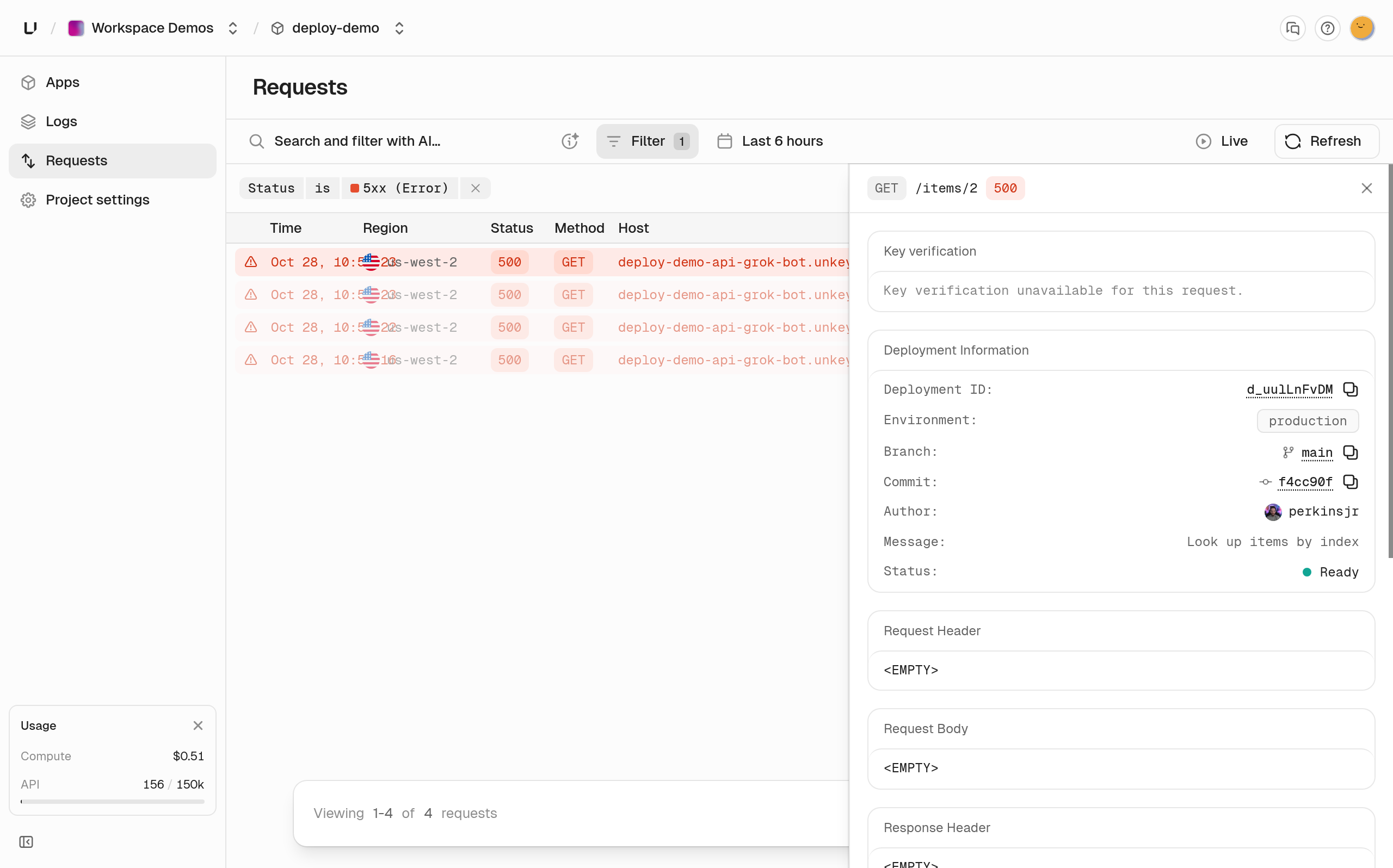
- Open Requests for the project and filter Status to 5xx. Every failure is a
GET /items/2that returned500. Open one to see the deployment, branch, and commit that served it.
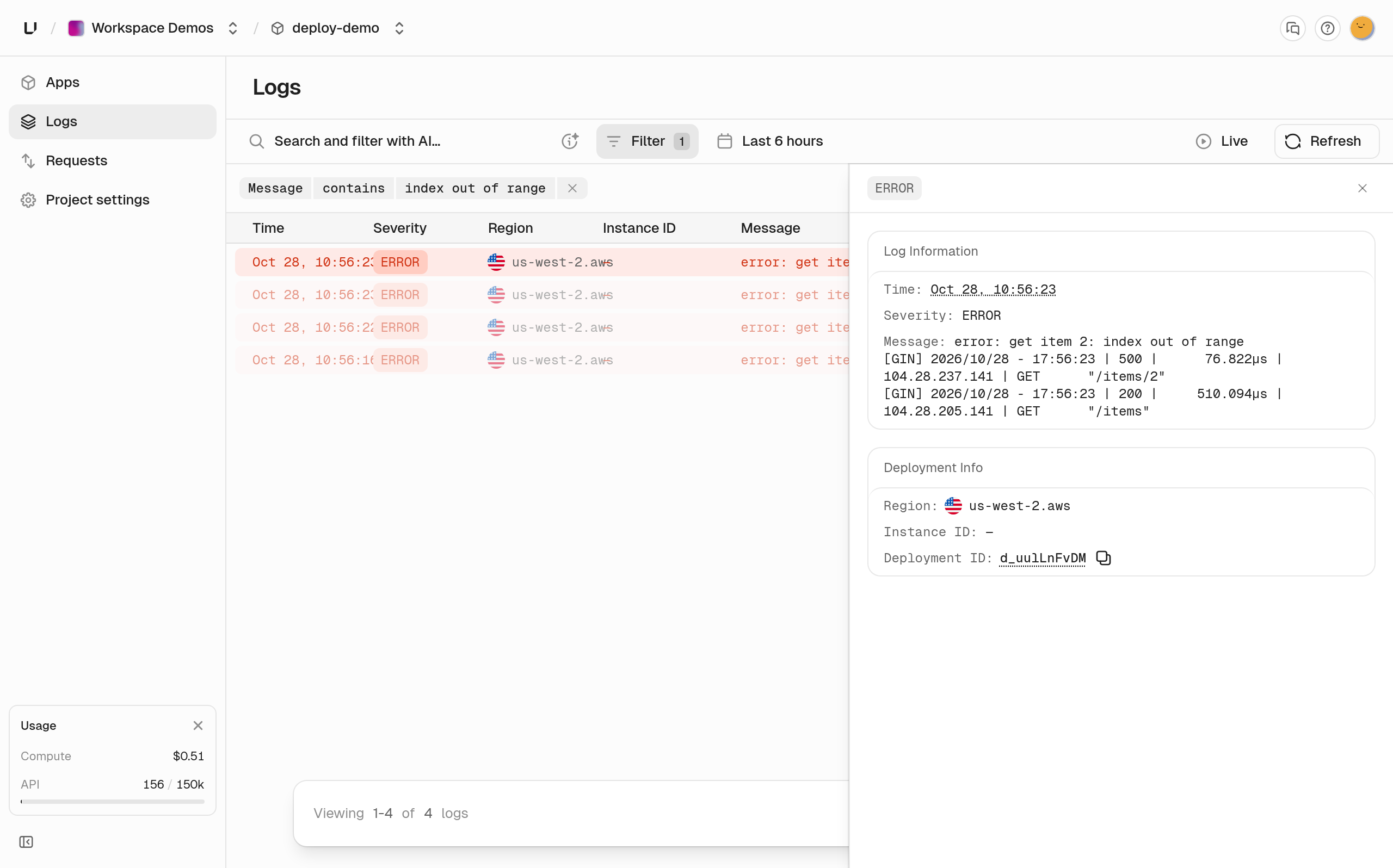
- Open Logs and search for
index out of range. The app loggederror: get item 2: index out of rangeon each failed call.
- Push the fix to a branch. Unkey builds a preview for it. Call the same path on the preview's branch domain with your key.
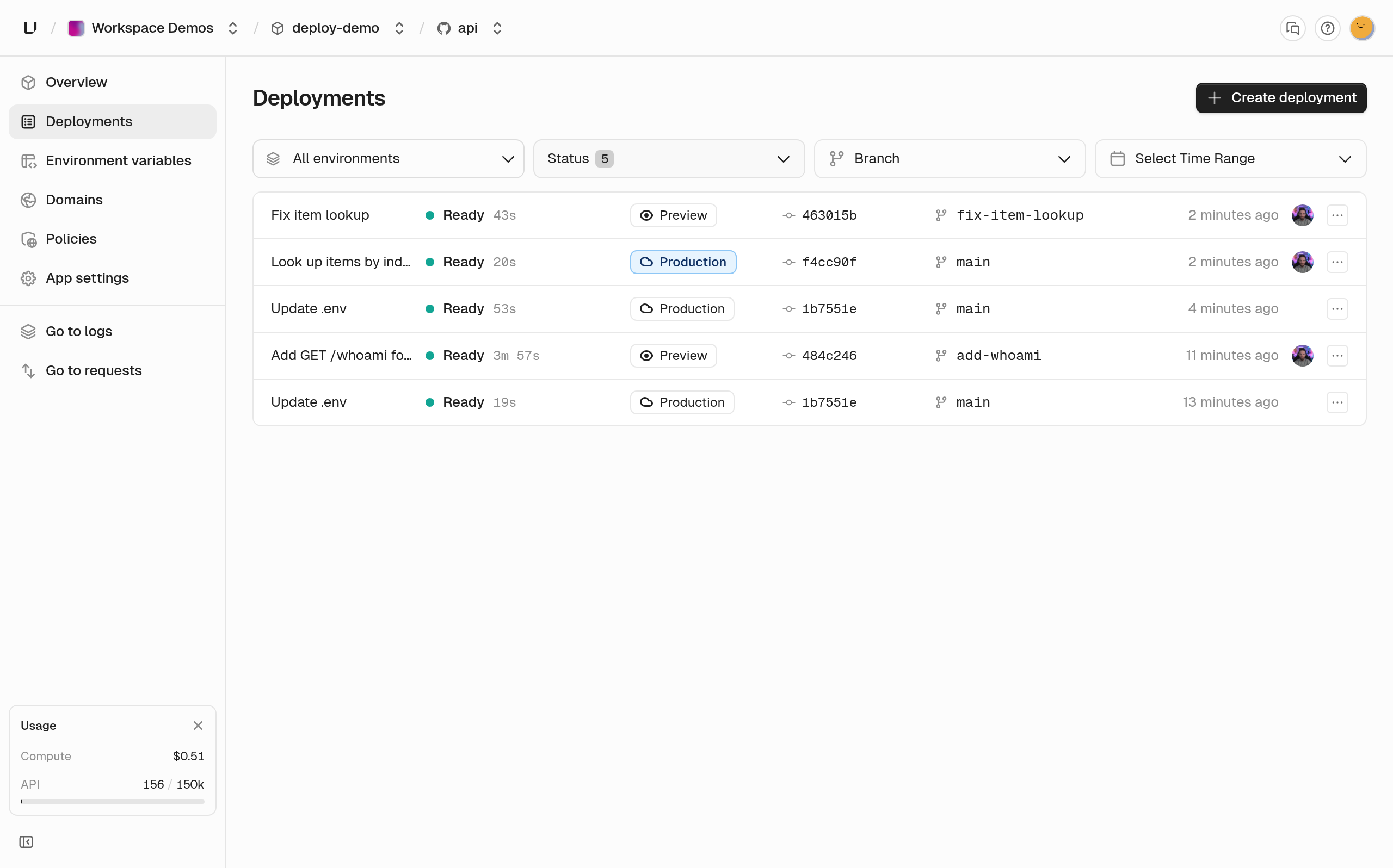
- Merge the branch. The push to your default branch deploys the fix to production.
The gateway rejects some requests, like ones with a missing key or ones over the rate limit. Those never reach your app, so they don't show up in Requests. You can find those key checks in API Management's verification analytics.
To query the same data with SQL, call analytics.getGatewayRequests. The root key needs project.*.read_gateway_requests. Queries cover the last 7 days.
How this compares with GitHub Actions plus Cloud Run, ECS or Kubernetes
The other setups leave more of this to you. Each provider column links to that provider's docs.
Render's service previews are the closest built-in match for the preview row. You choose Manual or Automatic pull request previews, and Render deletes a preview when its pull request is merged or closed. Unkey also puts a gateway in front of production and previews, and the request log is queryable.
Cost
API Management and Compute are billed separately. You can use either one without the other. Prices below are from unkey.com/pricing.
Compute has three plans. Each one includes a monthly usage credit equal to the fee. Until December 31, 2026, the first month is discounted. Starter costs $0 the first month and $5 after that, Pro costs $20 and then $25, and Business costs $45 and then $50. On Starter, credit left over from that first month carries to the next bill. Unused credits otherwise do not roll over.
Every plan allows one concurrent build, git push to deploy, and a preview for each pull request. Preview usage is billed at the same rates as production.
Past the included credit, you pay for the vCPU and memory your app actually uses, the disk you allocate, egress, and active keys checked by a Compute key auth policy. The rates below are rounded.
If the default instance (0.25 vCPU, 256 MiB) ran flat out all month, you'd pay about $4.50 for CPU and $2.25 for memory, so about $6.75, and the Starter credit covers most of that. Treat that as the most it could cost. A real API almost never keeps CPU and memory at 100 percent around the clock, so your bill will land well under it. You pay for the CPU and memory your app actually uses, not what you configured. Memory your app holds is billed even between requests. CPU used while your app is idle or waiting on I/O is usually tiny, so it costs very little.
Spending Caps
You can cap the bill with a monthly budget.
- Set it in whole dollars under Settings > Billing. Only a workspace admin can change it.
- Admins get an email the first time month-to-date spend crosses 50, 75, and 100 percent.
- Stop workloads at the budget is off until you turn it on. At 100 percent, running deployments stop and every request gets
402spend_limit_reached. - Remove the budget, turn the stop option off, or wait for the next month, and the live deployment comes back without a redeploy. Raising the budget resumes compute once spend has stayed under the new budget for two checks in a row.
- Nothing is deleted.